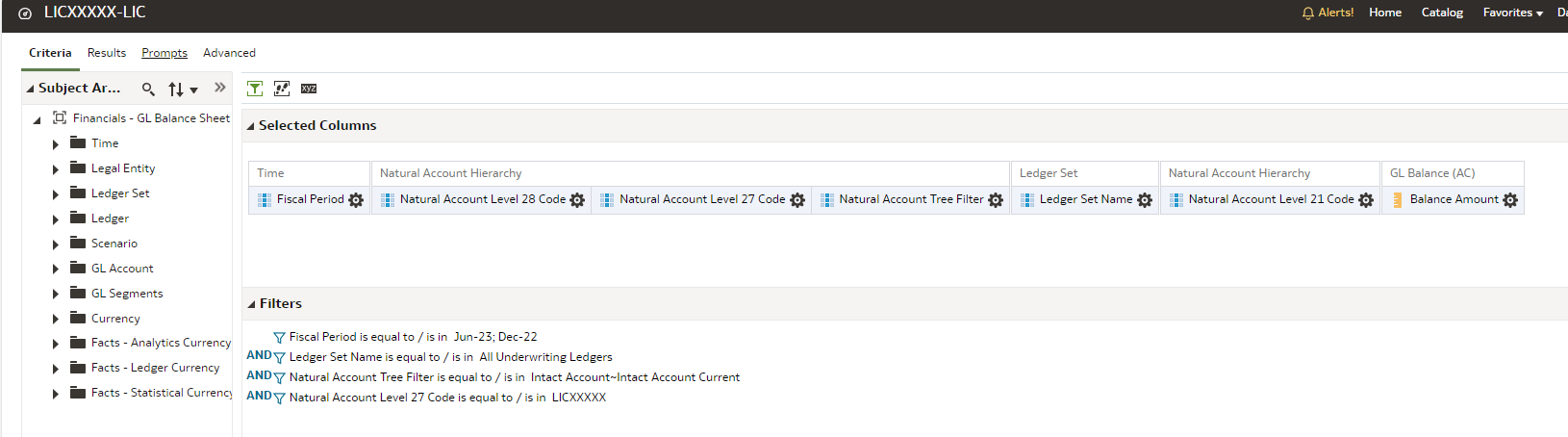
How can we present the % sign in Analysis? We could not find the % symbol in FAW. This is needed for our reports as some of the reports show comparative analysis and require the % sign in column.
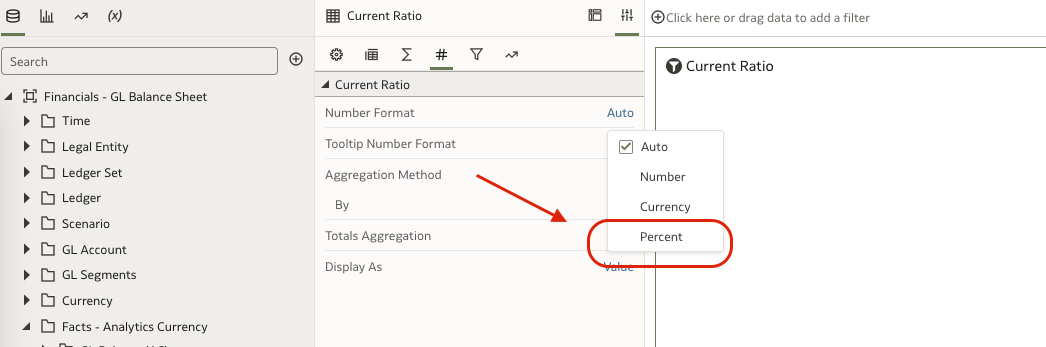
Kindly check the number format options that will allow to display in % Symbol in DV Projects.
Attaching screenshot
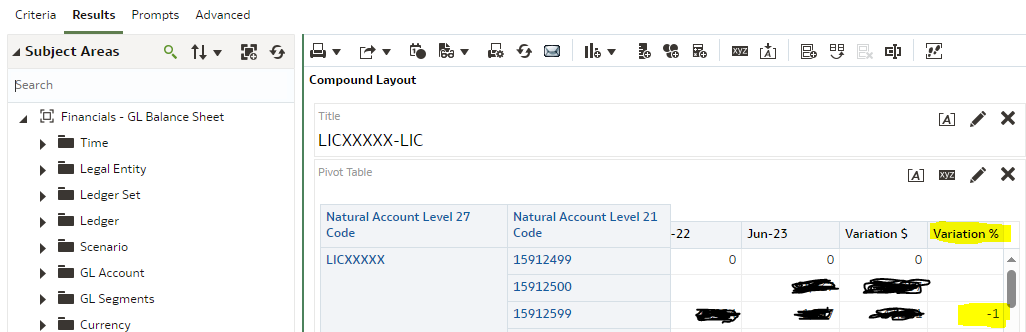
Thanks Krishna. We are using FAW Classic. Where can I find this feature in Classic. Moreover this needs to be applied to a calculated item as highlighted in yellow.
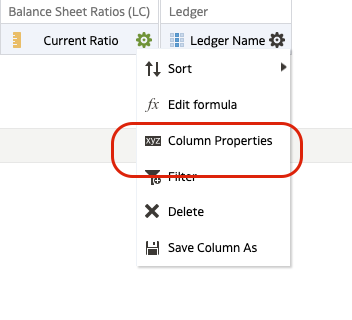
Please go to criteria.
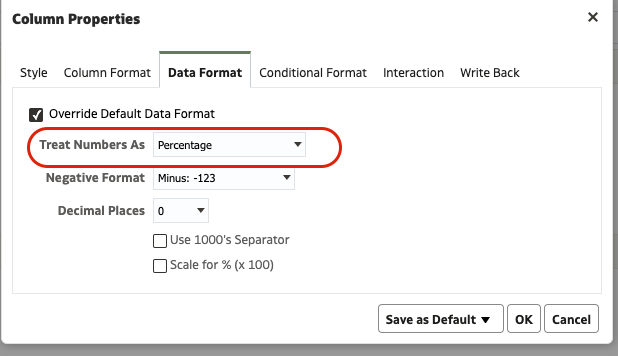
Column properties and data format.
Hi Krishna,
Since it is a calculated item (the Variation Column), we don't see this in Criteria.
The Column properties are present for all the columns when you edit the pivot.
if you cannot find it, then can you log a SR for the same.
Agenda Presentation: Salesforce Connector. Unlock the full value of the Salesforce CRM Connector with out-of-the-box subject areas that deliver immediate business insights, and discover how easily they can be extended to meet your unique reporting and analytics needs. Through "art of the possible" demonstrations, explore…
Description: Join Oracle and ISG Research to explore what the ISG Buyers Guide™ reveals about the requirements behind successful enterprise AI deployments. ISG will share key findings on the trends shaping buyer priorities, and Oracle will show how Oracle AI Data Platform helps organizations bring AI closer to trusted…