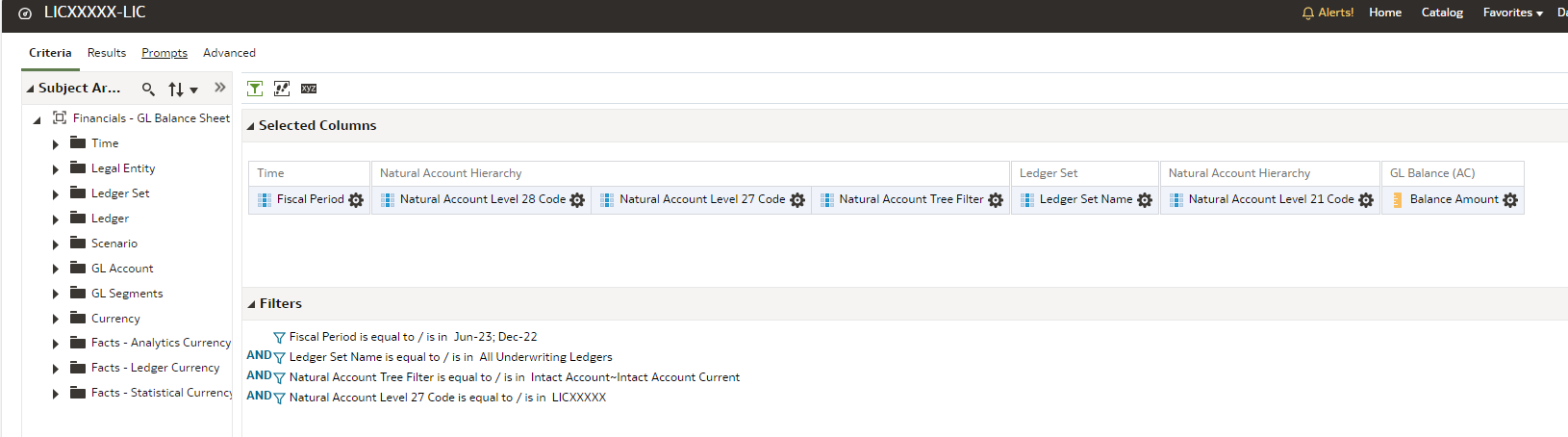
How can we present the % sign in Analysis? We could not find the % symbol in FAW. This is needed for our reports as some of the reports show comparative analysis and require the % sign in column.
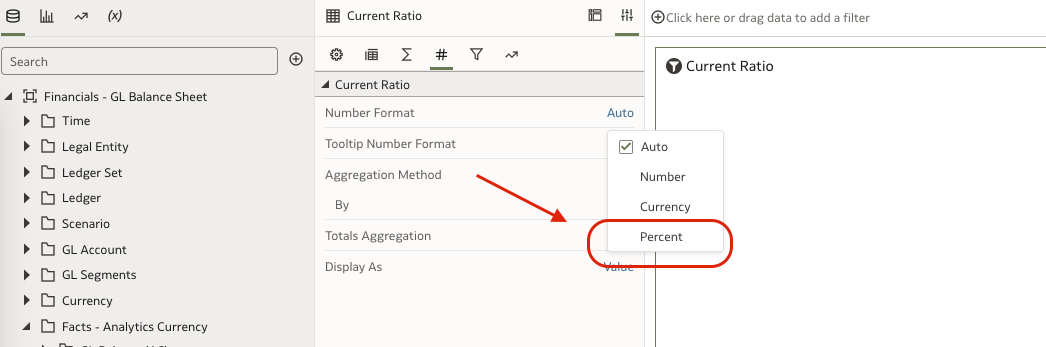
Kindly check the number format options that will allow to display in % Symbol in DV Projects.
Attaching screenshot
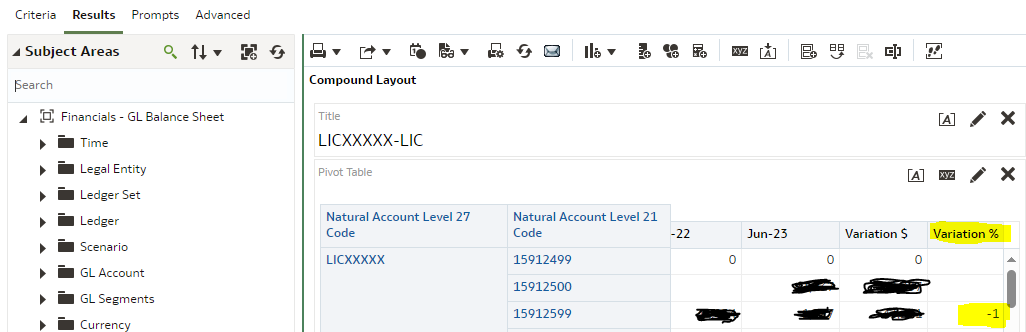
Thanks Krishna. We are using FAW Classic. Where can I find this feature in Classic. Moreover this needs to be applied to a calculated item as highlighted in yellow.
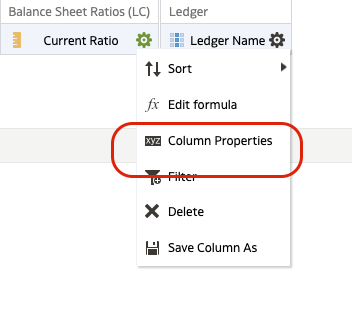
Please go to criteria.
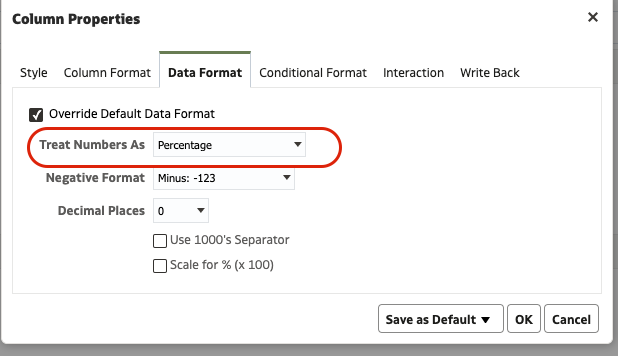
Column properties and data format.
Hi Krishna,
Since it is a calculated item (the Variation Column), we don't see this in Criteria.
The Column properties are present for all the columns when you edit the pivot.
if you cannot find it, then can you log a SR for the same.
Explore how to build agents using code in AI Data Platform. We'll create an agent that examines and analyzes the contents of a Github repository and reports its findings. The session demonstrates how to use different developer tools to create agents including the AIDP extension for VS Code and Codex. Using these tools we…
Agenda Presentation: Optimize FDI Workbook Performance Learn best practices and optimization strategies for building performant workbooks in Oracle FDI. We’ll share practical tips and lessons learned to help report authors avoid common pitfalls and design workbooks with performance in mind from the start. As a special…
Learn how to deploy an AI Data Platform agent, register it to the AI Registry, and introduce it to business users through Agent Hub. This session covers how to prepare an agent for deployment, configure endpoint access and authentication, invoke a deployed agent, and monitor it after deployment. The session also introduces…