Summary:
Maximize your Oracle AI Data Platform (AIDP) Workbench experience by understanding how to securely collaborate, design scalable medallion architectures, and choose the right storage type for your data. This recurring FAQ series offers detailed answers and actionable tips to questions we’ve received in our webinars.
Q1: How is multi-user collaboration managed in AIDP Workbench?
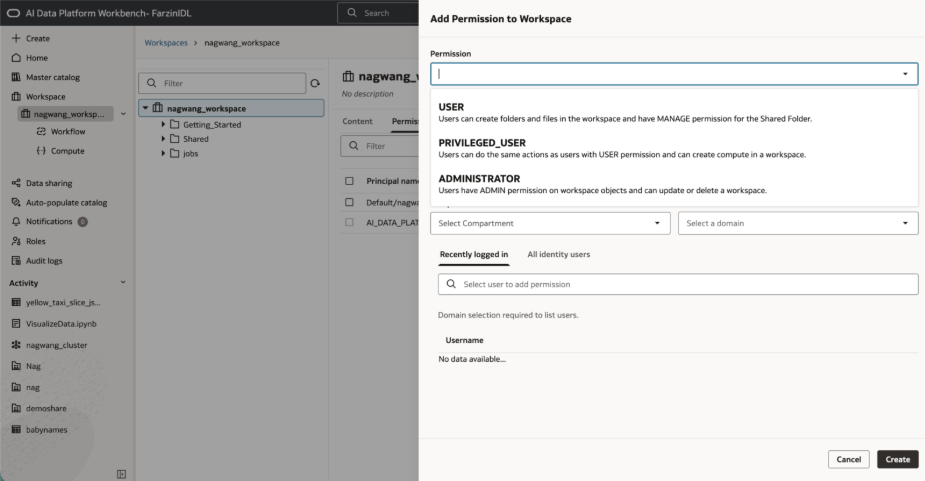
AIDP Workbench uses granular Role-Based Access Control (RBAC) to support multi-user collaboration. Workspace owners can grant precise permission levels:
- USER: Can create folders/files in root and manage the Shared Folder.
- PRIVILEGED_USER: Includes USER permissions and allows the creation of compute resources.
- ADMINISTRATOR: Full admin rights for the workspace, including updating/deleting the workspace and managing permissions.
These roles can be assigned and managed through the Permissions tab of each workspace, giving you flexible control over access to contents and resources. Custom roles can also be created, and permissions can be managed at every object level.
Quick Tips:
- Use the Permissions tab in your workspace or resource to assign, modify, or revoke access.
- Use RBAC to grant only the minimum permissions necessary for each user to maintain both productivity and data security.
Q2: How should I structure bronze, silver, and gold data layers in the medallion architecture using AIDP?
AIDP allows you to align medallion (bronze, silver, gold) layers with your project needs by using:
- Separate catalogs: Each data layer (bronze, silver, gold) is a distinct catalog, which supports strict data segregation and governance.
- Separate schemas within a single catalog: Easier management and quicker cross-layer access, with logical separation for each stage of data processing.
You can create both catalogs and schemas via the navigation pane or directly within a master or standard catalog. This enables flexible organization based on scaling and compliance requirements.
Q3: What is the difference between volumes and tables in AIDP, and when should each be used?
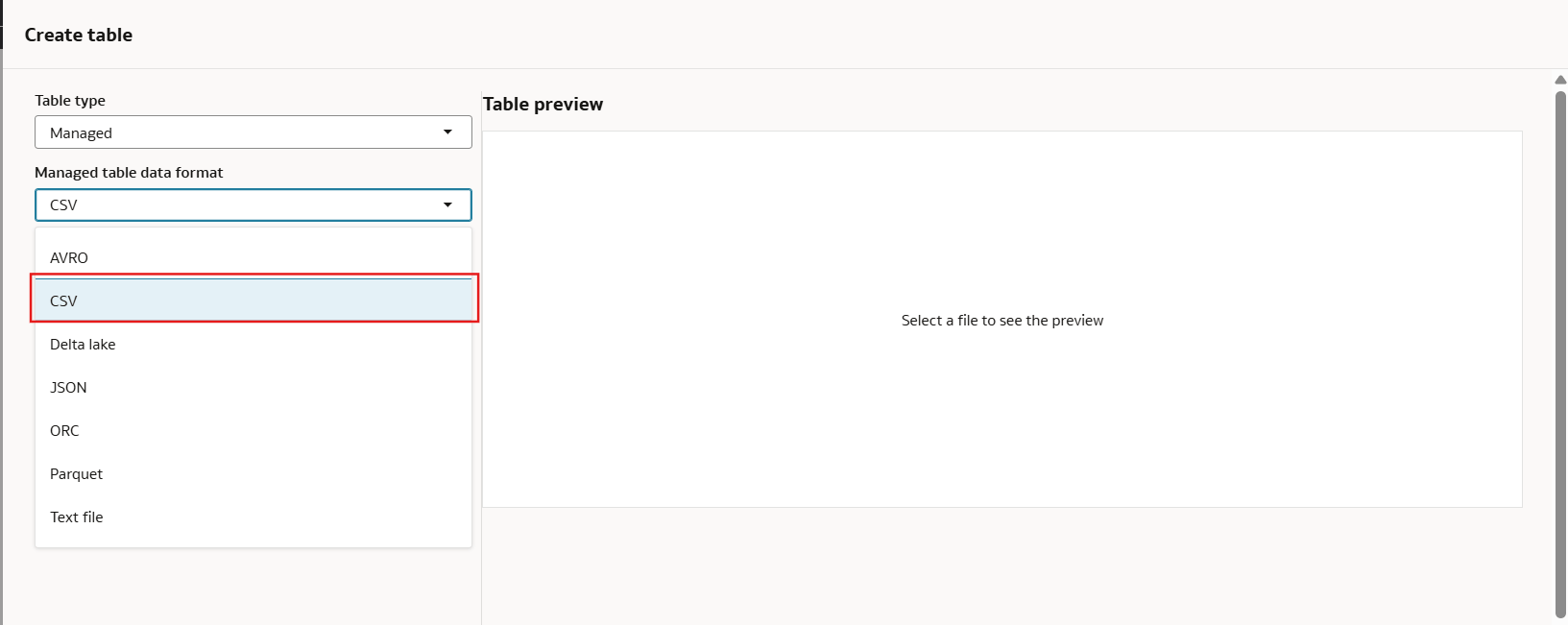
- Tables store structured data (rows/columns) — ideal for transactional or analytical workloads. Managed tables support common file formats (CSV, PARQUET, etc.).
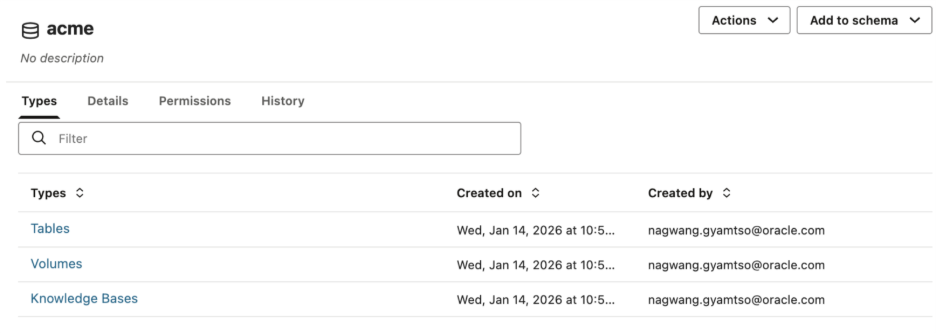
- Volumes store unstructured or semi-structured data such as PDFs, DOCX, and images.
Quick Tips:
- Use Tables for structured, relational data (rows/columns)
- Use Volumes for files that don’t fit into a tabular structure (docx, pdf, jpg, etc)
- Managed Tables and Volumes each use Oracle-managed OCI Object Storage behind the scenes and access/settings may differ for external/managed types.
- Volumes support folders and direct file management, which is sometimes important for large-scale or ML use cases.
- Control access to volumes and tables using their respective permission settings to secure sensitive assets.
Learn More:
Explore more in the Oracle AI Data Platform documentation.