Categories
- All Categories
- Oracle Analytics and AI Learning Hub
- 53 Oracle Analytics and AI Sharing Center
- 20 Oracle Analytics and AI Lounge
- 293 Oracle Analytics and AI News
- 57 Oracle Analytics and AI Videos
- 16.4K Oracle Analytics and AI Forums
- 6.5K Oracle Analytics and AI Labs
- Oracle Analytics and AI User Groups
- 116 Oracle Analytics and AI Trainings
- 21 Oracle Analytics and AI Challenge
- Find Partners
- For Partners
Welcome to the Oracle Analytics Community: Please complete your User Profile and upload your Profile Picture
Visualize Data Changes Over Time in Oracle Analytics
Prasenjit_Thakur-Oracle
Rank 5 - Community Champion
The Motion Chart custom extension displays data as an animated bubble chart to help track changes over time. It uses the X-axis, Y-axis, bubble size, and color to represent multiple measures simultaneously, making it useful for trend analysis and time-based comparisons.
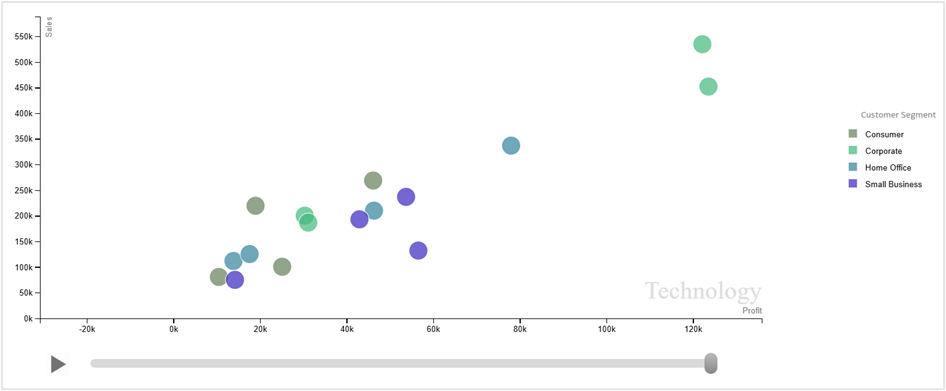
Learn more about the extension: Video link | Blog
You can download the extension zip file here:
Upload the zip file into Oracle Analytics Cloud instance by navigating to Console→Extensions and you start adding the visualization to your workbooks.
Important:
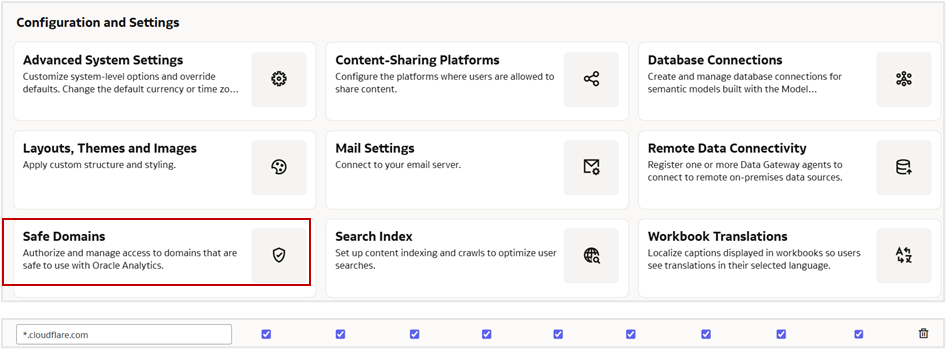
Ensure to whitelist the domain ‘*.cloudflare.com’ under Safe Domains in your Oracle Analytics instance.
Tagged:
1