Quarter-close analysis often requires more than GL totals—you need to understand what changed, where it came from, and which subledger activity is driving the results. This tutorial shows how to visualize and analyze GL account activity using Configurable Account Analysis (CAA) subject area in Oracle Fusion ERP Analytics.
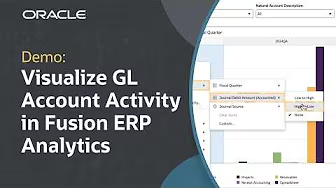
In this guide, you’ll learn how to:
- Build a GL account activity workbook using Fusion ERP’s Configurable Account Analysis subject area (created and shared by a functional administrator) to analyze GL variations across periods and sources.
- Use bar charts to compare GL activity across periods and quickly spot spikes or anomalies by journal source.
- Create donut charts by document (entered) currency to identify foreign currency exposure and assess potential risk areas.
- Use pivot tables to review GL and subledger details together—breaking down activity by journal source, transaction category, and related dimensions.
- Drill into key transaction drivers (for example, a high-volume journal source), then export targeted results for deeper review with subledger owners.
With CAA, you can move beyond GL totals to see where activity is coming from, what type of transaction event it represents, and which categories are driving adjustments—helping you make faster, more confident business decisions.
Watch the full tutorial to see these steps in action, and review report authoring tips for Fusion ERP Analytics here.