Use Case
This workbook helps AP and Finance teams analyze supplier payment efficiency, identify late payment exposure, understand invoice processing bottlenecks, and monitor payment status exceptions.
Oracle Fusion Data Intelligence provides prebuilt, extensible analytics for Fusion Cloud Applications, helping business users analyze operational performance and improve decision-making. This reusable workbook extends AP supplier payment analysis by bringing together supplier payment performance, invoice processing bottlenecks, payment timing, payment status monitoring, and hold root-cause analysis.
In this post, we are sharing a reusable workbook for AP Supplier Payment Efficiency Analysis. The target audience is AP Managers, Finance Operations teams, Shared Services Leads, Controllers, and AP Analysts who want to identify late payment exposure, understand invoice processing delays, and improve supplier payment reliability.
Functional Area
Subject Areas
- Financials - AP Payments
- Financials - AP Invoices
- Financials - AP Holds
Business Use Case
This workbook helps AP and Finance teams analyze supplier payment efficiency in the context of reducing delays, improving payment reliability, and supporting supplier relationship management.
- Which suppliers have the highest late payment exposure?
- Are payments shifting from check/manual methods to electronic payment methods?
- Are certain payment methods associated with delayed payments?
- Are payments early, on time, or late compared with due dates?
- Are invoice approvals or holds contributing to payment delays?
- Which hold root causes are most often blocking invoice progress?
- Where should AP teams focus first to reduce delays and improve efficiency?
Prerequisites
Before using this workbook, ensure that the required Financials subject areas are available and that AP Payments, AP Invoices, and AP Holds data is loaded and validated.
Default Performance Filter - The workbook is delivered with Fiscal Year = YEAR(CURRENT_DATE) to improve workbook opening time, interaction, and download performance in demo or high-volume environments.
- Customers can remove, disable, or modify this filter for multi-year or historical analysis.
|
|---|
Workbook Details
Canvas | Purpose |
|---|
Read Me | Explains purpose, data scope, default performance filter, usage notes, and calculated category logic. |
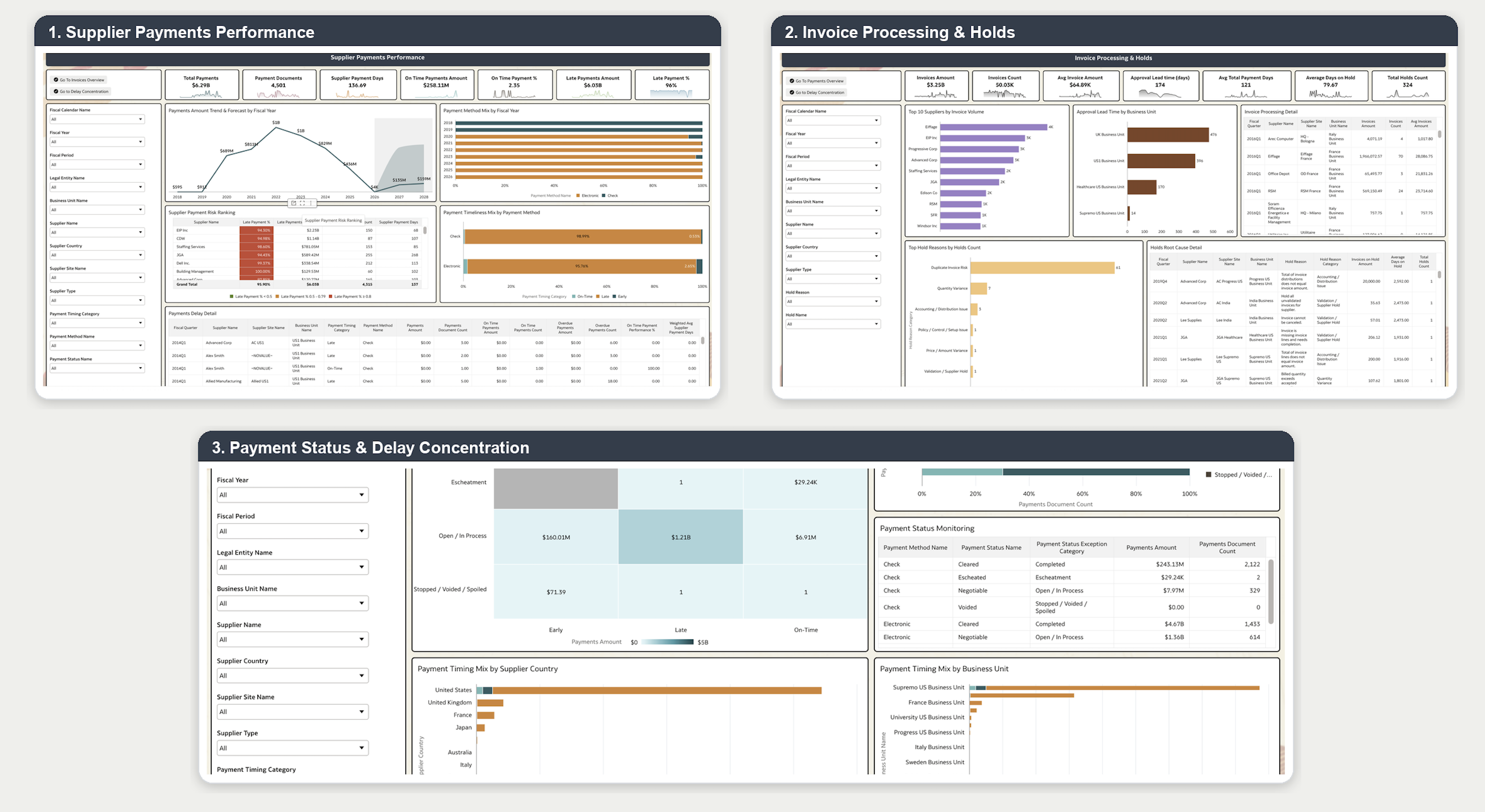
Supplier Payments Performance | Tracks payment volume, late payment exposure, payment documents, supplier payment days, on-time performance, late payment percentage, payment method mix, and supplier payment risk ranking. |
Invoice Processing & Holds | Analyzes upstream invoice processing drivers, including invoice volume, approval lead time, total payment days, hold volume, days on hold, hold root causes, and hold detail. |
Payment Status & Delay Concentration | Monitors payment execution status and identifies where delayed payments are concentrated by payment method, supplier country, and business unit. |
Prerequisites
General Guidelines and Best Practices
Use the steps below after downloading and importing this workbook into your Oracle Fusion Data Intelligence environment.
- Review the Help / Read Me Page - Start with the workbook Help or Read Me page. It explains the workbook purpose, subject areas used, default filters, calculated fields, and usage notes.
- Check Required Functional Areas - Use only the workbooks that match the pillar, functional area, and subject areas activated in your FDI instance. If the required content is not enabled, the workbook may not return data.
- Select the Right Filters - After import, review the prompts and filters before analyzing results. Pay special attention to time filters such as fiscal year, fiscal period, accounting period, or calendar period. Also check key business filters such as business unit, legal entity, ledger, supplier, customer, country, product, or project as applicable.
- Validate the Results - Confirm that totals, charts, and tables look reasonable in your environment. This is especially important when a workbook uses multiple subject areas, calculated fields, or custom category groupings.
- Adapt to Your Business - These workbooks cover generic business scenarios. Update filters, visual titles, calculations, category mappings, and layouts as needed to match your organization’s configuration, definitions, and reporting needs.
- Follow Authoring Best Practices - When modifying the workbook, use the correct subject areas, check data grain before combining fields, avoid unnecessary high-detail attributes, and test workbook performance after changes.
- Refer to Latest Documentation - Use the latest Oracle Fusion Data Intelligence documentation for current authoring tips, pillar-specific guidance, and workbook design recommendations.
If the workbook does not show data, first check the ReadMe page, required subject areas, security access, and selected filters.


