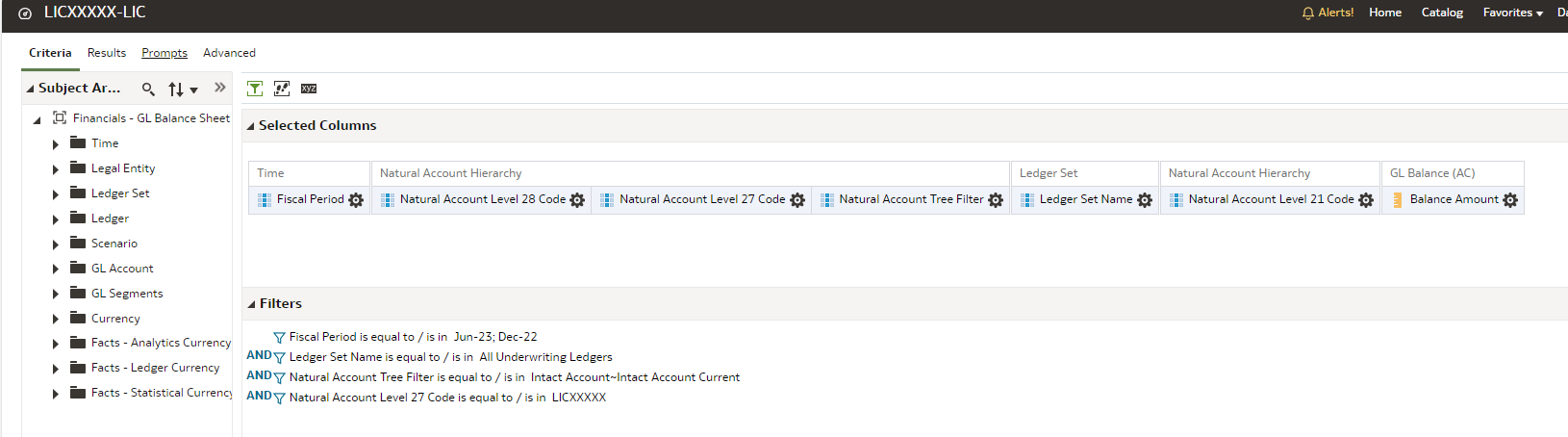
How can we present the % sign in Analysis? We could not find the % symbol in FAW. This is needed for our reports as some of the reports show comparative analysis and require the % sign in column.
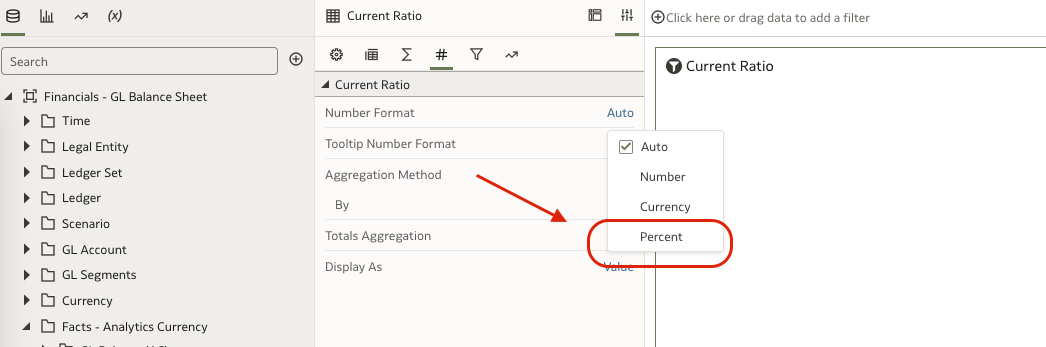
Kindly check the number format options that will allow to display in % Symbol in DV Projects.
Attaching screenshot
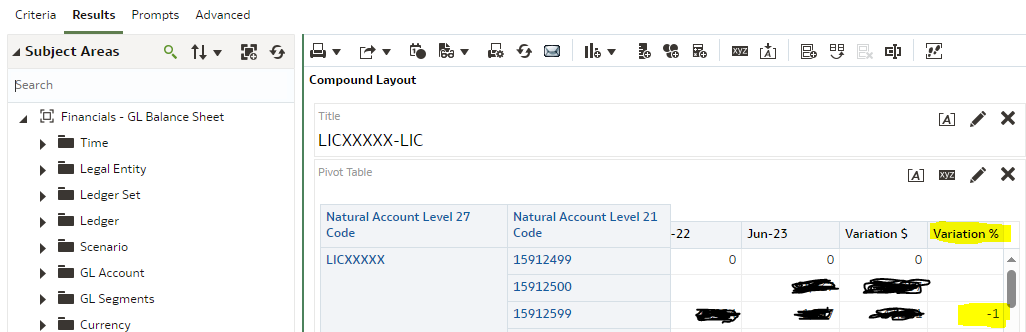
Thanks Krishna. We are using FAW Classic. Where can I find this feature in Classic. Moreover this needs to be applied to a calculated item as highlighted in yellow.
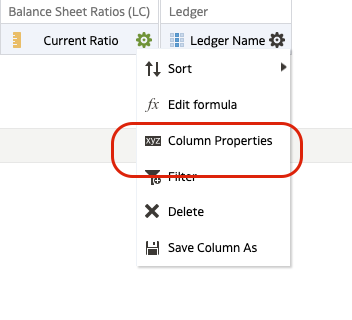
Please go to criteria.
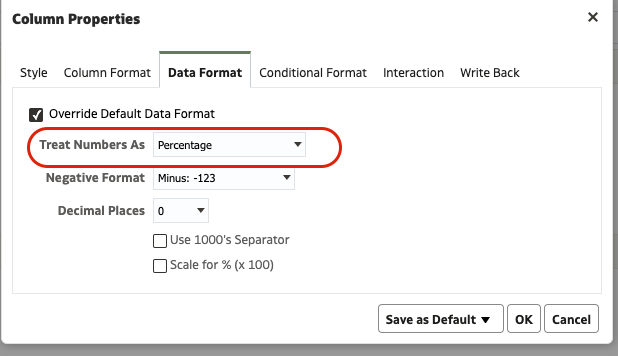
Column properties and data format.
Hi Krishna,
Since it is a calculated item (the Variation Column), we don't see this in Criteria.
The Column properties are present for all the columns when you edit the pivot.
if you cannot find it, then can you log a SR for the same.
Customers are encouraged to join this quarterly virtual meeting to hear the latest updates from Oracle Product Strategy and Product Management. There will be time at the end to network with your peers and connect with other customers who are turning their data into actionable insights with Oracle Analytics and Oracle AI…
Register today! Description: Enterprise AI initiatives need more than a promising use case. They need trusted data, the right business context, and governance from the start. Join Oracle and Vertice to explore how organizations can bring these elements together to move AI use cases into production In this webinar, Oracle…
Join the FDI HCM Product Management Team in this live webinar to go over the topics related to Release 26R3 Agentic Capabilities Fusion Agents & Agentic Apps FDI MCP Tools OAC Data Agents delivered via FDI Content Library Workforce Scheduling - New Subject Area Learning - Analytical Currency, E-learning,…