Hi,
Business Users requests to display custom names for Sheet 1,Sheet 2.... in the excel output rendered from BI Publisher.
How do I achieve it. I am creating the report using BI Publisher Template Builder
Thanks
Kalyan
Please check if below helps:
Thanks.
Mandeep,
I`m not using RTF template. I`m using template editor.
Hi Team,
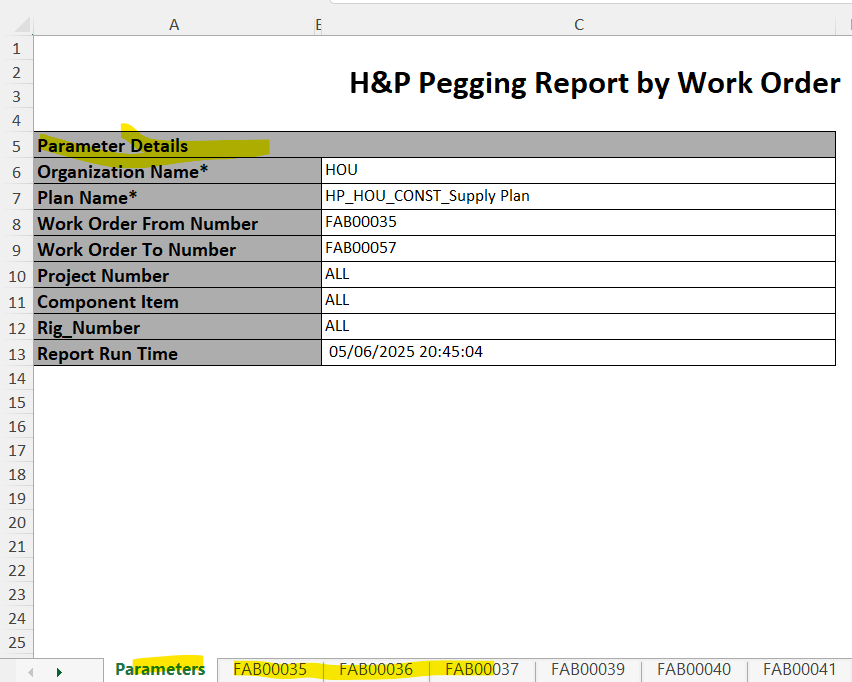
Am trying to add parameter sections in sheet 1.But we are not able to disciply(All parameters values are available in Group(G_2))
WHen ever trying to add another tab with parameters its getting blank
Could you please help me on this bascially this is the multi tab output(For each tab we are disciplaying one work order details.)
Template :Excel Output:Excel FOr your reference find the atatched xml file and excel template.
Please help me on this asap.
Hi @VenkateshMupparaju
Use XDO_SHEET_NAME_? to specify the naming convention for each sheet.
Please review the documentation
https://docs.oracle.com/cd/E28280_01/bi.1111/e22254/create_excel_tmpl.htm#ext_multsheets
Hi Ravi,
Thanks, for your update.
I can be able to handel multiple sheets with dynamic name as a Work order number.
But my requirment is I need to add one more tab and need to disciplay parameters values which user paseed.(These values are available in Group 2)
So that am trying to add one more tab and select the parameter columns from the xml file(Group2).Then I got the bank values.
For your reference find the attached xml file and excel template.
Thanks,
Venkatesh.
The expections is like below
Please let us know if its feasible in excel template.
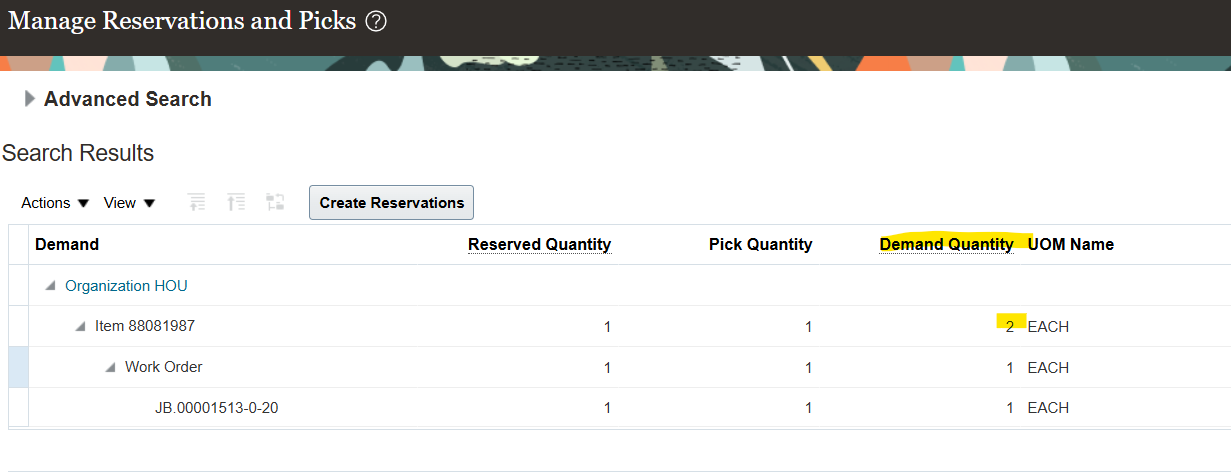
Could you please provide logic for Demand quantity column with tables.
Navigation:Supply execution—>Inventory managment—>Manage reservations and Packs
We have built an OTBI report intended for Line Managers to view their subordinates’ emergency contact details. The report uses the Workforce Management - Person Real Time subject area. When a Line Manager runs the report, the emergency contact fields (e.g. EC Phone Type, EC Phone Number, EC Email Type and EC Email Address)…
Hi All, Good Day. We have created one custom OTBI report and it has "Business Unit" as of one of the parameter. The related list of values is showing all the business units and we want to restrict it to the user who has the related Business Unit data access set access. Please let us know how to achieve this in OTBI report.
I have a Leave Details Report with the condition below to restrict the report based on the logged-in user's AOR. However, the report is not returning any data for any legislation, when users run it under the 'About Me' context.
Our Requisition OTBI analysis is having many values Requisition Number Requisition Title Requisition Status Hiring Manager Full Name Recruiter Full Name am able to see values for all. When am passing Prompt(Hiring Manager Full Name or Recruiter Full Name) am not able to see the data. Am sure we have values/data for passed…