Hi Team,
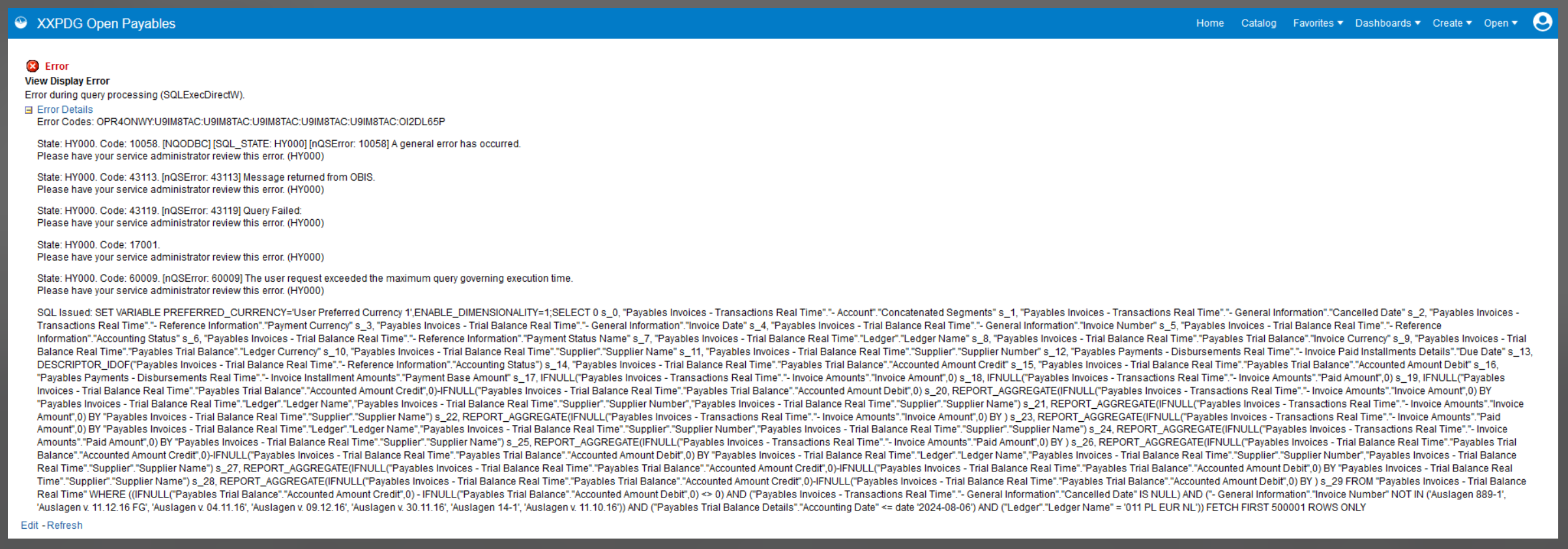
We are getting this below error for a few users and when we try to run it we are able to get data successfully.
Below is the error message -
Can you please help us with this.
Thanks,
Shikha
Hi Shikha,
I assume this is the expected result with a database connection error message for a user that executes a query from a subject area for which they have not been granted the required role to use that subject area.
For this subject area
Payables Invoices - Trial Balance Real Time
https://docs.oracle.com/en/cloud/saas/financials/24c/faofb/Payables-Invoices--Trial-Balance-Real-Time-SA-23.html#Payables_Invoices__Trial_Balance_Real_Time_SA_23_d1e7836
to not get a database connection error
a user needs one of job role
or a custom role with duty roles
Ooops - apologies but the image was quite small. I just read the message now later. I do not think it is roles now.
It says "Exceeded the maximum query execution time". So the issue is the query performance. It is taking too long to get your data. Are different users running it with different parameters. Can the user for whom it failed run it with more restrictive parameters to get less rows? Maybe just one invoice with a smaller accounting date range?
Review your usage tracking to see the different query text issued. Which ones fail and which ones have success. What are the where clauses? How many rows? Is it consistent slow or does it depend on other concurrent workloads? Can you get a repeatable test case.
Then view log in manage sessions. Try running the physical SQL(s) then comment in and out bits until you find which bit is the slow part causing the problem. You can use the explain plan in an adhoc data model to get insights.
Hi @Nathan CCC - Thank you for the response.
But one user is able to run this with the same parameter.
This is a report which shows open payables so it has got only one parameter of Accounting date.
The problem is some users with the same input get the output while others are getting this error.
Description: The Oracle Fusion Data Intelligence (FDI) Product Roadmap Update provides an overview of the latest developments and future plans for FDI. Oracle Product Management experts will share upcoming capabilities, key enhancements, and product direction, helping attendees understand what is changing and how these…
We have a Talent Community Pool configured with Organization and Job Family criteria. Some candidates were added to the pool, but we are unable to determine which specific criterion they matched. Is there a report, analysis subject area, audit history, or backend table that shows the attribute values that resulted in a…
Hi, We are looking for PVOs for below tables in BICC Can you guide us on the approach to extract data for these? PON_AGREEMENT_LINES_ALL PON_AGREEMENTS_ALL PON_APPROVAL_HISTORY PON_CONTRACT_PARTIES PON_PRICING_TERMS PON_TERMS_AND_CLAUSES Thanks, Nitin
Hi All, We are using Oracle Fusion Cloud Procurement and would like to secure the Purchase Order (PO) PDF that is generated from Oracle Fusion. Our requirement is to have the generated PO PDF password-protected, so that the recipient must enter a password before the PDF can be opened. Can someone please advise? We are…
Does Fusion release supports propagating an HTTP XML Feed authentication exception into the BIP-based ESS job’s completion text.