Categories
- All Categories
- Oracle Analytics and AI Learning Hub
- 34 Oracle Analytics and AI Sharing Center
- 22 Oracle Analytics and AI Lounge
- 276 Oracle Analytics and AI News
- 47 Oracle Analytics and AI Videos
- 16.1K Oracle Analytics and AI Forums
- 6.3K Oracle Analytics and AI Idea Labs
- Oracle Analytics and AI User Groups
- 99 Oracle Analytics and AI Trainings
- 16 Oracle Analytics and AI Challenge
- Find Partners
- For Partners
Detailed Headcount Analysis - By Configured Bands using BI Classic View

Summary
Headcount dashboards in this catalog, are built using BI Classic. Please download and explore the dashboards.
Content
Navigate to BI Classic and import the attached catalog:
From FAW home (https://<tenancy>.data.analyticsapps.<dataregion>.ocs.oraclecloud.com/ui/oax/) go to left navigation menu and click on Projects.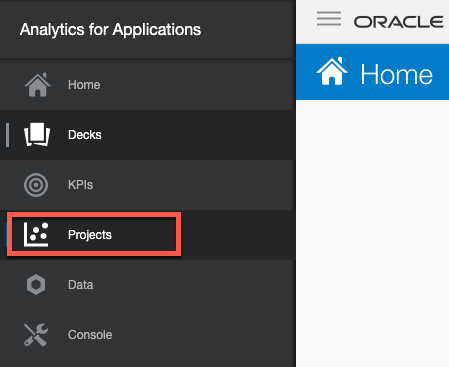

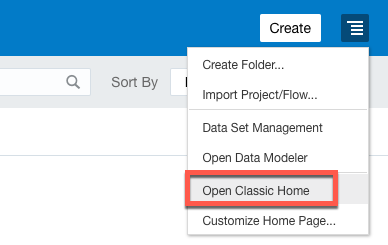
From the right navigation menu click on Open Classic Home
Go to Catalog and navigate to a destination folder (for example: /Shared Folders/Custom/HCM Projects/Headcounts By Bands), from the bottom Tasks menu, click on Unarchive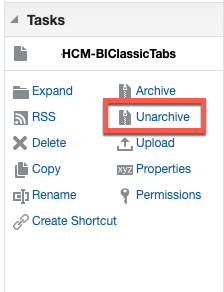

On the Unarchive popup window click on Browse and choose the catalog (downloaded from this post) and click OK.
After it’s unarchived, you will see following dashboards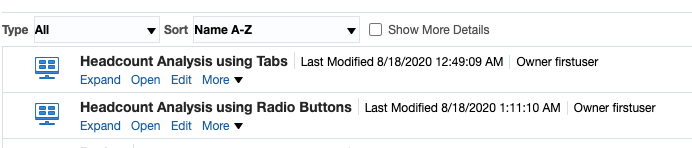
Examples:
Headcount Analysis using Tabs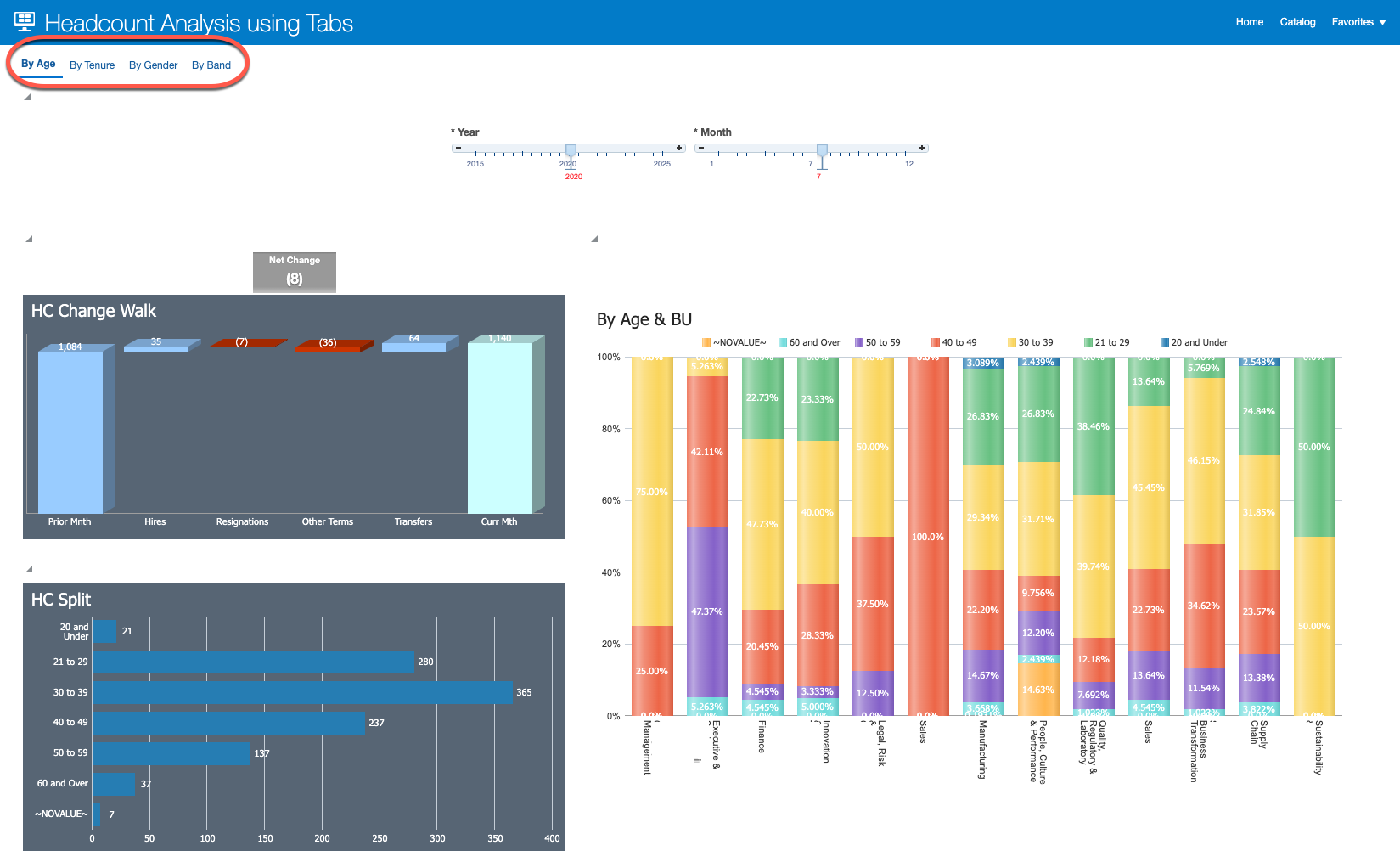

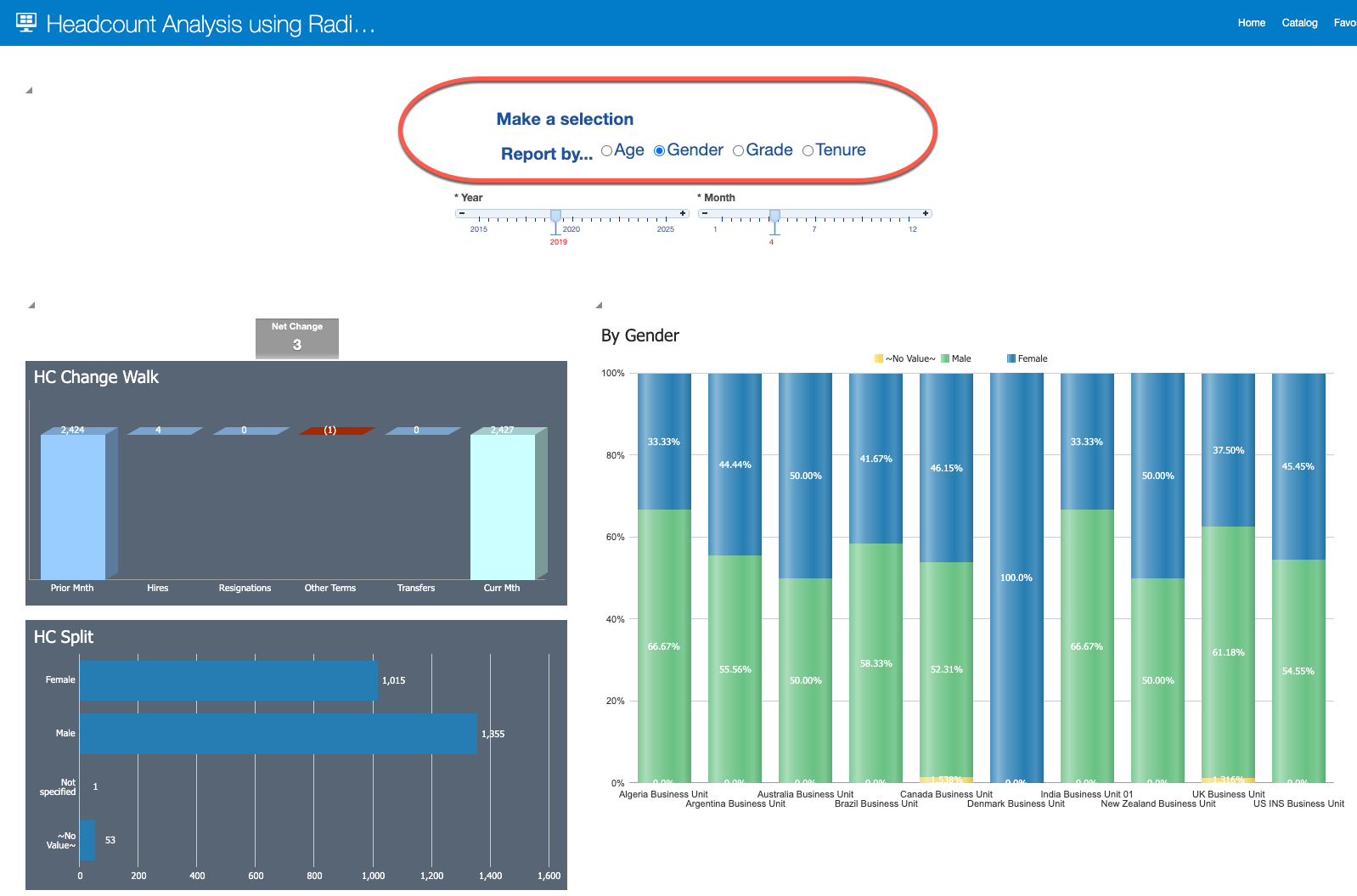
Headcount Analysis using Radio Buttons:
Answers
-
Bro Looks Great! unfortunately, no attachments to download. can you help by sharing that?
0 -
Yeah, can you please attach the archive file? It's going to be useful.
0
