
Any page in NetSuite can have a Subtab selected by default upon loading.
Just append the following to the URL of the page:
&selectedtab=[SubtabID]
where [SubtabID] is the ID of the subtab to be selected by default.
The Subtab ID can be obtained in the Browser Developer Tools by right-clicking on the subtab, then selecting Inspect.
Next, look for the first parameter of the ShowTab function. See the sample screenshot below:

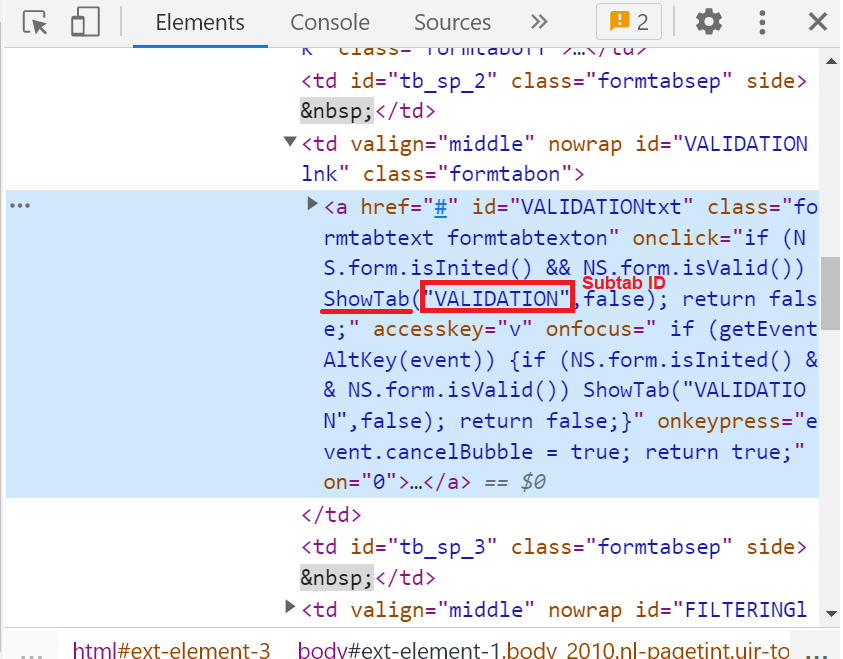
So, to have the Validation and Defaulting subtab selected by default, append &selectedtab=VALIDATION to the URL of the Transaction Body Fields page.
Let us know what you think about this trick by leaving a comment or using the reaction buttons below.
-Jack
