
A tax agency is like the financial gatekeeper of a community, ensuring that everyone contributes their fair share to support the various services and benefits provided by the government. Think of it as the entity that manages the money that goes into the community's collective piggy bank.
Below are the steps for managing tax agencies in the NetSuite QuickStart Edition:
- Access the NetSuite QuickStart Edition by clicking the Ask Oracle button > Accounting > Settings > Taxes > Tax Agencies.

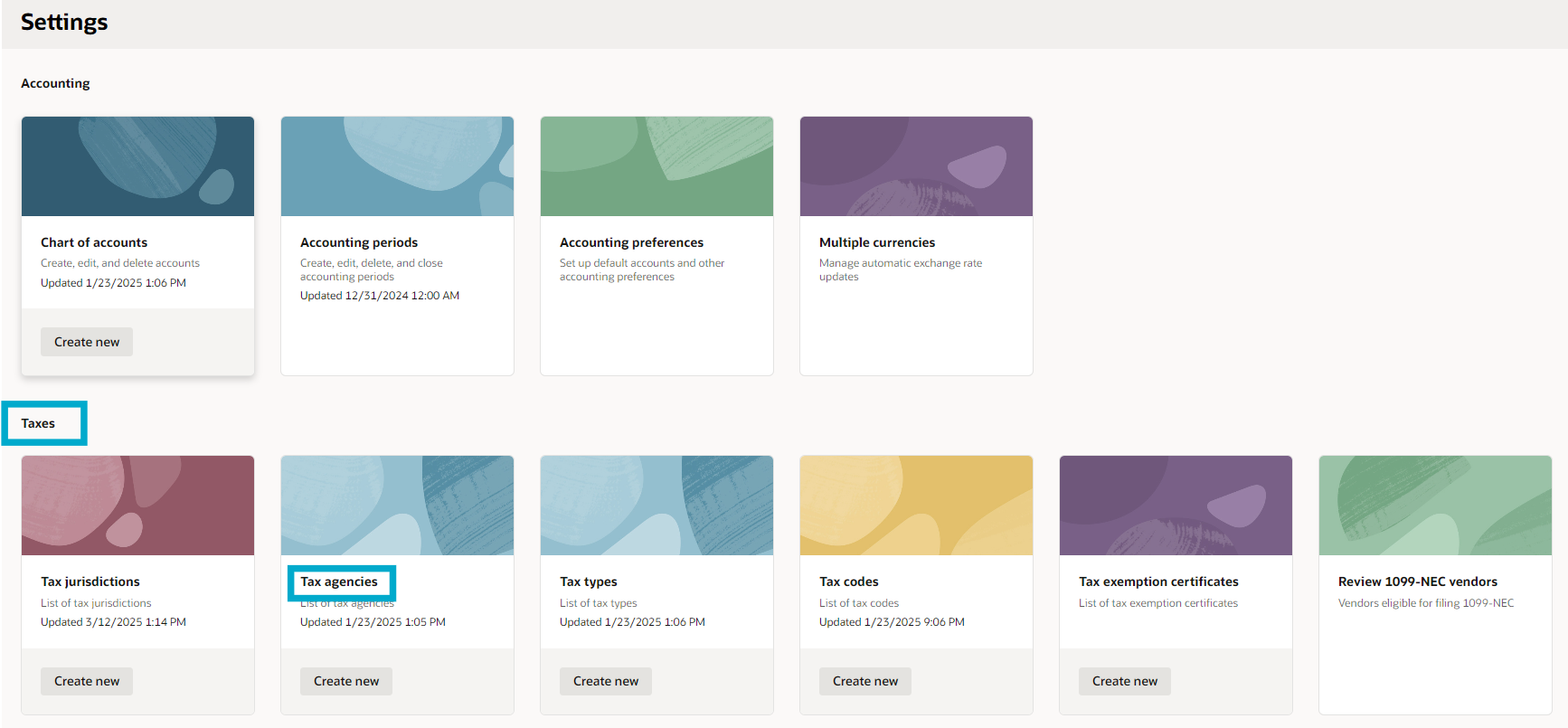
2. You will be presented with a list of existing tax agencies. Here, you can search for a specific tax agency using the global search field. Review the list to view, edit, or delete tax agencies, or mark them as inactive.


3. To create a new tax agency, click the Create Tax Agency button. In the creation mode, you'll need to input the following:

- Tax Agency Name - Enter the name of the tax authority.
- Country – Select the country from the dropdown, example: Philippines.
- State or region – Select the region from the dropdown. Dropdown options will depend on the country selected, example: Leyte.
- Tax authority level – Select from the dropdown options, example: Country.

4. Once the required fields are completed, click the Create button to save the new tax agency.

5. If you need to edit an existing tax agency, select the desired agency, and click Edit. Once all necessary edits are made, click Update.


