
When using Custom Fields for your transactions or records, you may encounter situations where it’s useful to visually differentiate the field based on its values. For example, you might want to change the color of the field depending on whether the value meets certain criteria.
In this article, we’ll guide you through the process of accomplishing this by using a CASE statement formula combined with HTML tags. This approach will enable you to customize the appearance of your Custom Fields dynamically based on their values.
Create your Custom Field:
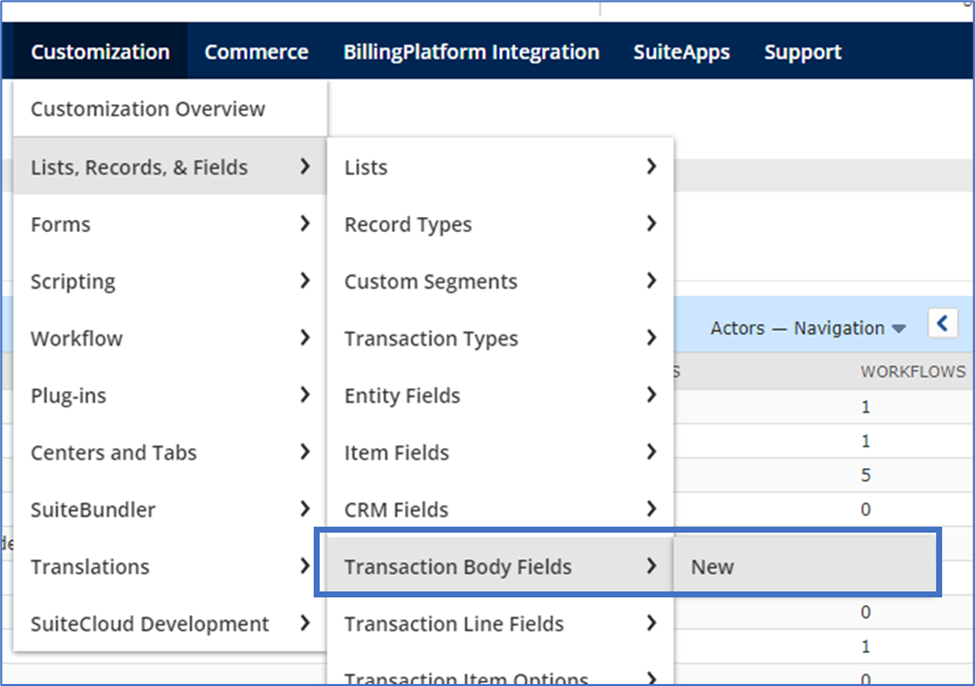
Navigate to Customization > Lists, Records, & Fields > Transaction Body Fields > New
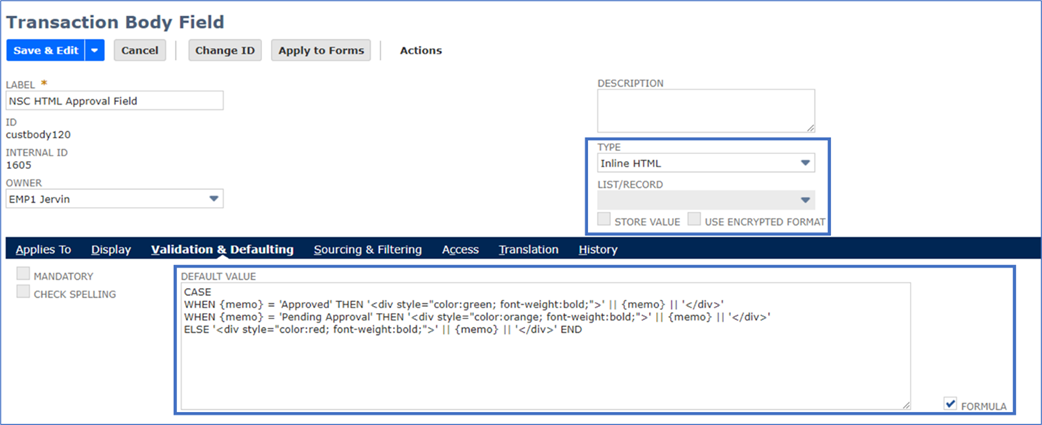
Set the fields below:
- Label: <Enter your field label here>
- Type: Inline HTML
Validation & Defaulting subtab:
CASE
WHEN {memo} = 'Approved' THEN '<div style="color:green; font-weight:bold;">' || {memo} || '</div>'
WHEN {memo} = 'Pending Approval' THEN '<div style="color:orange; font-weight:bold;">' || {memo} || '</div>'
ELSE '<div style="color:red; font-weight:bold;">' || {memo} || '</div>' END
Note: In this example, we’ll be using the Memo field found on the transactions.
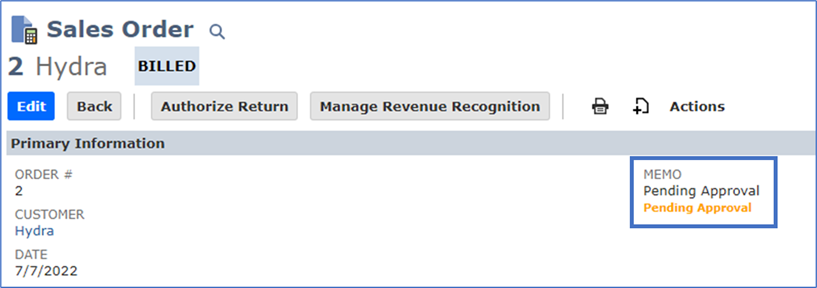
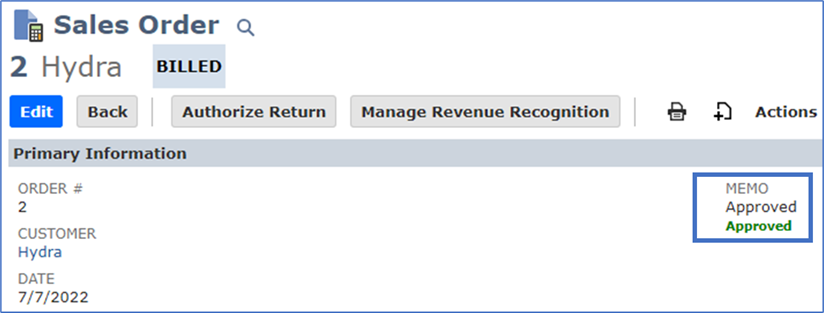
Results:
Pending Approval:
Approved:
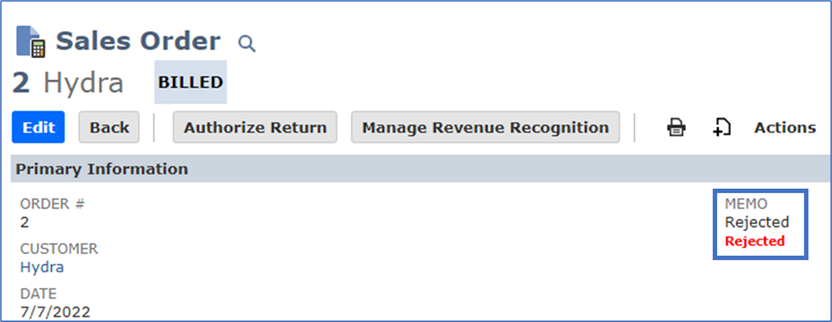
Rejected (or any other value):
DISCLAIMER:The sample code described herein is provided on an "as is" basis, without warranty of any kind, to the fullest extent permitted by law. Oracle + NetSuite Inc. does not warrant or guarantee the individual success developers may have in implementing the sample code on their development platforms or in using their own Web server configurations.
Oracle + NetSuite Inc. does not warrant, guarantee or make any representations regarding the use, results of use, accuracy, timeliness or completeness of any data or information relating to the sample code. Oracle + NetSuite Inc. disclaims all warranties, express or implied, and in particular, disclaims all warranties of merchantability, fitness for a particular purpose, and warranties related to the code, or any service or software related thereto.
Oracle + NetSuite Inc. shall not be liable for any direct, indirect, or consequential damages or costs of any type arising out of any action taken by you or others related to the sample code.
Any members tried this customization? Don’t hesitate to share your thoughts and it might help us and the other gurus!
