One of the common questions we receive at NetSuite would be with regards to Bin and Location On Hand mismatch.
The following are the usual root causes for this mismatch (Note that the root causes for the mismatch are not exclusive to the ones listed below)
a. Quantity in the Bin Putaway Worksheet has not been putaway yet.
b. There are transactions have not been assigned a specific Bin.
c. There are Bin Numbers that have Quantity On Hand that have been manually removed from the Item Record.
The following steps can also be done to correct/troubleshoot the mismatch (Users may want to test this one out first since mismatches are fixed on a case to case basis or for specific scenarios)
Let us say that Item A has a 5 units in Bin 1, but 0 On Hand per location. The correct quantity should be 0.
First is to determine if there are any negative Bins for that specific item:
1. Navigate to the Item record > Inventory Detail subtab
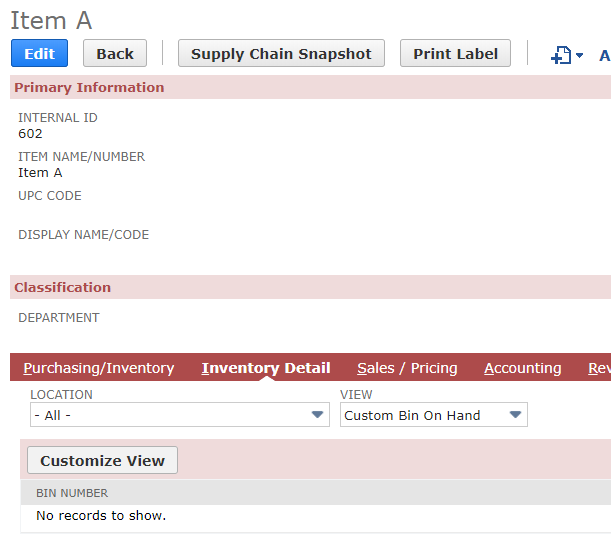
2. Hit Customize button
3. Under Criteria subtab
- Filter : On Hand | Description : is not equal to Zero
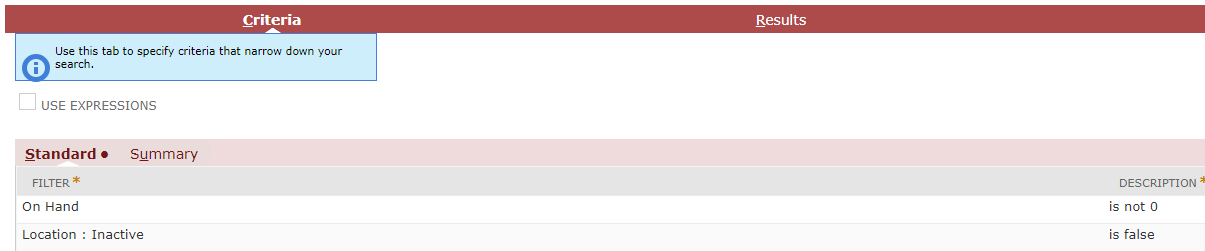
4. Rename the View then Hit Save
5. Navigate back to the item record > Inventory Details subtab
-- If you see negative Bin on hand quantity, this may be caused by deletion or modification of transaction associating a bin. This can be corrected through Bin Transfers, or this may also be correct by conducting an inventory adjustment to zero out the negative Bin.
-- If there is total mismatch between Location and Bin Number on hand count, this can also be resolved through adjustment but users may need to disable/enable Use Bins preference of the item record. Following the documentation in Suiteanswers 62364: Location and Bin On Hand Mismatch Solution, mismatches may be resolved by doing the following:
Note: take note of the associated bins in the Item record before unchecking the Use Bins so that after doing these adjustments users will be able to set those associations back.
1. Unmark Use Bins in the item record
2. Create an Inventory adjustment to remove the mismatch between location and bin on hand (so if the said bin is bearing 5 units, and the location on hand is showing 0, then the adjustment would be +5 to match the two.)
3. Go back to the Item record, then mark Use Bins
4. Create another Inventory Adjustment to set the correct On Hand (e.g. if the On Hand should be 0, then a -5 adjustment should be created)
Note as well that this is best done off-peak to make sure that no transactions are to be done during the time the Use Bins are turned off in order to avoid further mismatches.
It is recommended for you to see documentation (webinar) on SuiteAnswers for Location and Bin Quantity Mismatch under answer ID 28886.
- @Herdi Rana-Oracle
