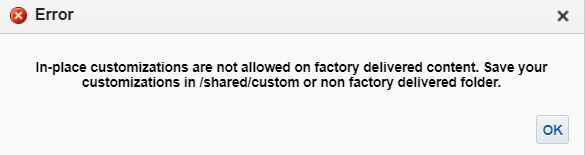
We need a solution to restrict users to modify reports in Shared/Custom folder, but so far we didn find any solution and Oracle support asked us to raise a question in community.
Any help is greatly appreciated.
Thanks and regards,
Veronica
Hi, out of the box authors can only edit files in the custom folder. So no solution is required?
The other shared folders are already locked down to prevent edit by authors.
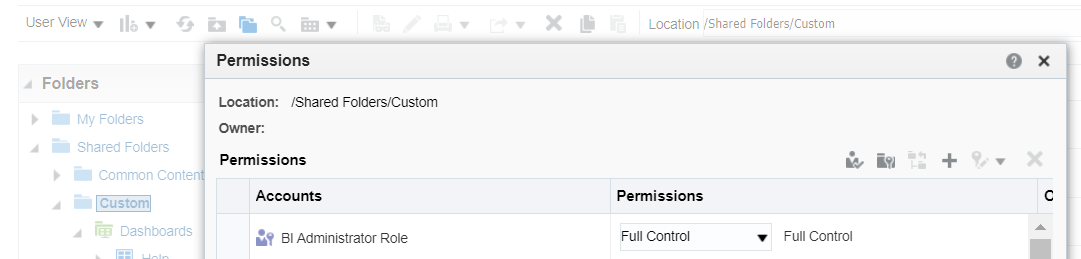
To check the folder permissions select the custom folder in teh catalog then in actions select permissions.
Hi @Veronica_Nicolae,
You can create a custom role and assign it to the users and add that role in to the permissions of the custom folder to manage the permission.
Thanks,
Praveen
Hi @Veronica_Nicolae
Do you want the users to just view the the catalog and not modify them? And may we know what kind of role has been given to the users which you want to restrict?
Regards
Aarthi Natarajan
Hello,
Thank you so much for replying to me.
The users have been given BI Author role, they should be able to do their own reports in My folder but not to change anything in Share folders/Custom.
Regards,
Hi
Below is the documentation which allows the restrictions of catalogs on diferent levels of users, Please go through and see if it's helpful
Thank you Aarthi for this document.
We will try the steps indicated there.
Have a nice day,
Hello Aarthi,
Thank you for your documented solution. I tried it and indeed the Custom folder is no longer available but we need to have it available without the "Edit" option that it is visible for each report that can be found in the Custom folder. Do you know if this is possible by any chance?
Additionally, I did not manage to add the newly created role "Custom BI Access Control" to the Selected Members list as it was not showing up. did you run any specific process beforehand?
Vlad CONSTANTIN
Do you have any update on this situation? Thank you.
Vlad
Description: Join our Product Management team to learn about new features that are part of 26.R3 Application release of Fusion Data Intelligence (SCM). The session will cover updates on Supply Chain Management and Procurement. Presented by: Anil Sebastian - Senior Director, SCM Product Management, Fusion Data Intelligence…
We would like to understand the reason for the difference in configuration options for the “Send Message to Team” action across the Redwood VBCS Recruiting pages. Currently, we observe the following behavior: On the Job Requisition and Job Requisition List pages, it is possible to hide/remove the “Send Message to Team”…
Is there a way to extract existing BIP reports saved in a specific folder? Like can capture Report Name, Report Path and Owner for example?
Is there a log that can be checked on our side that might help with the issue. I've submitted an SR, however it is currently being bounced around between different areas. Could not establish connection. oracle.xdo.delivery.ssh2.SSHMessageException: Error in decrypting message Current thought is that this is an issue with…
Hello, I'm trying my hand at creating some KPI's and Dashboard Visualizations for the Recruiting Activity Center (RAC) per the following documentation: Flexible Reporting in Redwood Dashboards Redwood Experience: Recruiting Dashboard When I add a session variable to my OTBI reports, I correctly see a value of 0 in my…
'Facility Name' exists in the Recruiting - Recruiting Real Time multiple times with varying usage. Job Requistion -> Job Requisition - Additional Details -> Facility Name Job Requistion -> Location -> Facility Name Is there any reason why these two Facility Names would not exist in the Recruiting - Real Time Events subject…