Hi,
Business Users requests to display custom names for Sheet 1,Sheet 2.... in the excel output rendered from BI Publisher.
How do I achieve it. I am creating the report using BI Publisher Template Builder
Thanks
Kalyan
Please check if below helps:
Thanks.
Mandeep,
I`m not using RTF template. I`m using template editor.
Hi Team,
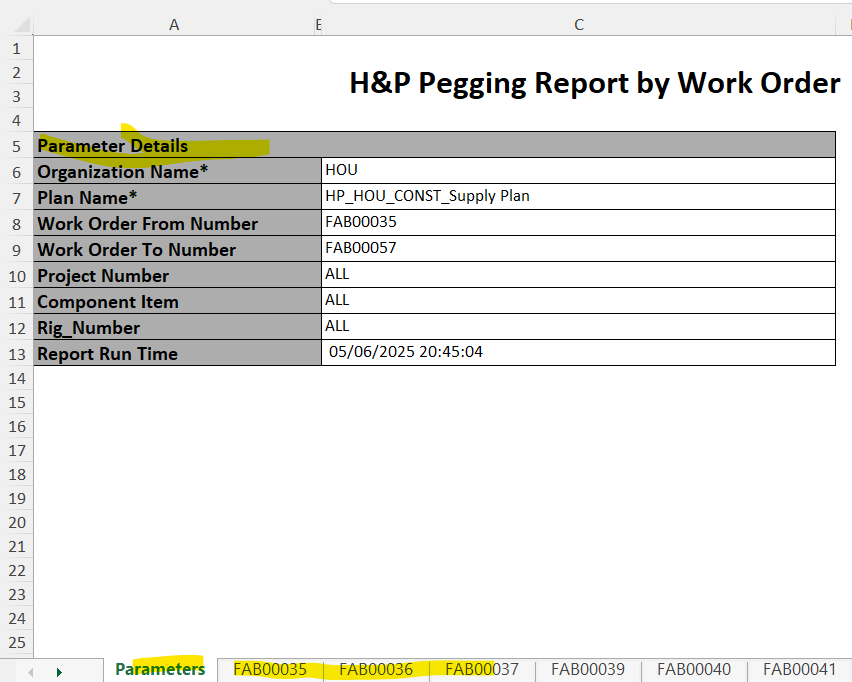
Am trying to add parameter sections in sheet 1.But we are not able to disciply(All parameters values are available in Group(G_2))
WHen ever trying to add another tab with parameters its getting blank
Could you please help me on this bascially this is the multi tab output(For each tab we are disciplaying one work order details.)
Template :Excel Output:Excel FOr your reference find the atatched xml file and excel template.
Please help me on this asap.
Hi @VenkateshMupparaju
Use XDO_SHEET_NAME_? to specify the naming convention for each sheet.
Please review the documentation
https://docs.oracle.com/cd/E28280_01/bi.1111/e22254/create_excel_tmpl.htm#ext_multsheets
Hi Ravi,
Thanks, for your update.
I can be able to handel multiple sheets with dynamic name as a Work order number.
But my requirment is I need to add one more tab and need to disciplay parameters values which user paseed.(These values are available in Group 2)
So that am trying to add one more tab and select the parameter columns from the xml file(Group2).Then I got the bank values.
For your reference find the attached xml file and excel template.
Thanks,
Venkatesh.
The expections is like below
Please let us know if its feasible in excel template.
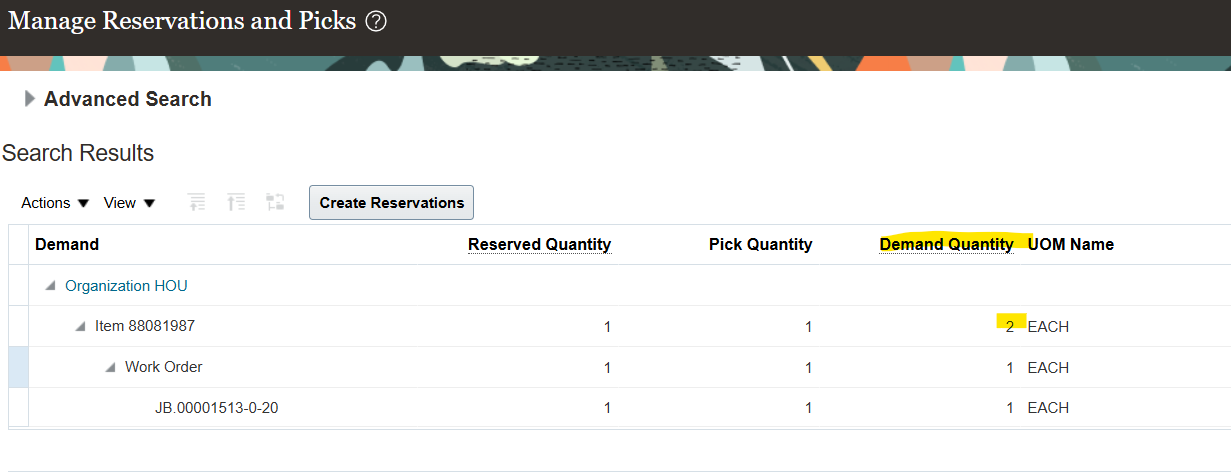
Could you please provide logic for Demand quantity column with tables.
Navigation:Supply execution—>Inventory managment—>Manage reservations and Packs
Is there a log that can be checked on our side that might help with the issue. I've submitted an SR, however it is currently being bounced around between different areas. Could not establish connection. oracle.xdo.delivery.ssh2.SSHMessageException: Error in decrypting message Current thought is that this is an issue with…
Hello, I'm trying my hand at creating some KPI's and Dashboard Visualizations for the Recruiting Activity Center (RAC) per the following documentation: Flexible Reporting in Redwood Dashboards Redwood Experience: Recruiting Dashboard When I add a session variable to my OTBI reports, I correctly see a value of 0 in my…
'Facility Name' exists in the Recruiting - Recruiting Real Time multiple times with varying usage. Job Requistion -> Job Requisition - Additional Details -> Facility Name Job Requistion -> Location -> Facility Name Is there any reason why these two Facility Names would not exist in the Recruiting - Real Time Events subject…
We are encountering issues with our OTBI dashboards where there is no option to export to Excel. This seems to be a new issue after the latest update to 26B. I made a change to the report layout (moved one analysis into its own section), and now I cannot export the page. As you can see in my attached photos, the export…
we have a requirement to fetch Worker Historic information like Current Job Title Previous Job Title Previous Department New Department Previous Manager New Manager Previous Location New Location which subject area stores this information in the OTBI?