Hi,
I have created a OTBI analysis where i want to use a Custom calculation as 'Is Prompted' in the analysis filters.
Is there a way to do so?
Thanks
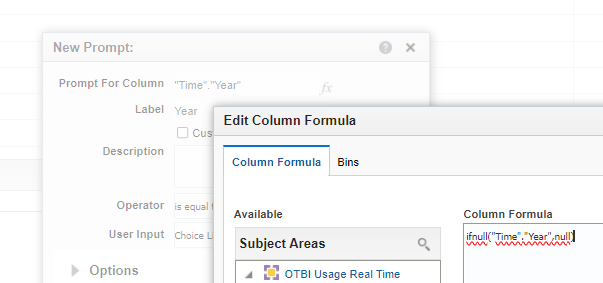
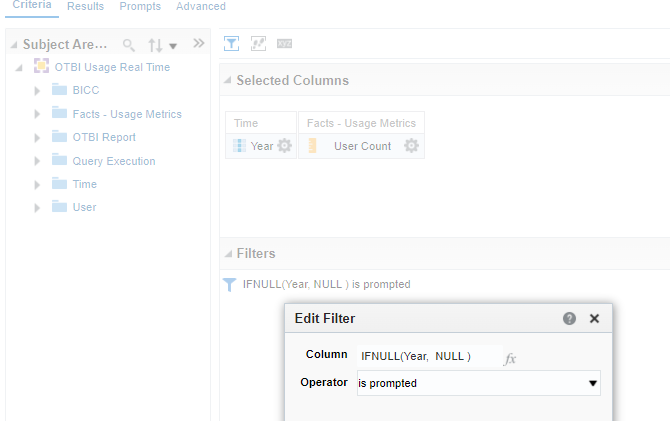
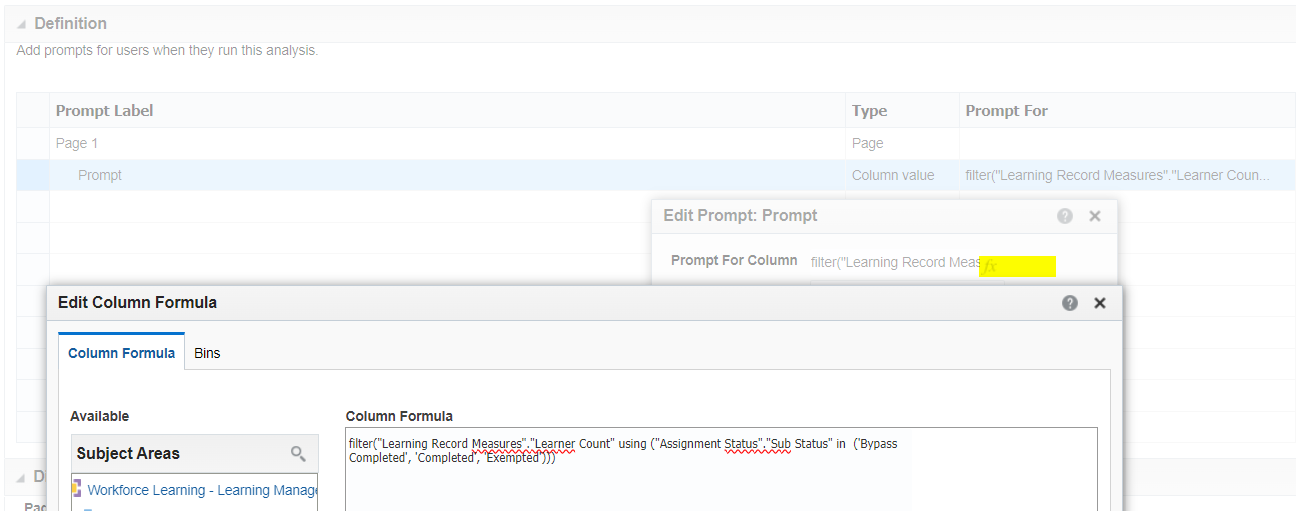
Hi, Yes. Just cut paste using fx whatever is in your filter column to your prompt column.
Prompt
Filter
Hi @Nathan CCC ,
I tried doing this but it's not working.
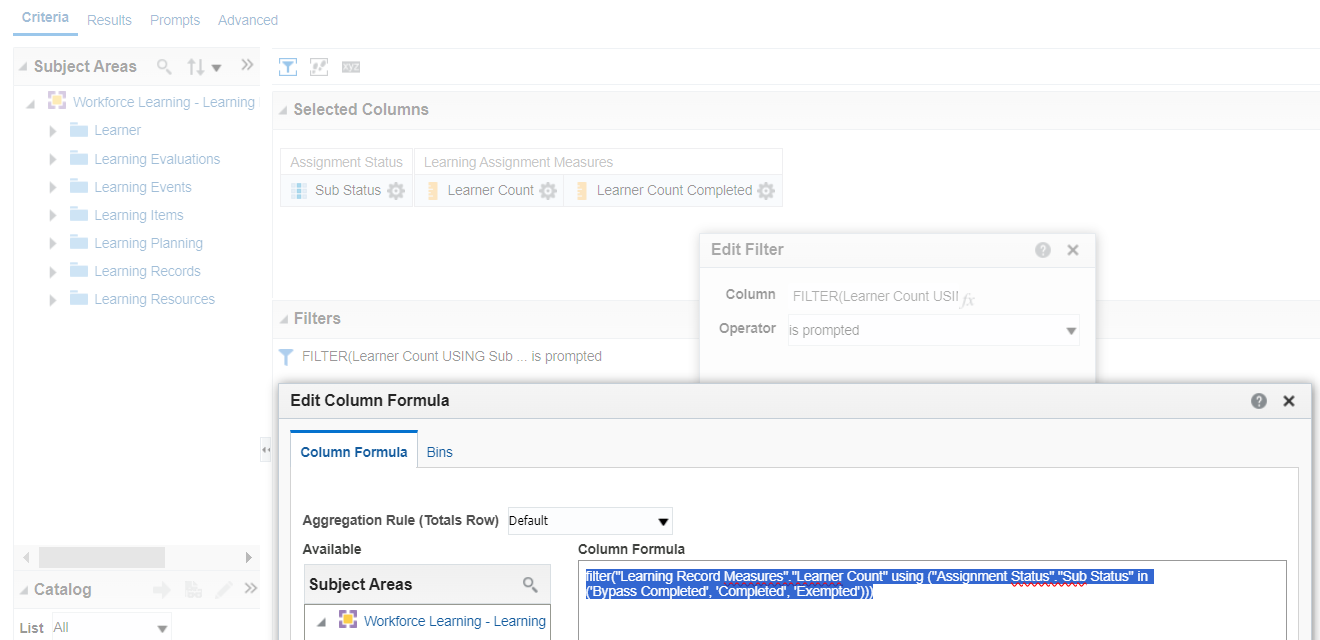
The calculation I am using is:
FILTER("Learning Record Measures"."Learner Count" USING ("Assignment Status"."Sub Status" IN ('Bypass Completed', 'Completed', 'Exempted')))
Works ok. Did you cut paste the column formula? Was the prompt created using the same subject area?
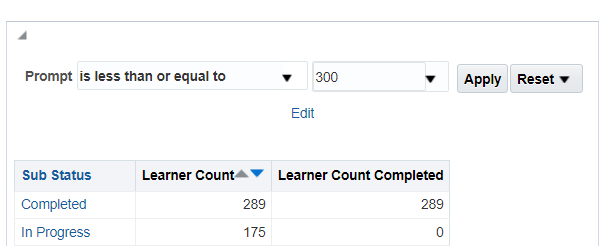
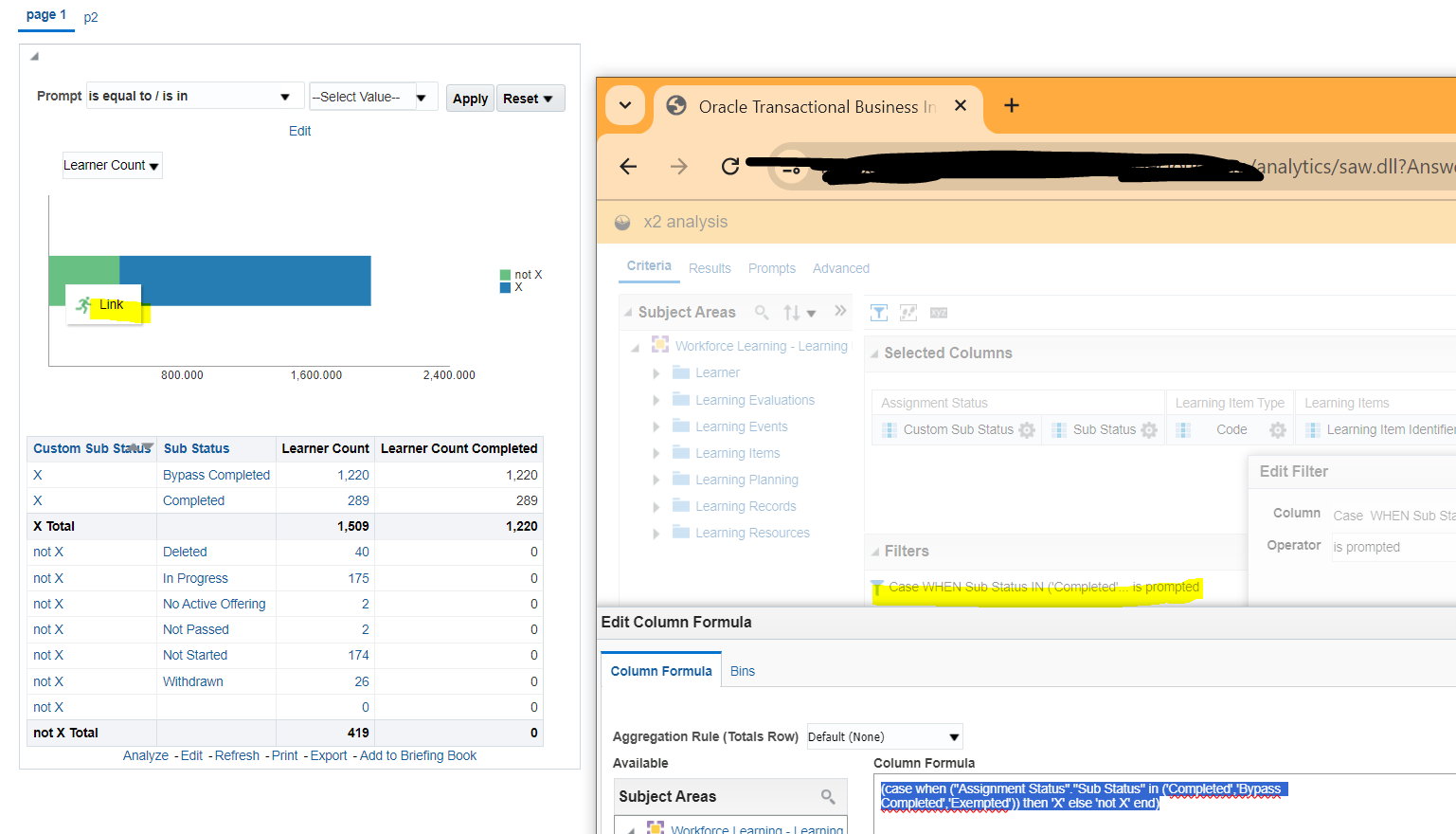
For example, I have more than 300 learners Bypass Completed so that row is excluded
I don't want to show the prompt/filter in the detail report. Suppose if I create a pie that shows the completion and In Progress Learners, I am expecting that when I select the completion pie it should open a detail report that shows the details for all the learners who completed the Training. In the pie i am using this custom calculations that i mentioned above. So, I just want to use it into my prompt as a 'Is Prompted' filter to further make my action link work for the custom calculation as well.
Please let me know if my statement is clear.
Your question was how to make an analysis filter based on value selected in a prompt by user. The previous answer is the solution for that question. For all and every analysis that you will ever build for "is prompted" the formula of the column in the prompt must match the formula in the column in your filter in the where clause in your query in your analysis. That is what "is prompted" means.
"I don't want to show the prompt/filter in the detail report." That is ok. You cannot see a filter in the content of an analysis unless you add view "Filters". So if you do not do that then it will not be shown.
"I am expecting that when I select the completion pie it should open a detail". That is ok too. Assume you have built 2 analysis. Source analysis with a pie chart - how many learning items by learner by status. Detail analysis - like the list of learning item "titles" or something again by learner by status.
You have created an action link on the measure column to go to the other analysis. When user select the action the system is passing as parameters the values of the columns that match the columns in the filters in the target analysis for the row selected in the source analysis on the chart.
The number of learners who are "Completed, Bypass Completed, Exempted" is NOT needed as an "is prompted" filter in the target analysis to do this. That makes no sense. You just need the columns for the learner and the learning item status in both analysis with is prompted filters on these blue attribute columns in that target detail analysis. So on the source analysis you have a pie with 2 rows showing learner X completed 6 and learner Y completed 3. On the target detail analysis you have a "is prompted" on learner and sub status. When you select the action link it goes to the list of n learning items for the selected learner foe the selected status from the pie.
For example, when you click the 419 in the chart the action link goes the the detail analysis x2 showing the learning items with the learning item titles on page 2 for only those selected learners with those selected statuses
Where AI meets business outcomes Oracle AI World brings the Oracle community together to explore how AI and other technology innovations are driving real business outcomes across industries. Discover what’s new through: Mainstage keynotes to hear the latest directly from Oracle leadership Product demonstrations Customer…
Our Requisition OTBI analysis is having many values Requisition Number Requisition Title Requisition Status Hiring Manager Full Name Recruiter Full Name am able to see values for all. When am passing Prompt(Hiring Manager Full Name or Recruiter Full Name) am not able to see the data. Am sure we have values/data for passed…
Hi Experts, We are using Oracle BI Publisher Email Bursting to distribute reports via email. Currently, one of our bursting outputs generates a report of approximately 20 MB, and we are trying to understand whether there are any size limitations that could impact email delivery. Scenario: Report Delivery Method: Email…
Team, We have a requirement to select below PVOs HcmTopModelAnalyticsGlobalAM.ProfileAM_ProfileItemPVO HcmTopModelAnalyticsGlobalAM.ProfileAM_ProfilePVO HcmTopModelAnalyticsGlobalAM.ProfileAM_ContentItemPVO HcmTopModelAnalyticsGlobalAM.ProfileAM_ContentTypePVO Do we have any documentation around these?
We have a requirement of enabling OTBI report in Purchase Requisition Redwood page similar to classic UI.How can that be done?