Hi all,
We’re migrating from OBIEE 12.2.1.4 to OAS 2025 and noticed a difference in how classic reports export to Excel.
For one of our classic report columns, we’re using the following Column Data Format:
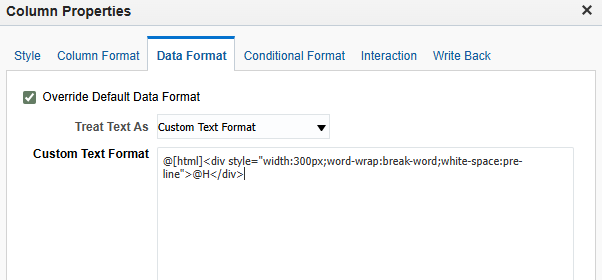
This is used to wrap long text and preserve line breaks.
Behavior difference:
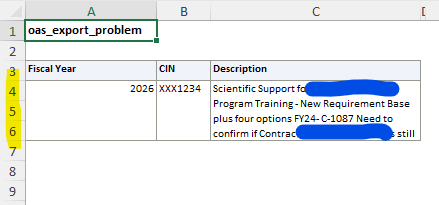
- In OAS 2025, when we export this report to Excel, any value that contains line breaks (HTML newlines rendered via
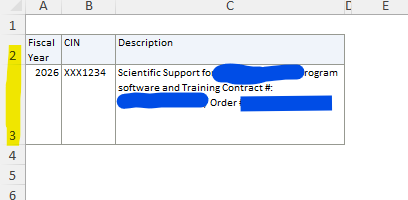
white-space: pre-line) results in multiple Excel rows, even though the extra rows have no data. - In OBIEE 12.2.1.4, the same column format exported to a single Excel row, with the line breaks preserved inside one cell, and no extra blank rows.
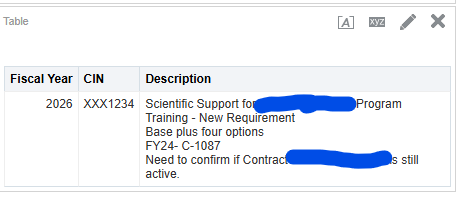
OAS report output:
OAS excel output:
OBIEE Excel Output:
Is this a known / expected change in how OAS 2025 handles HTML-formatted columns when exporting to Excel? And is there a setting to keep the 12c format output?
Thank you for checking.

