We’ve refreshed the Analytics & AI Community to make it easier to navigate, more consistent across pages, and better at helping you discover the content and conversations that matter most to you. Below is a quick overview of what’s new now and what’s coming next.
What’s Changed (Now Live)
1) New Custom Forum Layout
- The forum now uses a new custom layout designed to improve readability and reduce page-to-page variation.
- This makes community site faster especially in a Desktop by 73%
2) Sidebar / Widget Strip Moved to the Right
The widget strip is now consistently on the right side of the layout (instead of the left).
- This creates a more predictable experience across Categories, Discussions, and other community pages.
3) Updated Widgets
New / Enhanced Widgets
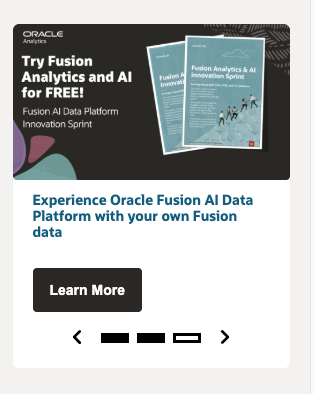
- CTA (Call to Action) Widget with Image Support
- Used to spotlight key notifications like events, customer evidences, and other category based programs
- Leaderboard Widget
- Highlights the Top 5 contributors (category-specific).
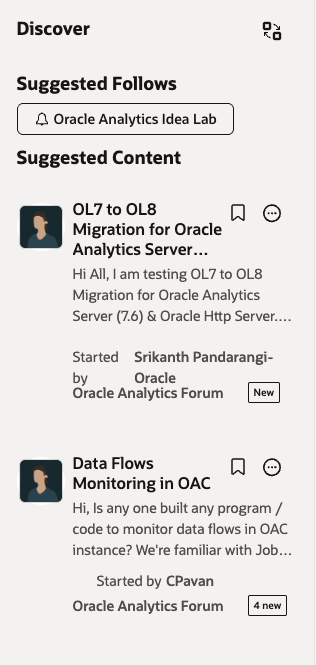
- Suggested Content Widget
- Helps you discover relevant posts using interest signals and/or recently visited topics.
- Also showcases you the categories to follow based on your interests
Widgets Removed
- Tags widget, Quicklinks widget, and Search Boxes widget have been removed to streamline the layout and reduce redundancy.
4) Improved Filters in the Category Post Pages
- We’ve updated the discussion filters to improve visibility and make it easier to narrow results.
- Tag filtering is now embedded within the filter experience, so you can refine content without relying on a separate tags widget.
What’s Coming Next (Upcoming Changes)
- Search for the Oracle Analytics Visualization Gallery
- Ability to quickly find visualizations directly within the gallery experience.
- Nested Comments
- Better support for threaded conversation and follow-up discussions.
- Community Leaders Widget
- A dedicated widget to highlight community leaders and key contacts.



