Hi
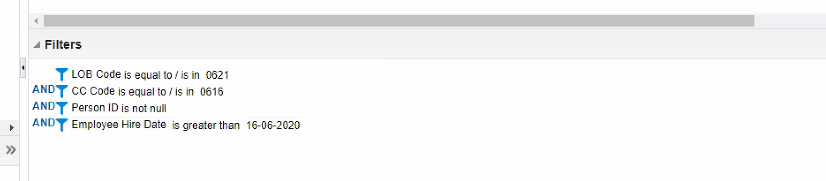
We are searching for the feasibility/way to pull the filters used in the OTBI Analysis thru BI report or any other way.
Please find the screenshot.
Regards,
Aruna Aounti
It's a bit complex, you need to find the physical sql behind the analysis.
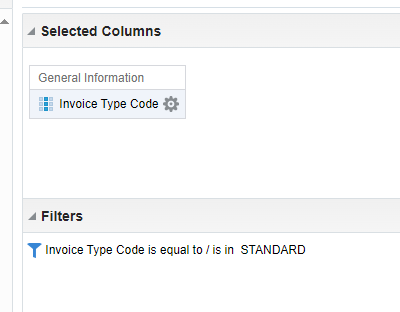
I have created a very simple example from Payables Invoices - transactions real time, where I just want all invoice type code that are equal to "STANDARD":
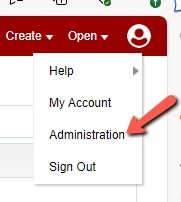
Once the analysis is done, I click on Administration and find Manage Sessions under Session Management:
Here you go and look for your analysis and click "View log":
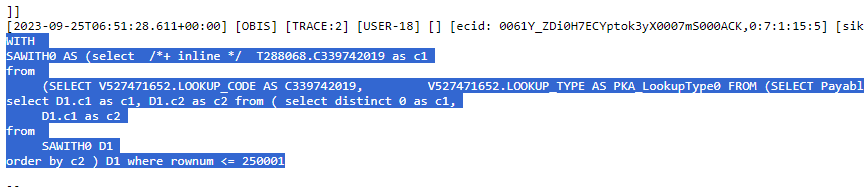
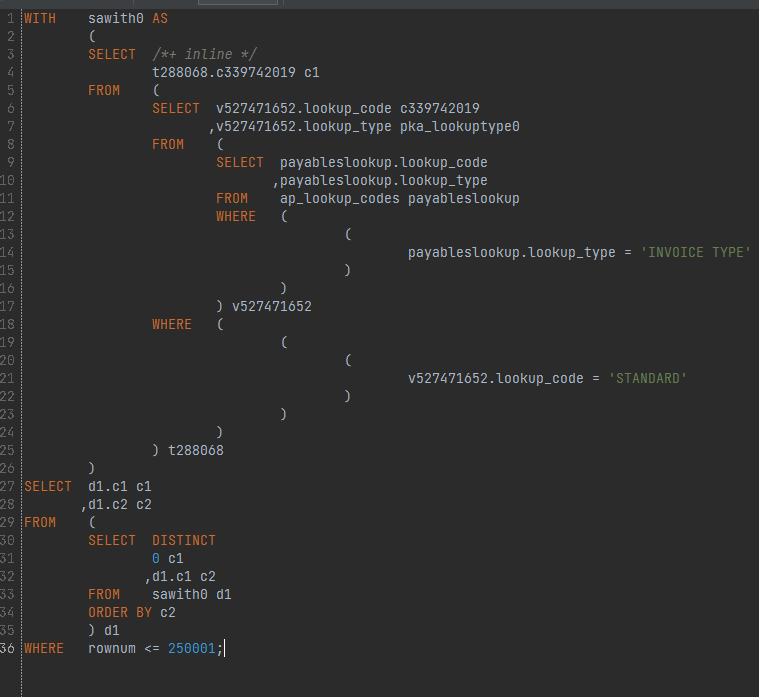
The log can be overwhelming, but you need to look for the last sql that starts with a with-sentence:
You copy that and paste it into notepad++ or a sql-tool and then you just go hunting for your values and try to trace them back to where they origin from:
In your case, I would start by searching for 0621 and see what it gives you 😉
Or perhaps you just need to see the mapping of the subject area that the filters origins from and search for the name and see what the table and column-name is from there :
List for all OTBI subject areas/dimensions (as of 23C) — Cloud Customer Connect (oracle.com)
Is there a log that can be checked on our side that might help with the issue. I've submitted an SR, however it is currently being bounced around between different areas. Could not establish connection. oracle.xdo.delivery.ssh2.SSHMessageException: Error in decrypting message Current thought is that this is an issue with…
Hello, I'm trying my hand at creating some KPI's and Dashboard Visualizations for the Recruiting Activity Center (RAC) per the following documentation: Flexible Reporting in Redwood Dashboards Redwood Experience: Recruiting Dashboard When I add a session variable to my OTBI reports, I correctly see a value of 0 in my…
'Facility Name' exists in the Recruiting - Recruiting Real Time multiple times with varying usage. Job Requistion -> Job Requisition - Additional Details -> Facility Name Job Requistion -> Location -> Facility Name Is there any reason why these two Facility Names would not exist in the Recruiting - Real Time Events subject…
We are encountering issues with our OTBI dashboards where there is no option to export to Excel. This seems to be a new issue after the latest update to 26B. I made a change to the report layout (moved one analysis into its own section), and now I cannot export the page. As you can see in my attached photos, the export…
we have a requirement to fetch Worker Historic information like Current Job Title Previous Job Title Previous Department New Department Previous Manager New Manager Previous Location New Location which subject area stores this information in the OTBI?