Categories
- All Categories
- Oracle Analytics and AI Learning Hub
- 54 Oracle Analytics and AI Sharing Center
- 26 Oracle Analytics and AI Lounge
- 311 Oracle Analytics and AI News
- 57 Oracle Analytics and AI Videos
- 16.4K Oracle Analytics and AI Forums
- 6.7K Oracle Analytics and AI Labs
- Oracle Analytics and AI User Groups
- 117 Oracle Analytics and AI Trainings
- 24 Oracle Analytics and AI Challenge
- Find Partners
- For Partners
OTBI inventory report where item quantities are less than 15 for all locations

I have one item in two locations. How can I count the quantity for both locations for each item and only show results with a total quantity of less than 15?
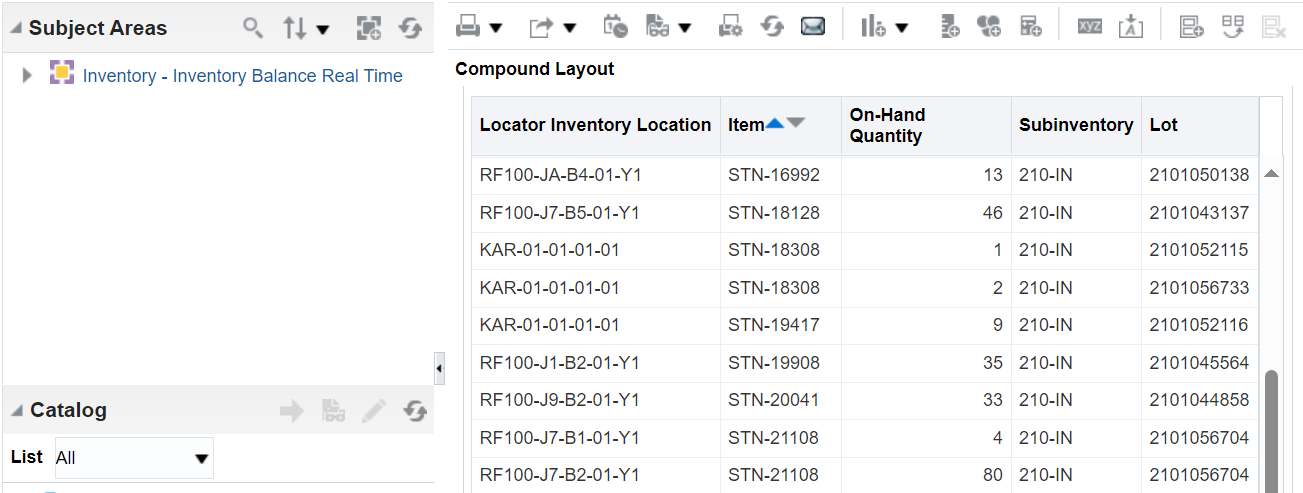
Result with no On-Hand Quantity filter. STN-21108 has a quantity of 84 in two locations.

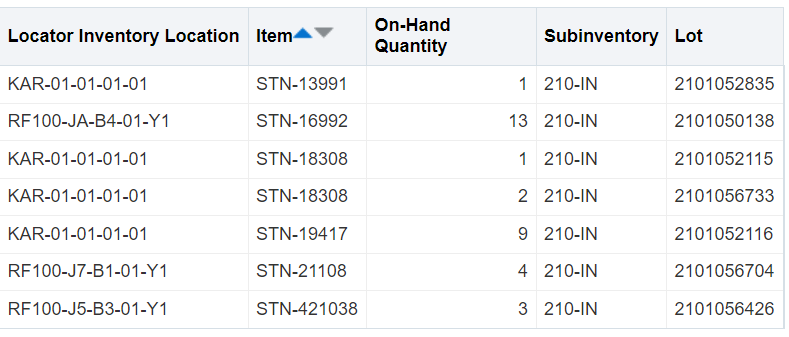
Result with On-Hand Quantity filter. Don't want STN-21108 in results since total is 84 and not less than or equal to 15. STN-18308 is an example of the results needed since total of both locations is 3.
Answers
-
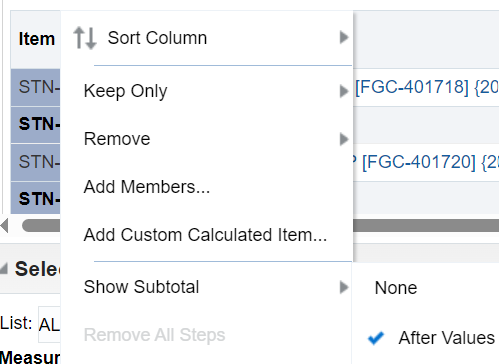
I figured out my issue by right clicking on the results of the item column and showing subtotals.
 0
0 -
How can I show locations that are empty as well? If my location is empty, there is no item or quantity tied to it so the less than filter doesn't recognize those instances.
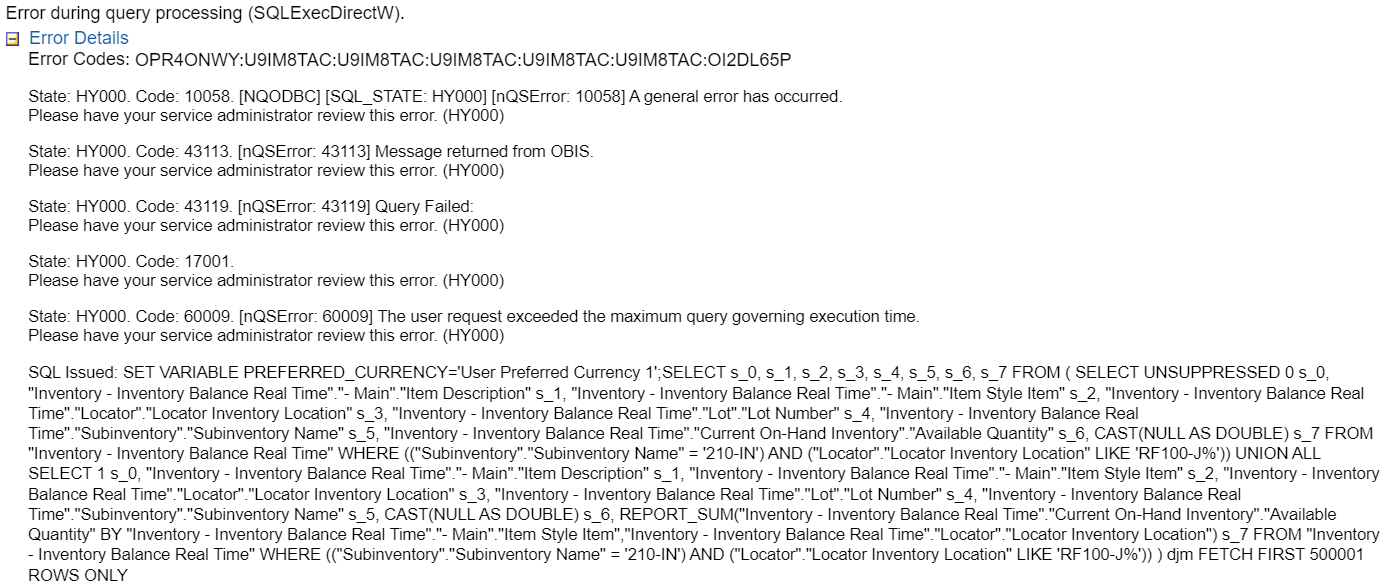
I found a include null values property, but the analysis gives this error when adding that property.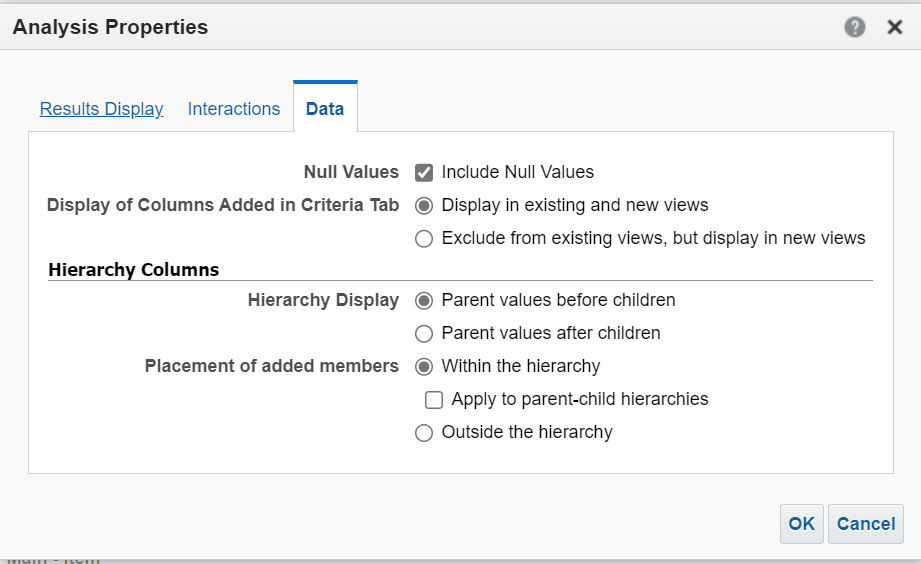
 0
0