I’m guessing that sdo_geometry would allow me to calculate distance between two lat/long pairs - easy. But I have no idea how I would calculate the driving distance on roads. Have seen something in Spatial Studio. But wanted similar in OAS.
Hi Peacey,
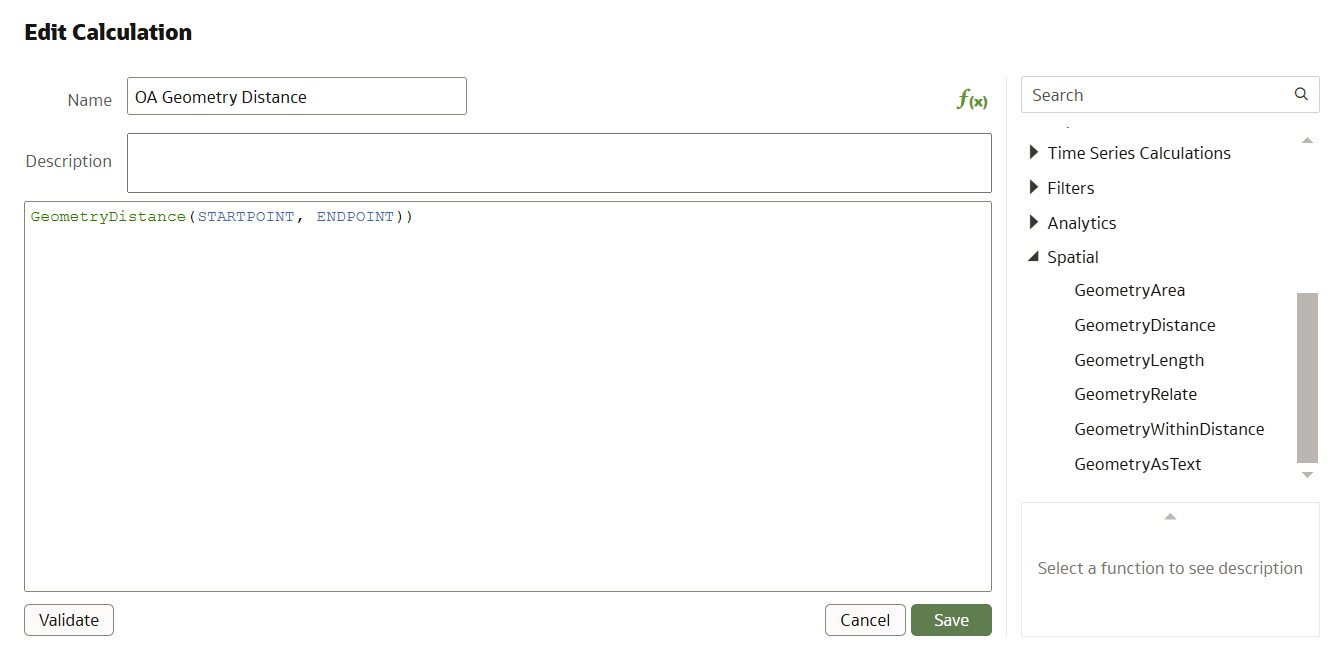
We will introduce direct support for SDO.Geometry in OAS starting with the next release in OAS 2025. This means, you can visualize Geometry columns with SDO.Geometry datatype, and supports Spatial Calculations for a geometry column or between two geometry columns. It also comes with a specific Spatial function to calculate distance between two geometry columns.
Let me give you a glimpse of this feature, which is already available in preview mode for OAC now (and will be available in the next release of OAS in 2025)
The spatial function GeometryDistance calculates the distance between the columns StartPoint and EndPoint based on coordinates and it does not consider road networks or travel paths. (above Screenshot is from OAC 8.1 November release)
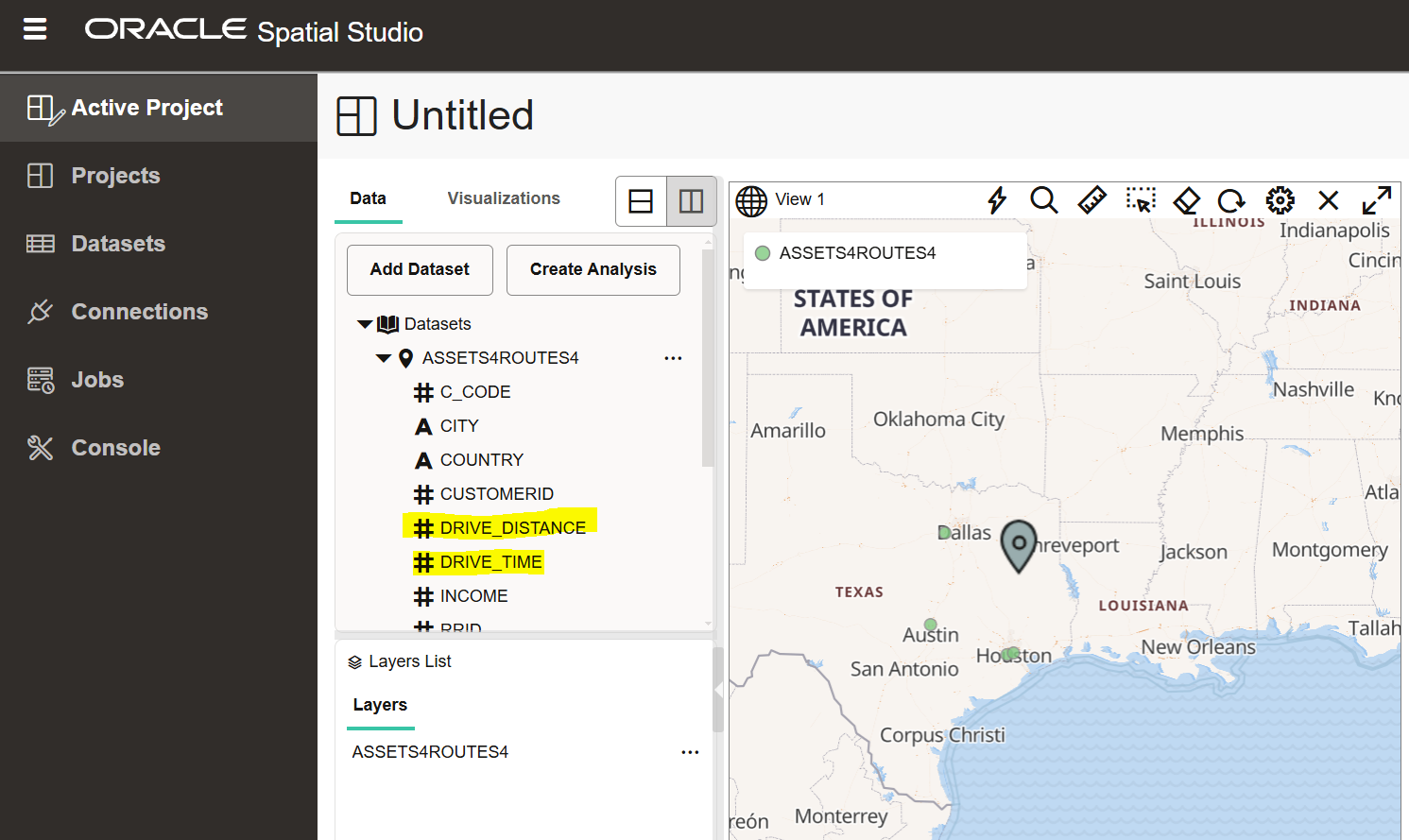
Now, today, If you are specifically looking for calculating the distance/time based on a shortest distance or shortest time, spatial studio will let you calculate it and capture it to the database.
In the above screenshot, we have used the 'Driving Route' analysis function within Spatial Studio to create the calculated spatial measurements for DRIVE_DISTANCE and DRIVE_TIME based on pin on the map (you can also directly input longitude and latitude for a specific location to use as input in the calculation)
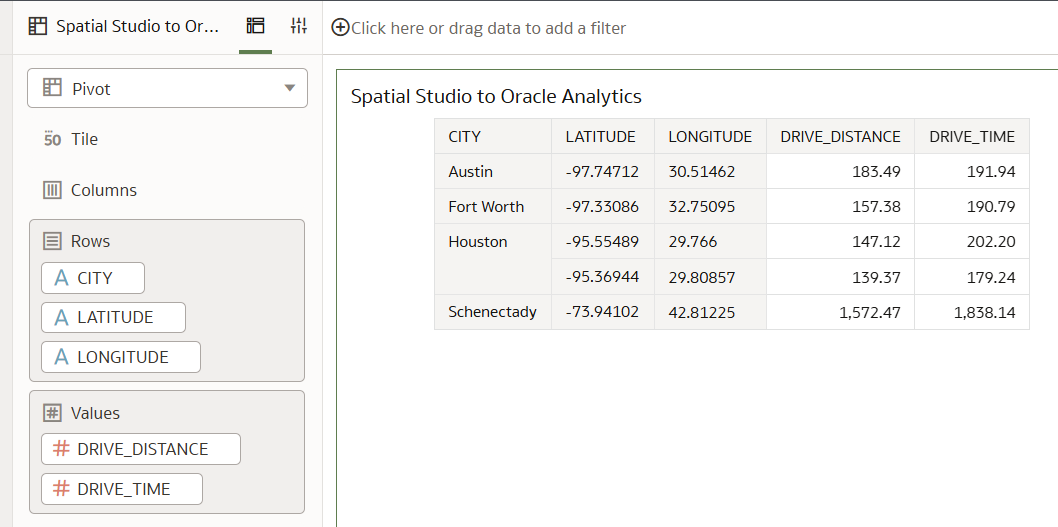
You can create a dataset to the table that has calculated the distance and time through spatial studio, and expose the numbers in Oracle Analytics directly by connecting to it.
There are also new spatial functions available in Autonomous Database that can calculate the distance based on routing, as mentioned here : https://docs.oracle.com/en/database/oracle/oracle-database/23/spatl/sdo_gcdr-package-geocoding.html
(Refer the function SDO_GCDR.ELOC_ROUTE_DISTANCE , but this function is available only with an Autonomous Database Serverless deployments)
Note :
If you like to know more about direct geometry support in OAC now, see the following videos :
https://www.youtube.com/watch?v=8hiERGcx8vU (Visualizing Geometry Data Type)
https://www.youtube.com/watch?v=Lz4TGatf-mc (Spatial Calculations)
This feature will be part of OAS 2025.
Regards,
Gautam.
Many thanks for your reply. Fine with this - looking forward to OAS2025
Learn how to deploy an AI Data Platform agent, register it to the AI Registry, and introduce it to business users through Agent Hub. This session covers how to prepare an agent for deployment, configure endpoint access and authentication, invoke a deployed agent, and monitor it after deployment. The session also introduces…
Can you please help resolve this error. WebLogic version is 12c. OAS is 6.4
So I have an action passing a value to another workbook. On the other workbook, I have an expression filter and a parameter I created and it does not seem to work. Any ideas. See the images
We know you can directly export workbooks and folders from within OAC, and we know you can migrate OAC content using the FDI Content bundle. However, it's unclear what settings or steps are required in order to ensure any calculations in "Shared Objects" still carry over. When making a .dva artifact export from OAC for…
The user icon in the upper-right corner of OAC (DV) is displaying more menu options for our non-admin users than we wish to display. We would like to restrict these to only "Profile" and "Sign Out" for regular users. Is there a way to customize these menu items? Especially if we can control this via security, that would be…
What is wrong with this code