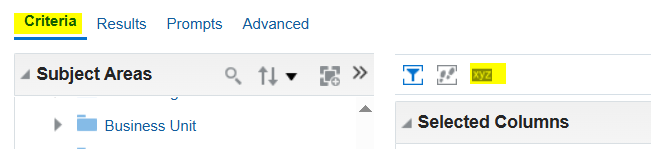
I added return button on the result page in OTBI report using Javascript but that return button is not visible when error comes or in scenario of no data found.
How can we add return button on the error page as well?
Hi @Shephali Singh,
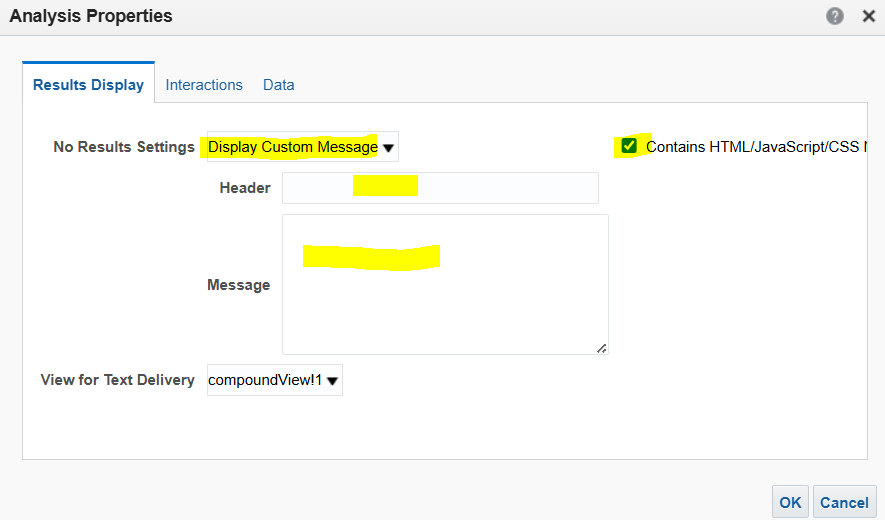
Can you please try adding your 'Return Button' on the following area (Analysis Properties), it should work fine for the scenario 'No Data Found'.
Here's some screenshots:
If the Report is throwing any error, that particular view (error view) is not editable and will not allow to include any code, message etc.
But if you are using Dashboard to show the report output then a 'Return Button', 'Static Message' etc. can be included in the dashboard beside / underneath the report and in this case if the report is throwing error, the button / message will still be available as it's not part of that particular report.
Hope this help.
Thank you.
Is there a log that can be checked on our side that might help with the issue. I've submitted an SR, however it is currently being bounced around between different areas. Could not establish connection. oracle.xdo.delivery.ssh2.SSHMessageException: Error in decrypting message Current thought is that this is an issue with…
Hello, I'm trying my hand at creating some KPI's and Dashboard Visualizations for the Recruiting Activity Center (RAC) per the following documentation: Flexible Reporting in Redwood Dashboards Redwood Experience: Recruiting Dashboard When I add a session variable to my OTBI reports, I correctly see a value of 0 in my…
'Facility Name' exists in the Recruiting - Recruiting Real Time multiple times with varying usage. Job Requistion -> Job Requisition - Additional Details -> Facility Name Job Requistion -> Location -> Facility Name Is there any reason why these two Facility Names would not exist in the Recruiting - Real Time Events subject…
We are encountering issues with our OTBI dashboards where there is no option to export to Excel. This seems to be a new issue after the latest update to 26B. I made a change to the report layout (moved one analysis into its own section), and now I cannot export the page. As you can see in my attached photos, the export…
we have a requirement to fetch Worker Historic information like Current Job Title Previous Job Title Previous Department New Department Previous Manager New Manager Previous Location New Location which subject area stores this information in the OTBI?