Categories
- All Categories
- Oracle Analytics and AI Learning Hub
- 42 Oracle Analytics and AI Sharing Center
- 20 Oracle Analytics and AI Lounge
- 277 Oracle Analytics and AI News
- 54 Oracle Analytics and AI Videos
- 16.2K Oracle Analytics and AI Forums
- 6.4K Oracle Analytics and AI Idea Labs
- Oracle Analytics and AI User Groups
- 103 Oracle Analytics and AI Trainings
- 19 Oracle Analytics and AI Challenge
- Find Partners
- For Partners
Report Layouts on APEX 24.2 don´t show images
Hello Everybody.
I made a Report Queries, made a RTF in Word/Bi Publish and put a image in header and footer and made an upload.
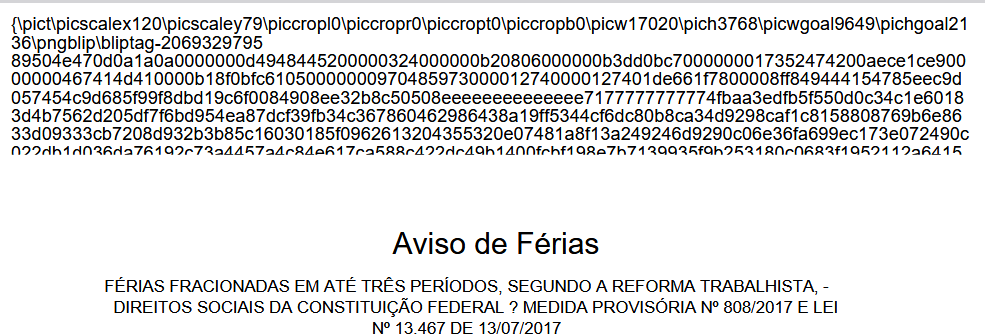
When I execute application and run report, the image doesn,t appear and show me some special caracteres.
Are the someone who had the same problems or somebody can help me, please.

Answers
-
Hi @User_1SFC9 ,
How are you inserting the image into the template ?
Is it via ctrl A + ctrl C from another source like paint, or are you doing it using Insert Picture option in MS Word ?
Please review the following :- Insert Method:
Instead of dragging the image OR copy pasting the image, use the "Insert > Picture > From File..." option. Adjust image size before inserting it into the RTF. - Image Format:
Ensure images are in a compatible format. Consider re-saving the image in a different format if needed.
If my response has answered your question or assisted you with your concern, please click "yes" below to accept the answer or comment with any additional queries. You can also read the Cloud Customer Connect Guidelines for Accepted Answer
Regards,
Gaurav0 - Insert Method:
-
Hello,
Thank you for answering my question.
Yes, i'm doing it using Insert Picture option in MS Word, and image format is PNG.
i already had did before the same process, and it was working normal, bat when i changed to version 24.2, and, made a corretinon to the header and footter image, this happened. I already tryed to fix bat, didn't had sucess, so, i decided to ask help here.
0