Hello and good day!
Dearest Oracle community friends,
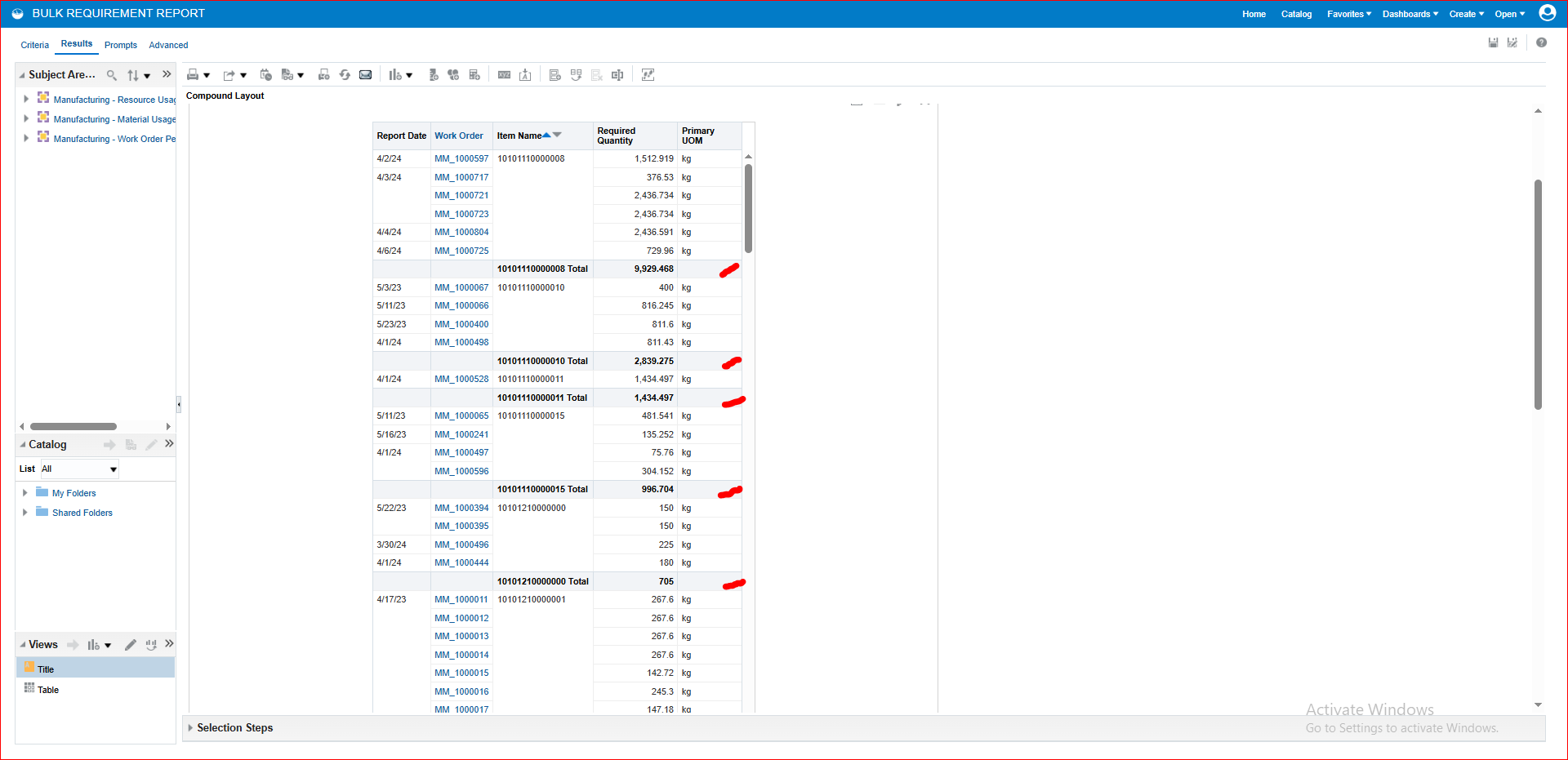
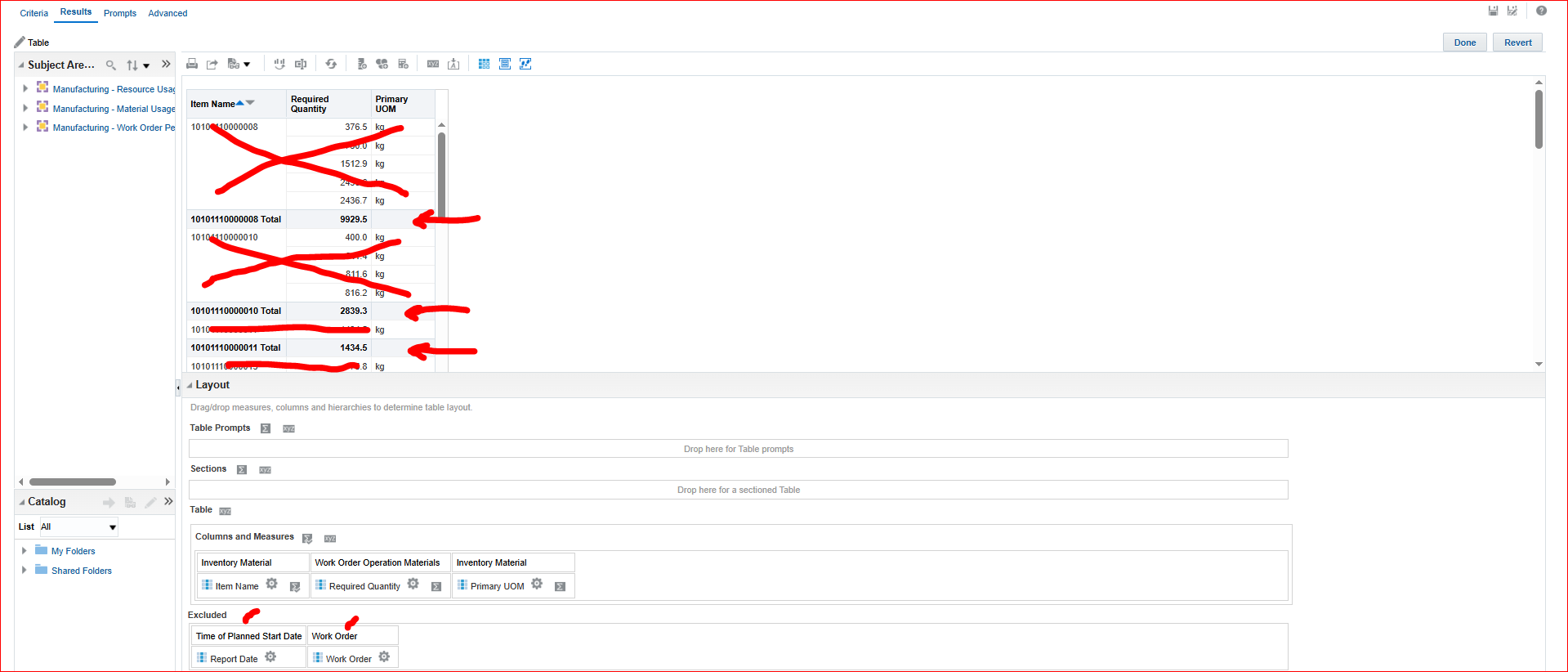
Is there a way to show only the subtotal in OTBI?
Hope to hear in the community with solution on this.
Thanks and best regards.
Regie
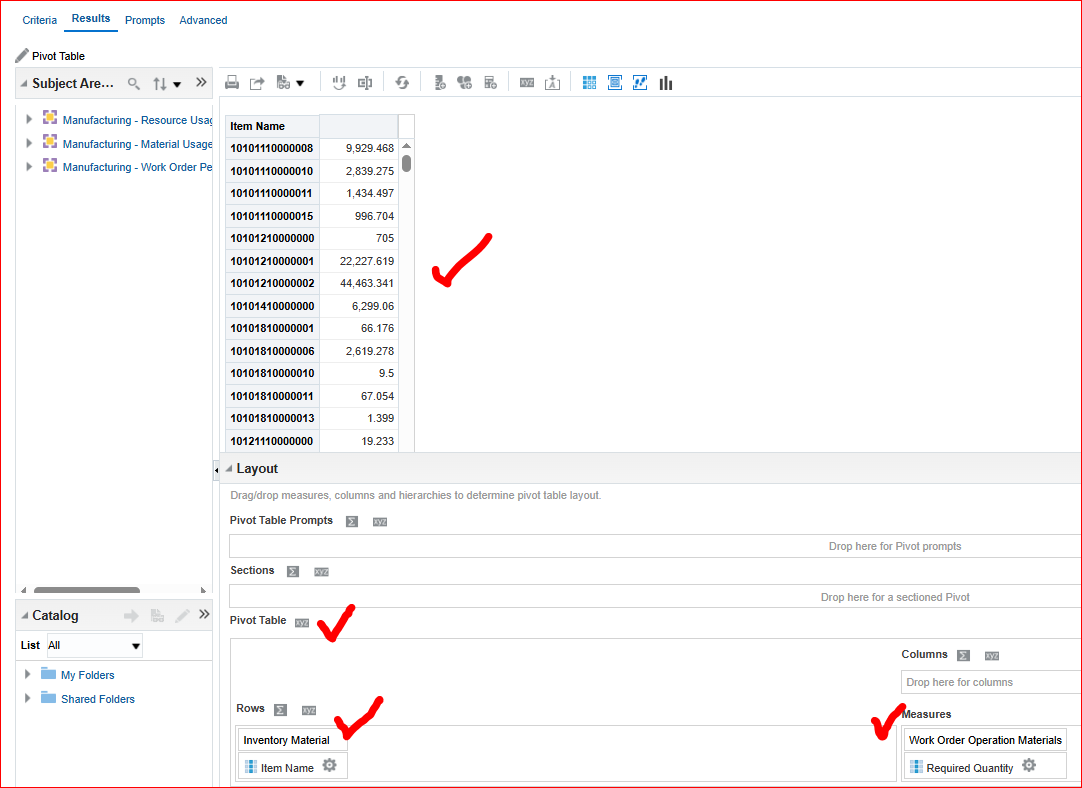
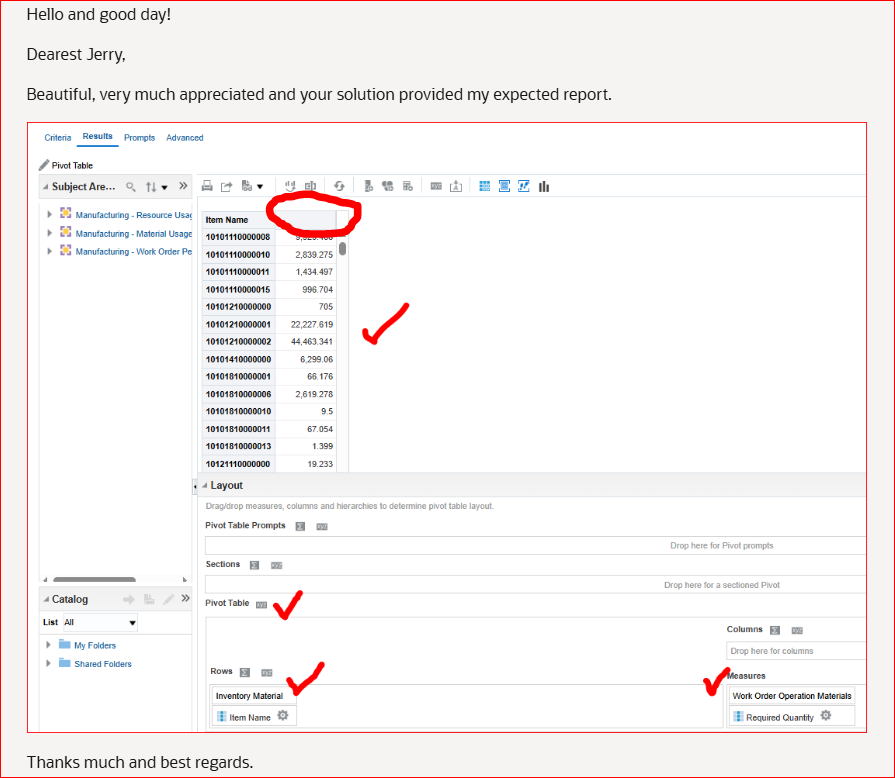
Just use a pivot table instead of a table. Place Item Name in the row box and Rq Qty in the measures. If aggregation is set to "sum", you'll get what you have described.
Dearest Jerry,
Beautiful, very much appreciated and your solution provided my expected report.
Thanks much and best regards.
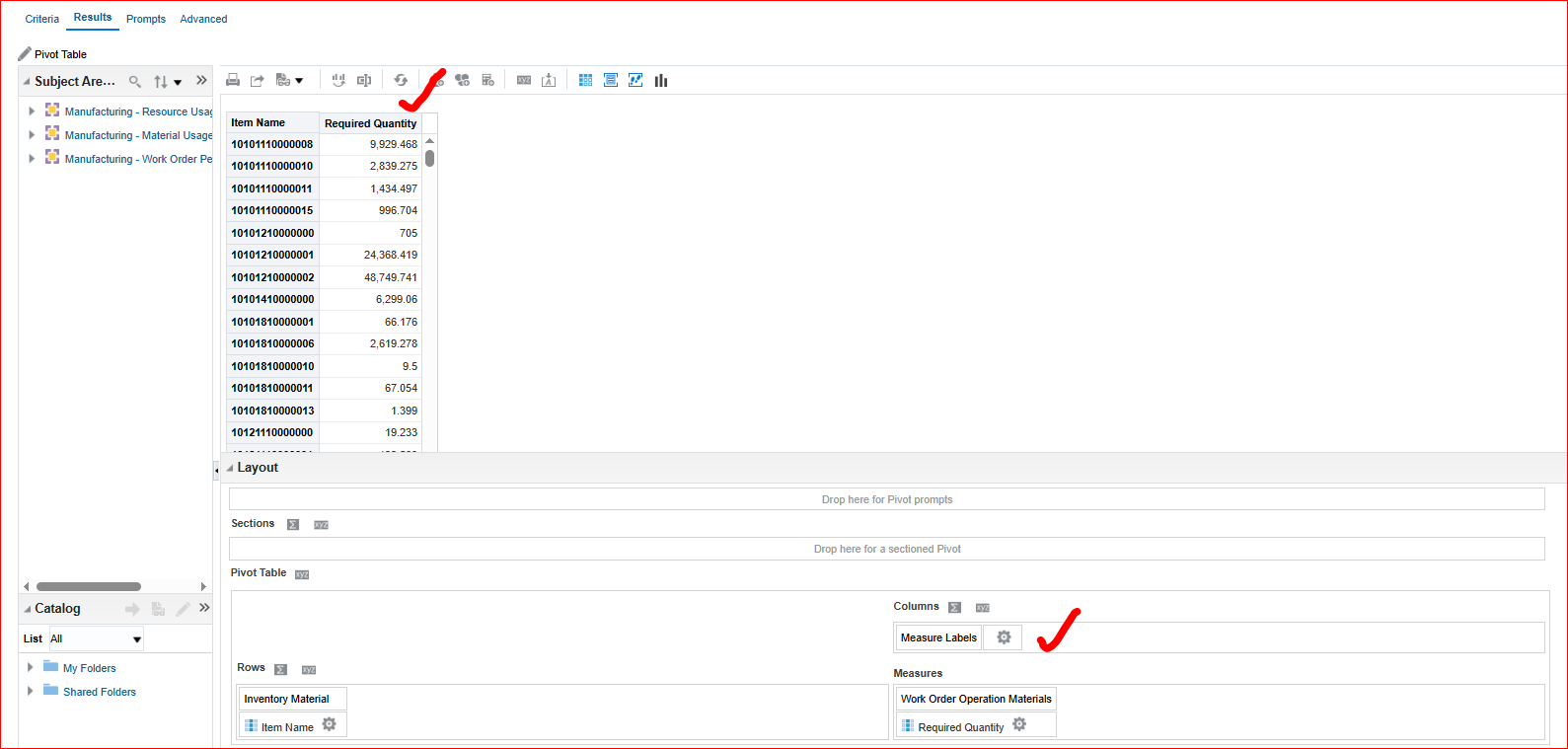
Hi @Regie Mercado There should be an item labeled "Measure Labels" in the Excluded drop area at the bottom of the pivot edit page. Move that into the "Columns" drop area.
Dearest Sir Jerry,
You are awesome. This is beautiful, your suggested solution works and it provides my needed report.
Hi @Regie Mercado,
Can you please try the following?
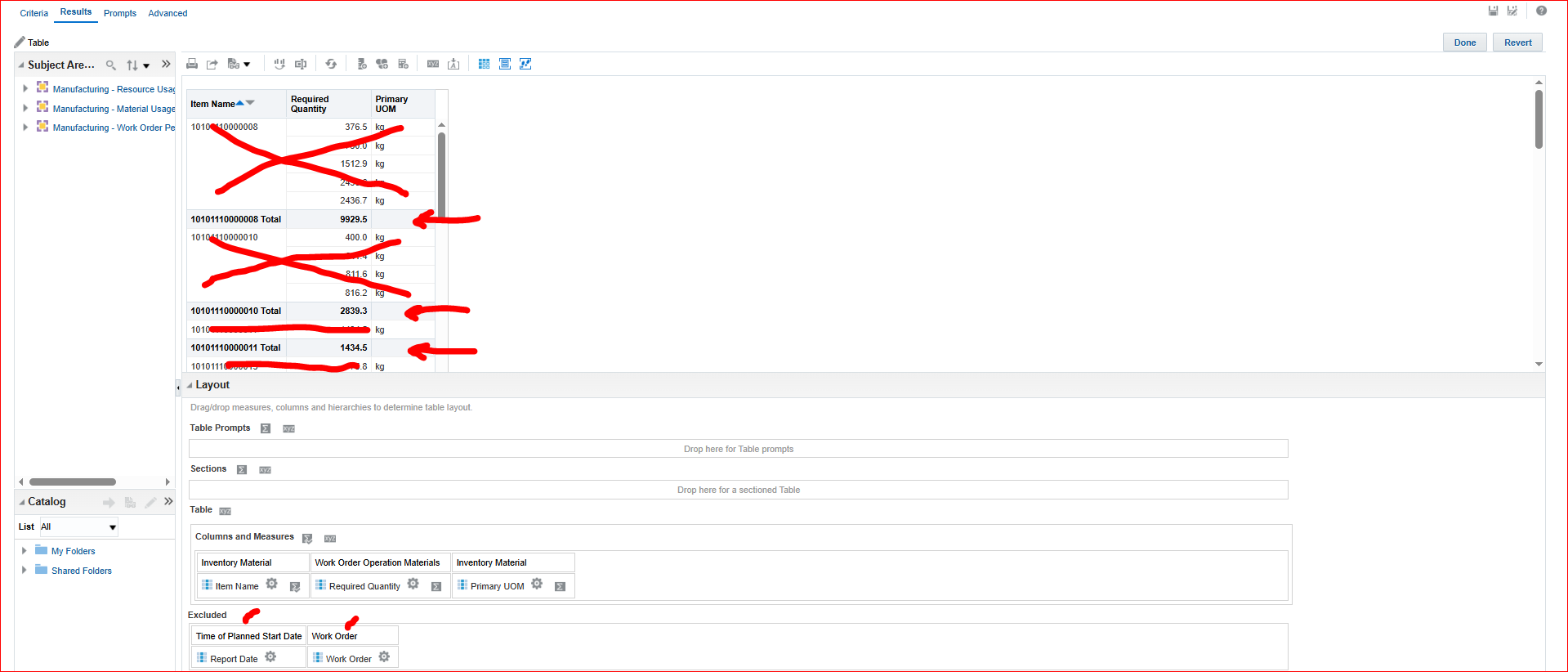
Duplicate your existing view and take out (put into the excluded column list) 'Work Order' column, the analysis should show the total based on 'Report Date' & 'Item Number'.
Hope this help.
Thank you.
Dearest Bhaskar,
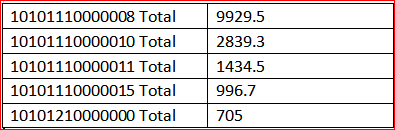
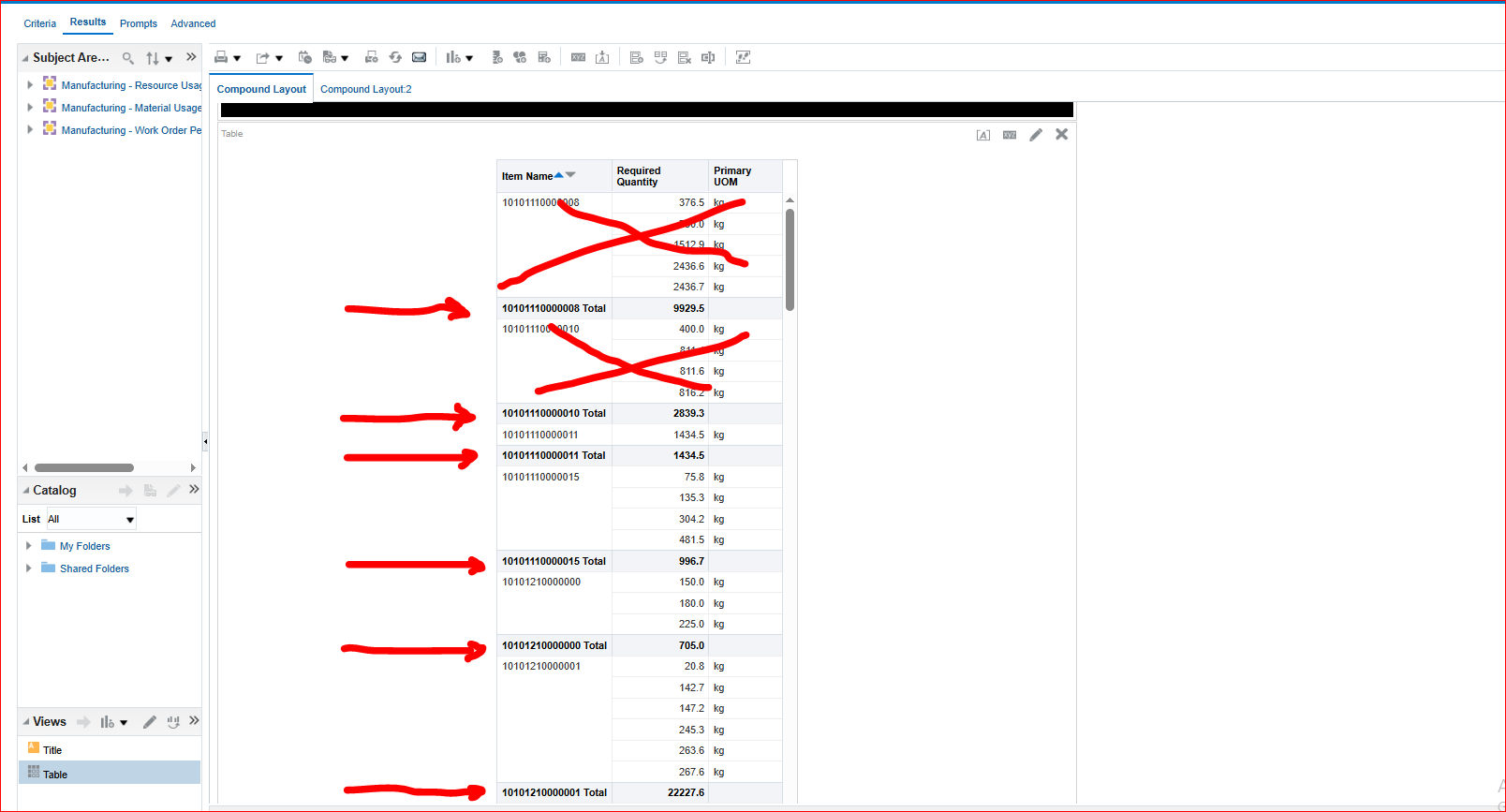
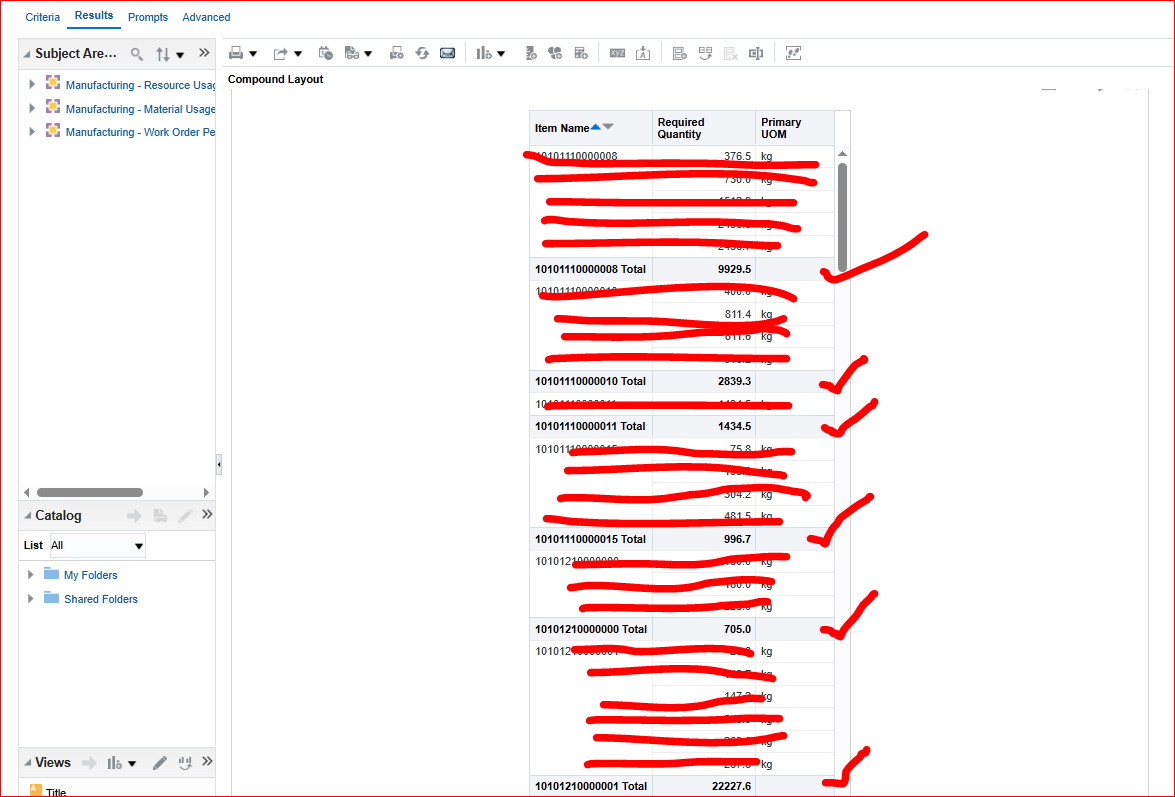
I appreciate your response and tried your suggestion but it is not giving me the required output. This is the sample view I want to achieve. Only the details in subtotal should appear in the report.
Hope to hear again your comment Sir and if you have other possible solution to achieve this.
Many thanks and best regards.
Can you please remove 'Work Order' & 'Report Date' columns from the Report? So your report should have only 3 columns: Item Name, Required Quantity, Primary UOM.
Please try to see how the data gets aggregated.
Dearest Sir Bhaskar,
Thanks much again for taking time to reply. I've already excluded the two fields but it is not giving the required output.
I only wanted items with check in the image to appear in the report. Hope you have possible solution.
One more thing, hope you can help. I've notice there is no heading "Required Quantity" for the field in Measures, how can I make the heading appear also just like in "Item Name". Hope you can help.
Can you please attach the Report XML / catalog here so that issue can be replicated and will be helpful to find the resolution?
Explore how to build agents using code in AI Data Platform. We'll create an agent that examines and analyzes the contents of a Github repository and reports its findings. The session demonstrates how to use different developer tools to create agents including the AIDP extension for VS Code and Codex. Using these tools we…
Our Requisition OTBI analysis is having many values Requisition Number Requisition Title Requisition Status Hiring Manager Full Name Recruiter Full Name am able to see values for all. When am passing Prompt(Hiring Manager Full Name or Recruiter Full Name) am not able to see the data. Am sure we have values/data for passed…
Hi Experts, We are using Oracle BI Publisher Email Bursting to distribute reports via email. Currently, one of our bursting outputs generates a report of approximately 20 MB, and we are trying to understand whether there are any size limitations that could impact email delivery. Scenario: Report Delivery Method: Email…
Team, We have a requirement to select below PVOs HcmTopModelAnalyticsGlobalAM.ProfileAM_ProfileItemPVO HcmTopModelAnalyticsGlobalAM.ProfileAM_ProfilePVO HcmTopModelAnalyticsGlobalAM.ProfileAM_ContentItemPVO HcmTopModelAnalyticsGlobalAM.ProfileAM_ContentTypePVO Do we have any documentation around these?
We have a requirement of enabling OTBI report in Purchase Requisition Redwood page similar to classic UI.How can that be done?