Oracle Fusion AI Data Platform Forum

Welcome to the Oracle Analytics Community: Please complete your User Profile and upload your Profile Picture

Remove HTML tags the data loaded through HSDL.

Received Response
21
Views
2
Comments
Chetana2000
Chetana2000 Rank 1 - Community Starter

Hello , We loaded the data for Performance Goal (for Description) in system through HSDL and noticed that the HTML tags like <b><br><p> which we used in HSDL file are visible from frontend as well. we need to load the data in bulk using HSDL but at the same time we don't want HTML tags to be visible from frontend.                                                                                                         Is there any way to remove that tags. Please provide your inputs.                                                                                                                                                                  Thanks for your help!

Answers

  • You can preprocess your source data (e.g., in Excel or a script) to remove tags using a simple regex, this keeps only the plain content. Hope it helps!

  • Mohammed Rafi
    Mohammed Rafi Rank 4 - Community Specialist

    Hi @Chetana2000,

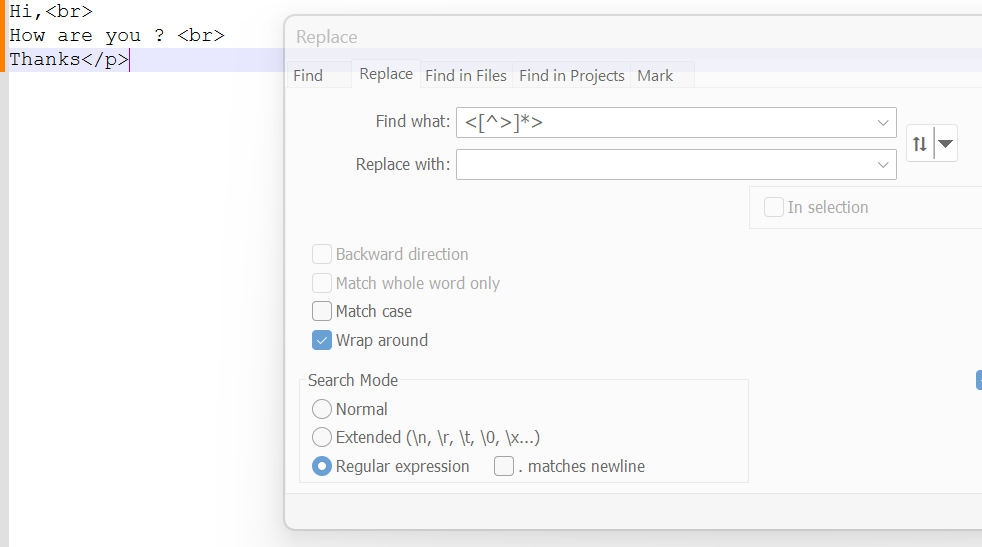
    You can remove all HTML tags from your HSDL file before loading using Notepad++ using regular expression

    Go to Search →> Replace and use this regular expression <[^>]*>

    Below is the sample file for illustration

    image.png

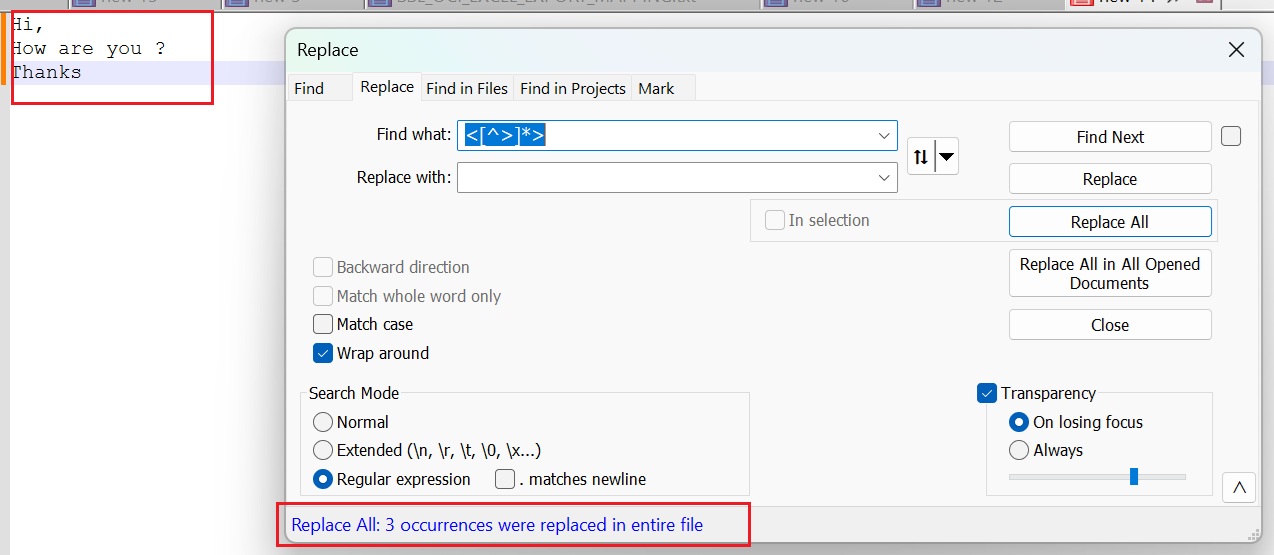
    After using Replace you can find the cleansed file

    image.png

    Hope this helps

    Thanks