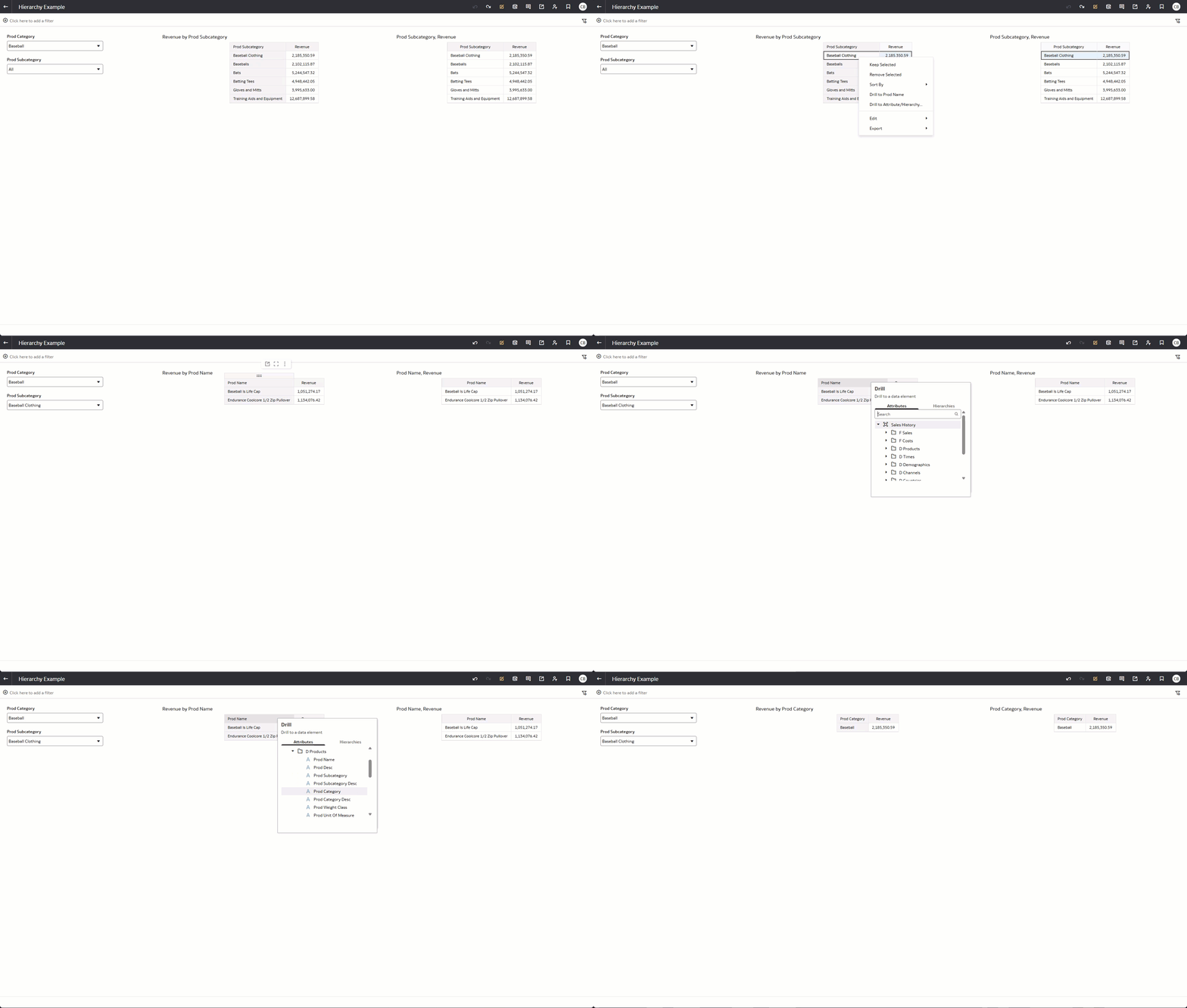
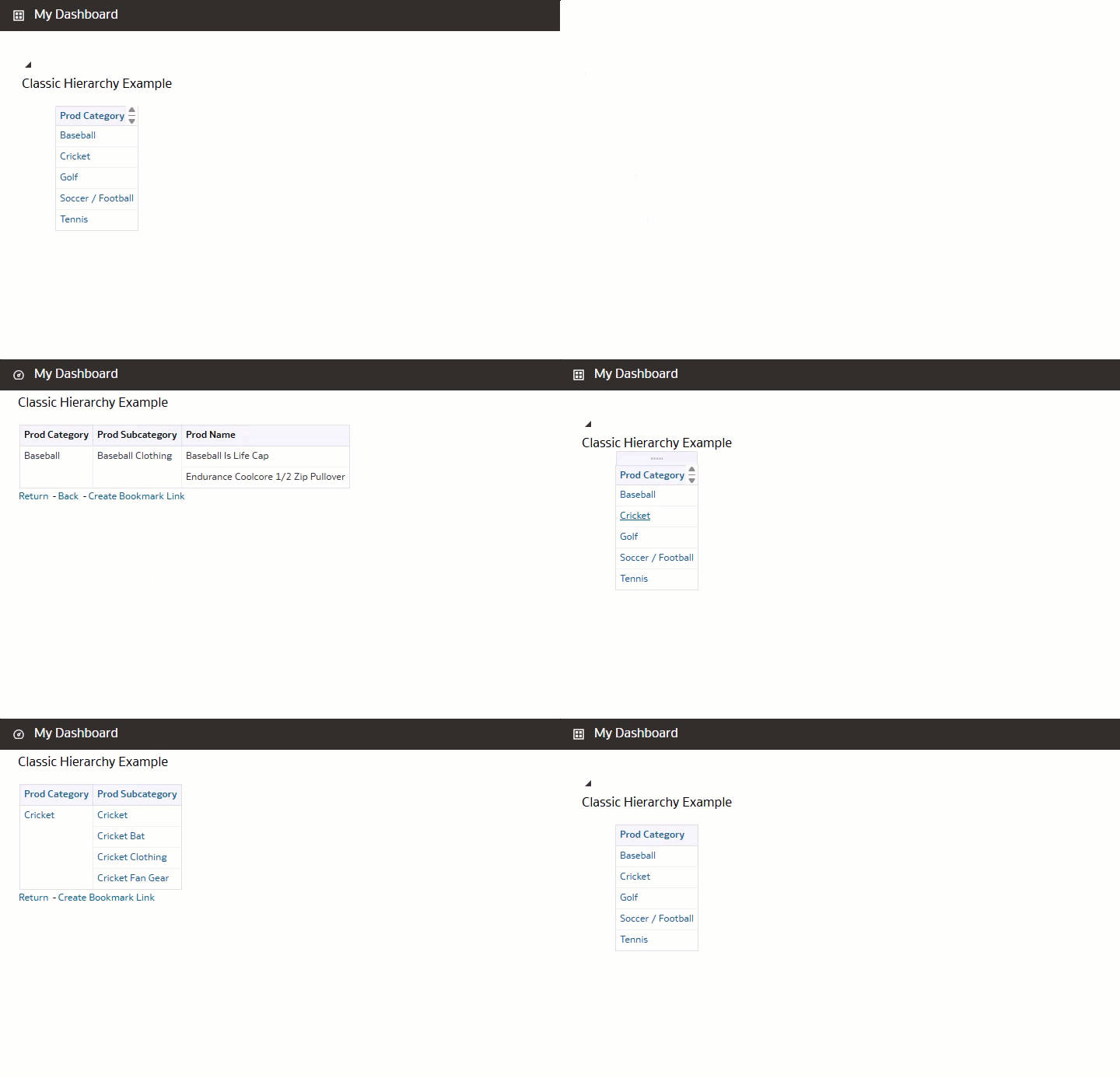
I have a client does not like the expanded drill down option in the DV hierarchy tree. Does anyone know if we can duplicate the hierarchy functionality on a column that in OBIEE Classic in DV.
In Classic when you click on a column or data element and that column is part of a hierarchy it automatically sets a filter and adds the next column to the table/pivot. If it's part of a dashboard you can click a Return/Back link to drill up. In DV, you must to right-click to drill to the next level (does not work for the column header). When you drill down the column is replaced (not added) and a filter is set. But there is no way to drill up other than the undo button or to right-click and go find the drill-from column in the Drill to Attribute/Hierarchy column list. And even there is still the extra step to remove the filter set by the original drill action.