Oracle Analytics Forum

Welcome to the Oracle Analytics Community: Please complete your User Profile and upload your Profile Picture

Oracle Analytics AI Assistant - Ability to add numeric / text responses to the canvas

16
Views
2
Comments
Ambili
Ambili Rank 6 - Analytics & AI Lead

From November 2025 release version onwards, it is observed that the AI Assistant responses in the form of numeric values or text descriptions - are not having the provision to add to the canvas. This ability seems to be confined to only graphs generated.
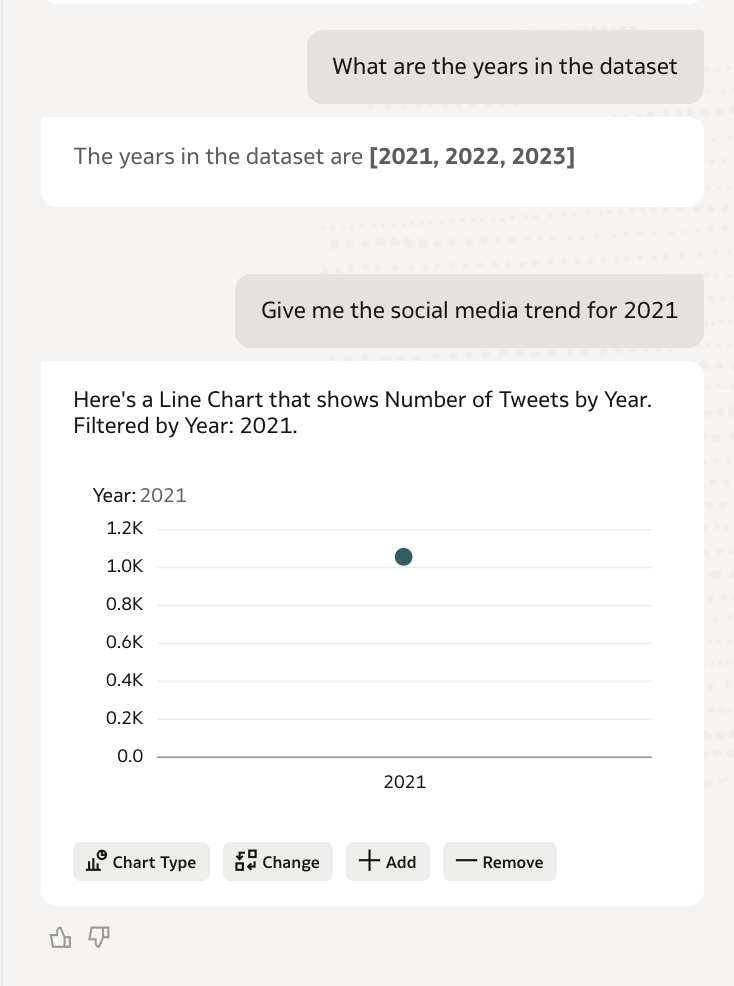
OAC Jan version Snapshot.png

Why this was important?

Only when we move the response to the canvas and keep it active, could we study the corresponding Logical SQL to evaluate the mappings and the need for any further optimisations.

Question:

Can we add the missing ability to add the numeric/text responses to the canvas, to be able to assess its LSQL? If not, is there any way to access the LSQL in any alternate way?

If there is no alternate way, happy to add this as a suggestion in the Idea Lab.

Comments

  • Mohammed Rafi
    Mohammed Rafi Rank 4 - Community Specialist

    Internally, numeric/text responses are often generated through:

    • Aggregated AI interpretation layer
    • Semantic query abstraction
    • Sometimes post-processed responses (not always a 1:1 logical query object)

    So Oracle restricts “Add to Canvas” because those responses are not always backed by a reusable visualization object.

    Before this change, the workflow was:

    1. Ask AI question
    2. Add result to canvas
    3. Open visualization
    4. Inspect Logical SQL
    5. Validate mappings & joins

    Now:

    • Pure KPI or textual answers never become a canvas object
    • No canvas object = no LSQL inspector
    • No LSQL = harder semantic model debugging

    For model tuning (especially in FDI and custom RPD), this is a real loss.

  • Mohammed Rafi
    Mohammed Rafi Rank 4 - Community Specialist

    No — there is currently no configuration, feature flag, or admin setting to force numeric/text AI responses onto the canvas.

    This limitation exists in:

    • OAC (Oracle Analytics Cloud)
    • FDI embedded analytics (since it uses the same AI layer)

    Even service administrators cannot override this behaviour.

    Workaround: Use “Explain” + Rebuild in Workbook Manually

    If AI gives you a numeric/text response:

    1. Copy the interpreted fields/measures
    2. Recreate the same logic in a workbook visualization
    3. Then inspect Logical SQL from the workbook

    This is actually more reliable for optimisation analysis.
