
If the employee is no longer connected to your company, it is best practice to make the employee record inactive and remove the assigned roles from the user.
Step I: Inactivate the Employee Record
1. Login to your Administrator role
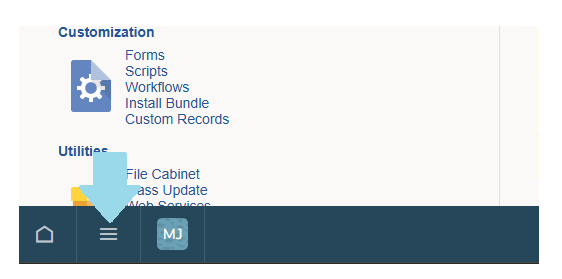
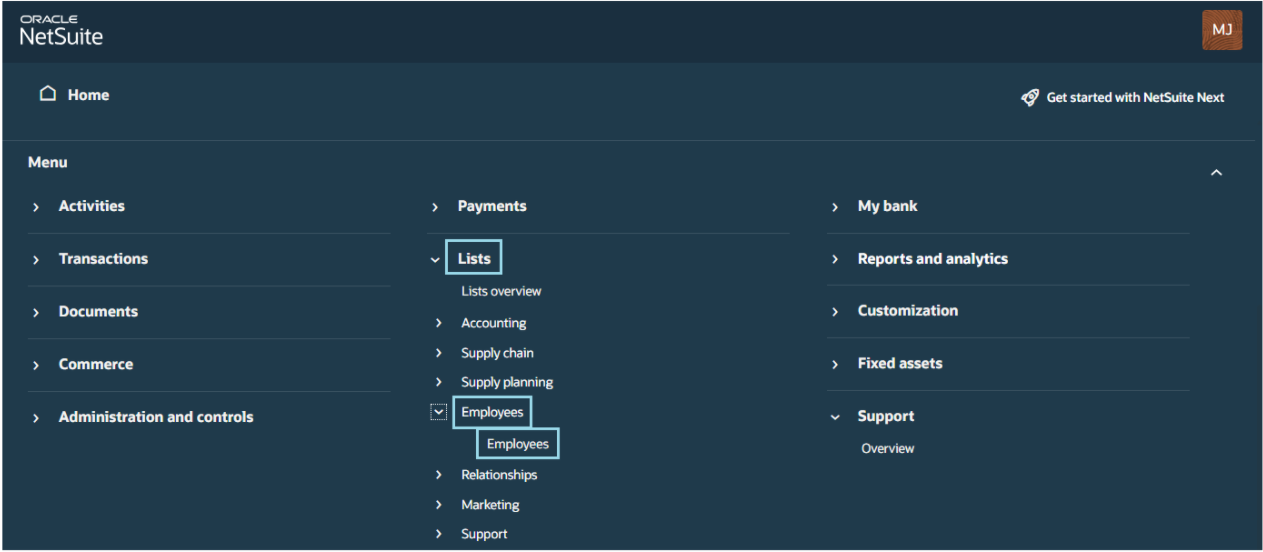
2. Navigate to Lists > Employees > Employees
NetSuite:

NetSuite NEXT:
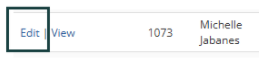
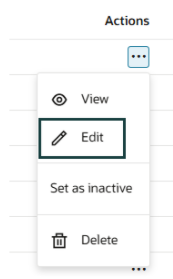
3. Click Edit on the Employee Record
NetSuite:
NetSuite NEXT:
4. System Information subtab > Tick the Inactive box
NetSuite:

NetSuite NEXT:

5. Click Save
Step II: Remove Access provisioned to the employee
1. Login to your Administrator role
2. Navigate to Lists > Employees > Employees
3. Click Edit on the Employee Record
4. In the Access subtab > Uncheck the Give Access box
NetSuite:

NetSuite NEXT:

5. Highlight the assigned roles and select Remove
NetSuite:

NetSuite NEXT:

6. Repeat until all the assigned roles are removed
7. Click Ok and Save
Share with us your best practices for handling employee records if the employee moves out of the company. 😊
