Reconciling multiple transactions can quickly become tedious when you have to click through page after page. To make this process more efficient, NetSuite administrators can increase the number of transactions displayed on the Match Bank Data page.
To do this, we can follow the steps below:
1. Navigate to Setup > Company > General Preferences

2. Set the Number of Rows in List Segments to the number of records users want to see per page.
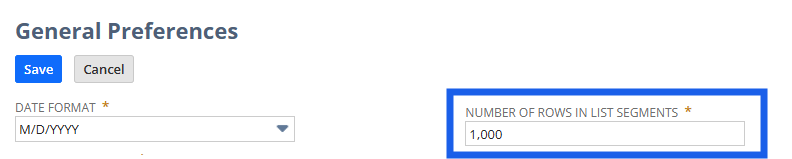
3. Click Save.
Configuring the number of rows displayed in list segments gives NetSuite administrators control over how many transactions appear on a single page. This flexibility helps optimize the user experience by ensuring that lists are either more condensed or expanded, depending on their workflow needs.
We’d love to hear your thoughts – please feel free to share any insights or experiences you have in the comments or post a discussion in the NetSuite Admin Corner and let's continue learning together!