
As a NetSuite Administrator, this guide demonstrates how to build a Workflow that restricts unauthorized users from making changes to Purchase Orders once they have been approved. By doing so, this helps protect the accuracy of important information, improves overall control and reduces mistakes. It also helps the business workflow to be organized and efficient by ensuring that approved actions remain consistent.
You can follow the steps below to do this:
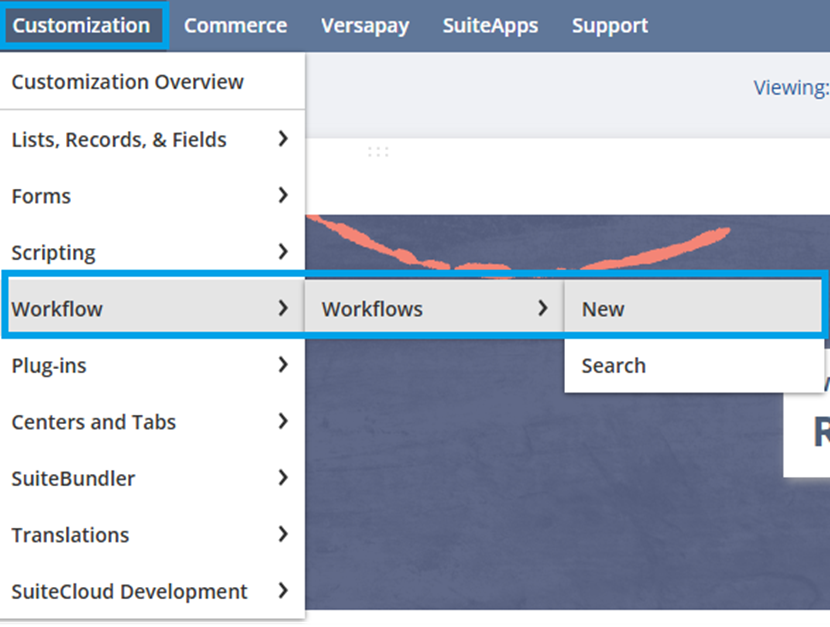
1. Navigate to Customization > Workflow > Workflows > New
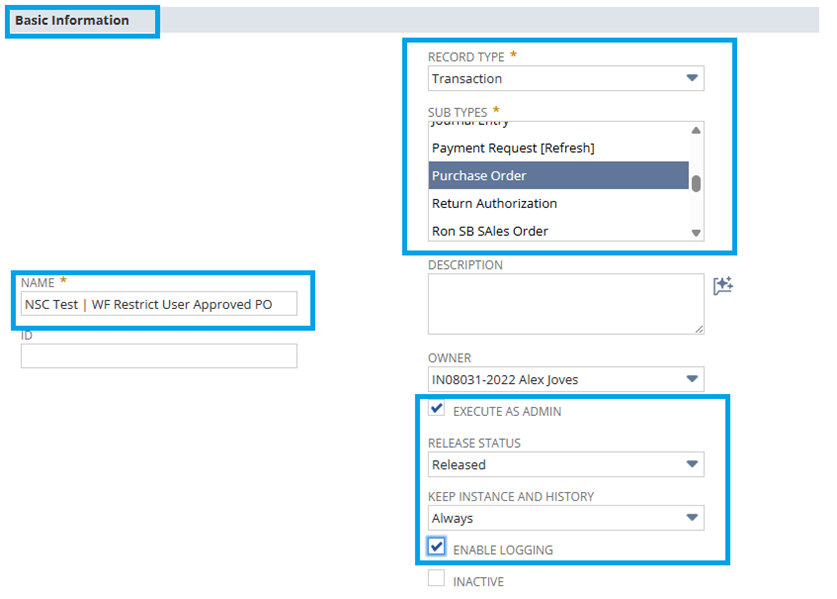
2. Basic Information:
Name: <Enter Preferred Workflow Name>
Record Type: Select Transaction
Sub Types: Select Purchase Order
Execute as Admin: Enter Checkmark
Released Status: Select Released
Keep Instance and History: Select Always
Enable Logging: Enter Checkmark
3. Event Definition:
On Create: Enter Checkmark
On View or Update: Enter Checkmark
Trigger Type: Select Before Record Load
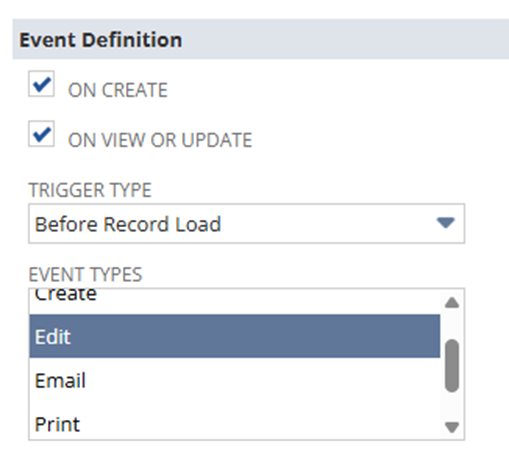
4. Event Types: Select Edit
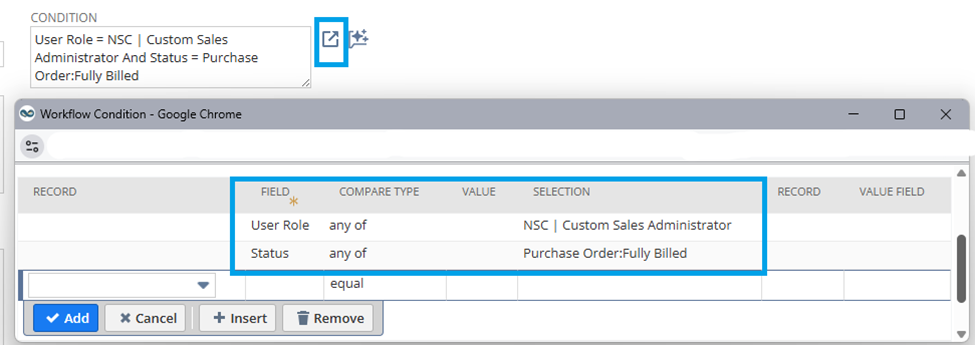
Condition: Click Launcher icon
Field:
User Role
- Compare Type: Select any of
- Selection: <Select preferred User Role>
Status
- Compare Type: Select any of
- Selection: <Select preferred Status>
5. Click Save
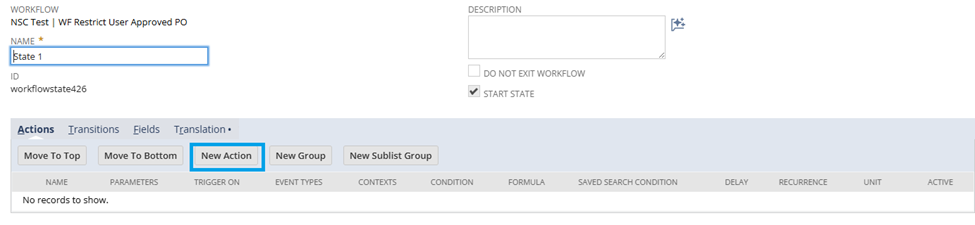
6. Click State 1 > New Action
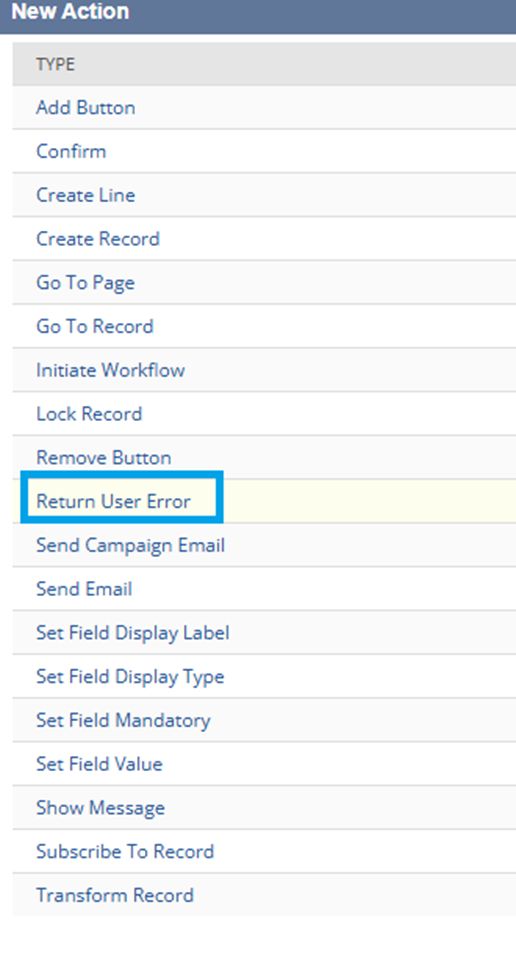
7. Click Return User Error
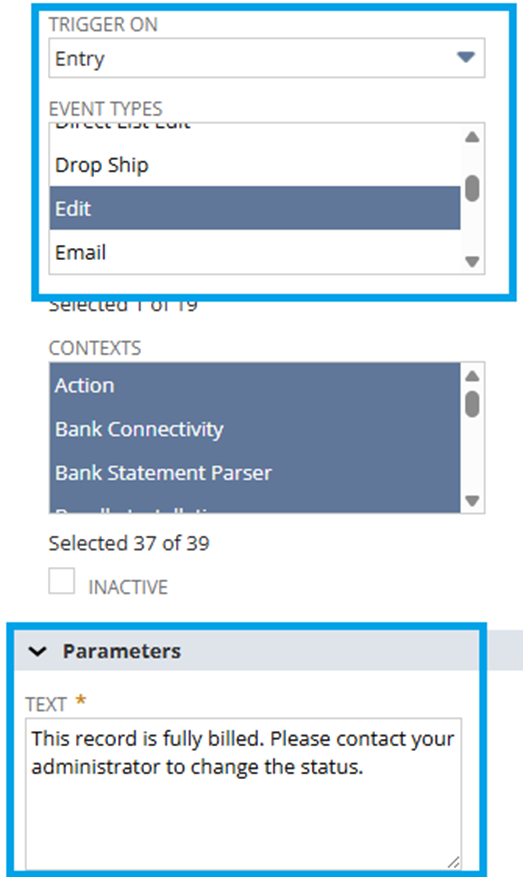
8. Basic Information:
- Trigger On: Select Entry
- Event Types: Select Edit
9. Parameters:
Text: <Enter Error Message>
10. Click Save
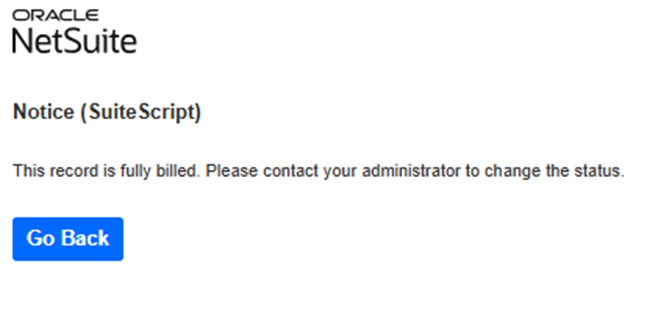
Result:
Once you switch to the role that you selected in the condition on the workflow and edit the purchase order record, it will result to an error message.

To our members! Have any of you given this customization a whirl? Don’t keep your thoughts to yourself—spill the beans! Your insights could be a game-changer for us and our fellow experts. You can also check out the following articles on Workflows:
New To NetSuite | Workflow: Transform Record
New To NetSuite | Workflow: Send Email Notification
New To NetSuite | Workflow: Return User Error
New To NetSuite | Workflow: Lock RecordNew To NetSuite | Workflow: Create & Remove Button Action
We value your input! Share your thoughts or experiences in the comments or join the conversation in the NetSuite Admin Corner. Let’s continue this journey of learning together!
