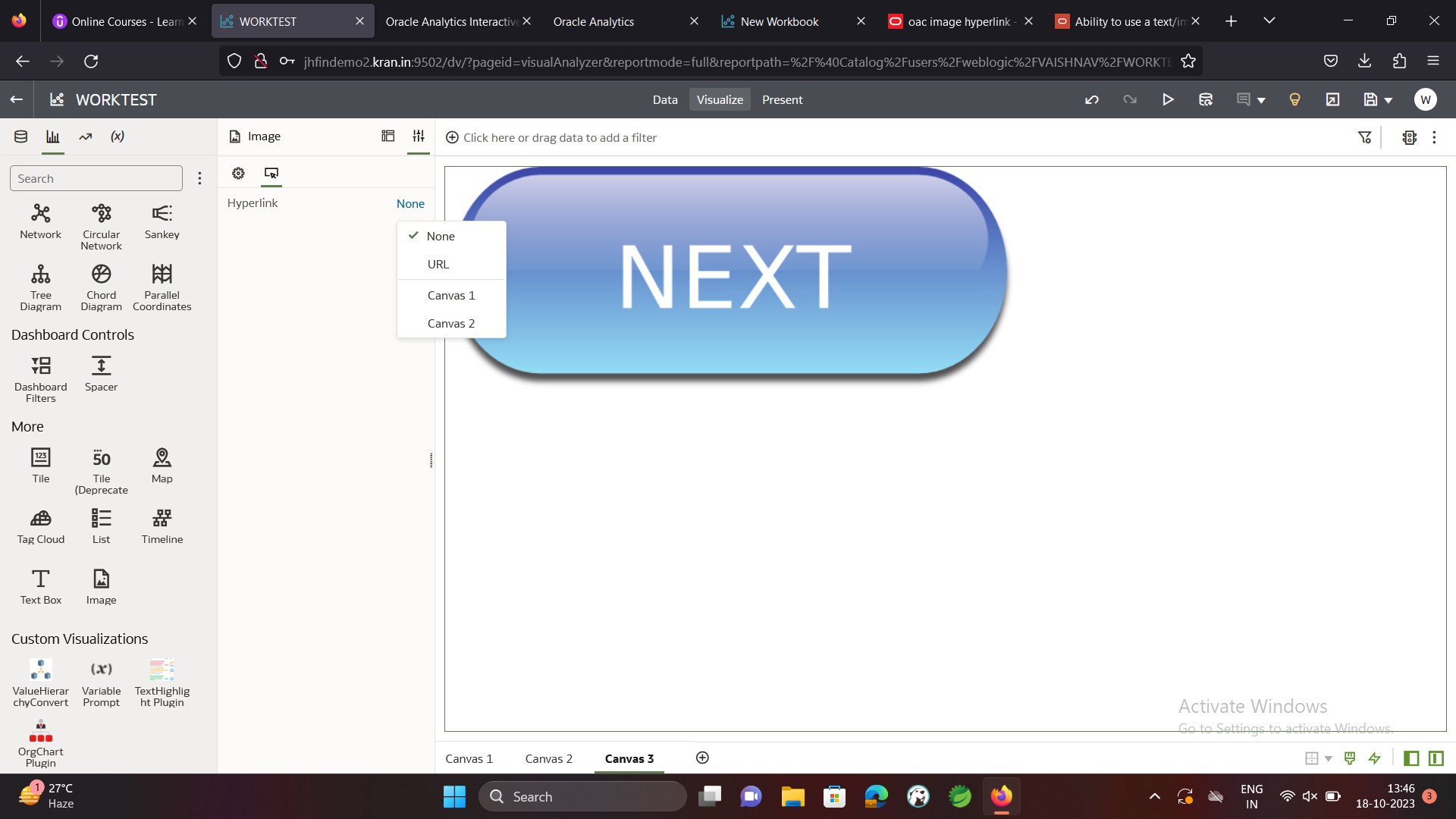
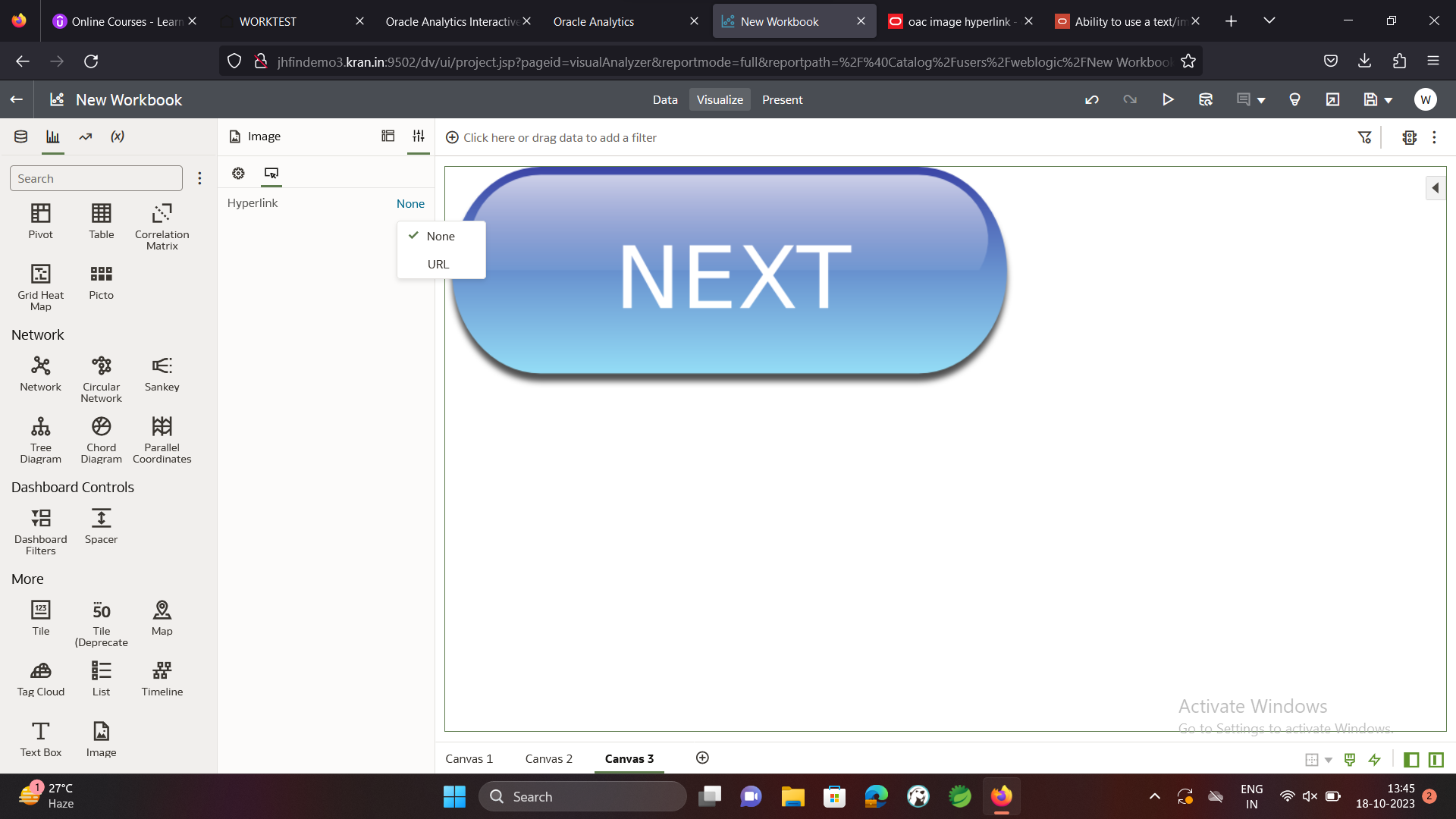
In DV we can select url/canvas in the image hyperlink ( Windows OS). When we tried it on Linux OS , there is no option to select canvas. Please suggest any solution for this issue?
1.WINDOWS OS
2.LINUX OS (The option to chose canvas is not showing)
Can you please clarify which product you are using?
When you say in LinuxOS, are you referring to the browser client machine?
Thanks
Gayathri
Hi
What are the versions that your Windows and Linux OAS's are on. Are you comparing the same patch levels here?
I do see the same behavior in my local OAS linux as well, yet to test this on Windows, . And my properties screens on both the versions look different than yours. It may require further debugging
Also please try to clear browser cache and retest the behavior.
@User_JBD5W
Welcome to the Oracle Analytics Online Forum!
We're thrilled to have you join our community of analytics enthusiasts and professionals. To enhance your experience and foster meaningful interactions, we encourage you to personalize your profile by setting up a display name and uploading a profile picture. Your display name will be how others recognize and engage with you in discussions, while a profile picture adds a personal touch to your forum presence.
Take a moment to update your profile with a display name and an image representing you. Let's create a vibrant and engaging community together!
I assume windows and Linux is your backend BI server platform, please verify at the same BI patch level and see
when I checked internally for Oracle Analytics Server (OAS) 2023+JUL2023CPU , both linux and windows same with None and URL two options only
@Hui Wang-Oracle
Did your test include 3 canvases as well? I think the the original request was to have the ability to link to another canvas, insead of a URL.
@Ambient yes, I have multiple canvases in my windows OS application, there is no difference on result compared to linux
Explore how to build agents using code in AI Data Platform. We'll create an agent that examines and analyzes the contents of a Github repository and reports its findings. The session demonstrates how to use different developer tools to create agents including the AIDP extension for VS Code and Codex. Using these tools we…
What is wrong with this code
Am I missing something or is there no way to search through previous posts to make sure I don't duplicate a question? All I see on the filter options are tags or status… a general search for a word or phrase would be helpful.
We were under the impression that when exporting a visualization in DV to CSV format hidden columns would be include from the grammar panel. This is not happening. See below for a screenshot showing 3 hidden columns that do not appear when exporting the pivot table to CSV. This seems to have worked a month or so back but…
Migrated RPD from obiee12c to OAS 2024. post migration when we try to access dashboards on OAS we are getting below error: State: HY000. Code: 10058. [NQODBC] [SQL_STATE: HY000] [nQSError: 10058] A general error has occurred. (HY000) State: HY000. Code: 43275. [nQSError: 43275] Message returned from OBIS…
There is no option for legend title in many visualization types.