I am running Oracle analytics server 6.4. We have EBS SSO enabled.
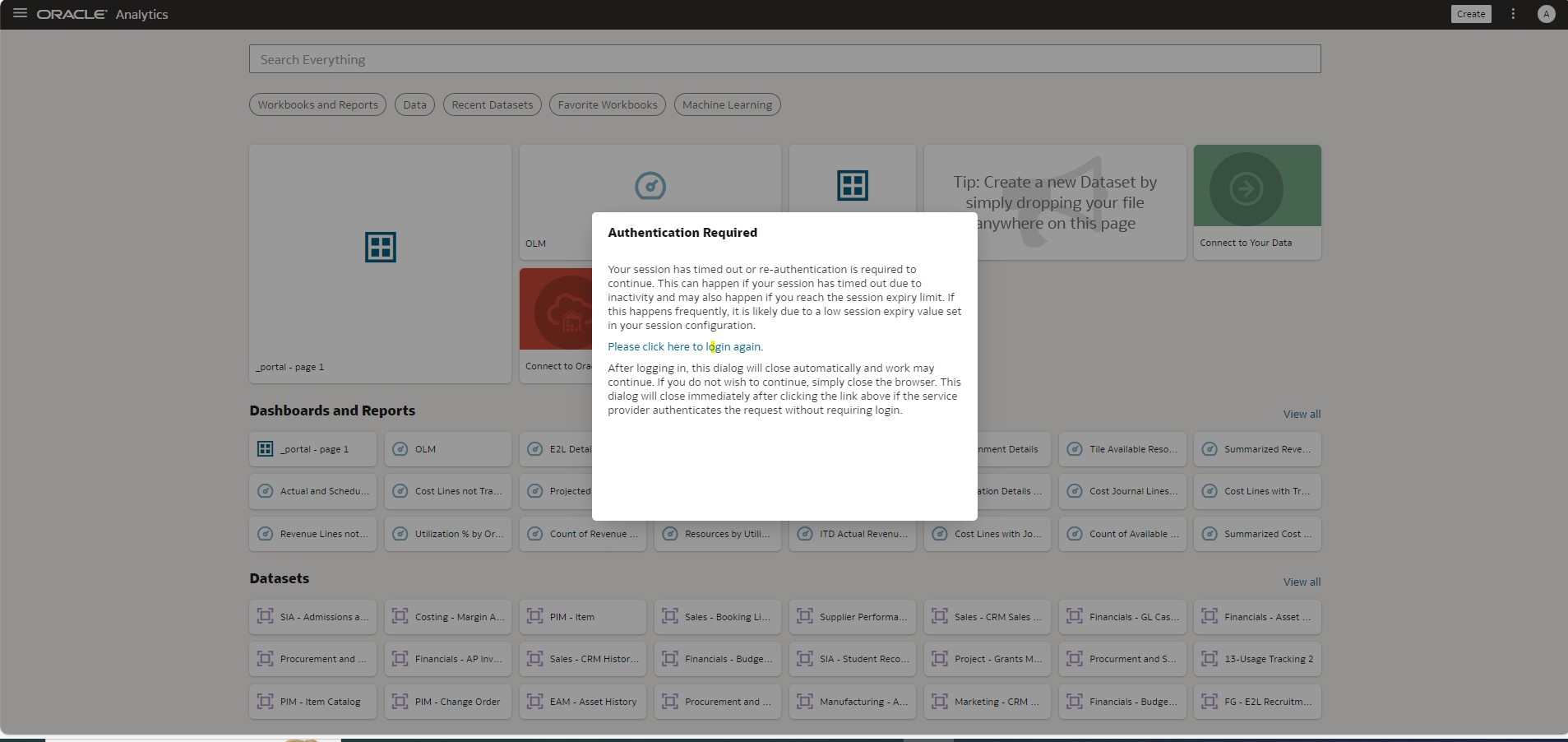
We are facing Session Timout message to frequently while login from DV console. This is annyoying for end users as well and they are asking to resolve this issue.
@User_M0UDD , Data Visualization supports only fusion middleware based Authentication and Authorization - DV does not support Initialization Block based Security.
OBIEE 12c: Does Data Visualization Support Authorization Via Initialization Blocks? (Doc ID 2130407.1)
We are not sure what Authentication mechanism is being used in your case, please elaborate and let us know how are users logging in to DV and at what frequency are they seeing timeout messages.
Hi,
We are using Initialization Block based Security to access analytics page (Classic BI) in case of SSO.
For DV I have created separate user in weblogic console giving required rights to that user.
User face timeout messages 3-4 times in a minute.
Hi @Muhammad Shoaib
Can you refer below and check are you able to fix your session timeout.
DV Session Timeout In OAS SSO Setup (Doc ID 2958066.1)
Regards,
Arjun
Hi @Mallikarjuna Kuppauru-Oracle
Session Timeout value is already set to 3600. Issue is this timeout message appears 3-4 times with a minute
Okay seems like issue with your EBS session cookie.
Did you followed the below MOS while implementing the SSO ?
Security Integration of OBIEE 12c/Oracle Analytics Server with Oracle E-Business Suite (EBS) (Doc ID 2825669.1)
Hi @Mallikarjuna Kuppauru-Oracle ,
Yes I have followed Doc ID 2825669.1 for SSO configuration.
Issue is this timeout message appears 3-4 times with a minute —> After timeout are you seeing the sso page or application page?
Thank you for your time and support.
I am seeing the application page. I have also attached screenshot for your review.
You environment is SSL Enabled? Make sure below option is true.
In the WebLogic console, WebLogic Plugin Enabled must be set to true, either at the domain, cluster or Managed Server level.
Yes SSL is anabled. Can you please share navigation to check below:
"In the WebLogic console, WebLogic Plugin Enabled must be set to true, either at the domain, cluster or Managed Server level."
Explore how to build agents using code in AI Data Platform. We'll create an agent that examines and analyzes the contents of a Github repository and reports its findings. The session demonstrates how to use different developer tools to create agents including the AIDP extension for VS Code and Codex. Using these tools we…
What is wrong with this code
Am I missing something or is there no way to search through previous posts to make sure I don't duplicate a question? All I see on the filter options are tags or status… a general search for a word or phrase would be helpful.
We were under the impression that when exporting a visualization in DV to CSV format hidden columns would be include from the grammar panel. This is not happening. See below for a screenshot showing 3 hidden columns that do not appear when exporting the pivot table to CSV. This seems to have worked a month or so back but…
Migrated RPD from obiee12c to OAS 2024. post migration when we try to access dashboards on OAS we are getting below error: State: HY000. Code: 10058. [NQODBC] [SQL_STATE: HY000] [nQSError: 10058] A general error has occurred. (HY000) State: HY000. Code: 43275. [nQSError: 43275] Message returned from OBIS…
There is no option for legend title in many visualization types.