Hello All,
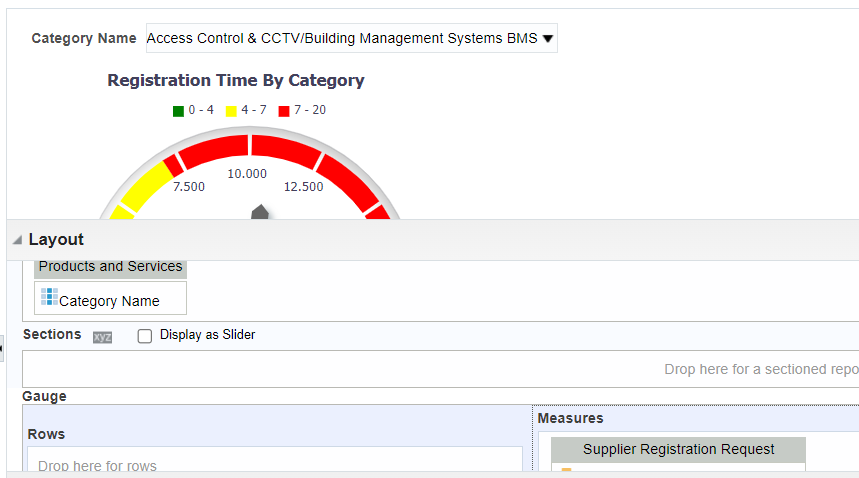
I am working with OTBI and the customer ask to add a choice for all supplier as you can see in the picture here
I want to add a prompt for all. Is there a way to do it?
thank you in advance
Hi
So your current query is "We need fact X by Product and Services Category". Assume you are query Supplier Registration - Supplier Real Time? In the screen shot we can only see the presentation table of your fact. This tables has 2 facts "Count of Registration Requests" and "Approval time in Days". You do not have dimension "Supplier" in your current query. I will assume you want to see all "Category" not all "Suppliers". We do not have any category so have used supplier type in example here. The dimension used is not relevant to the design.
Here are 3 ideas;
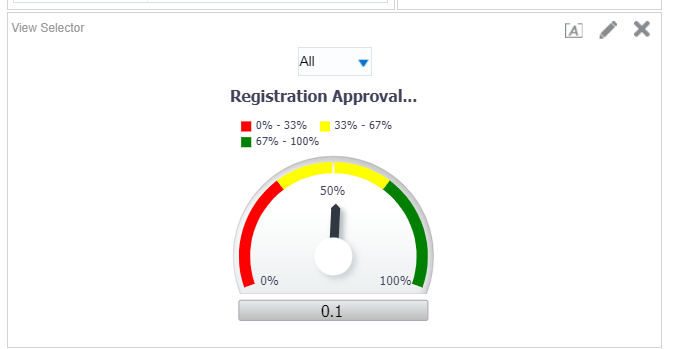
1 Use view selector. So have 2 views in your analysis. One chart with category as a prompt called "Category" (this one). One chart without called "All" (copy it then exclude category). Then on your dashboard use a view selector to toggle between "All" and "Category" view.
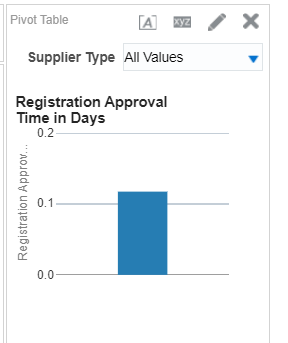
2 Build this as a pivot table with a option "Graph Pivoted Results" = True position "Graph Only". Table chart. When you do this you have the option in includes "All Values" in the drop down. But you cannot do this with a guage only line bar charts etc.
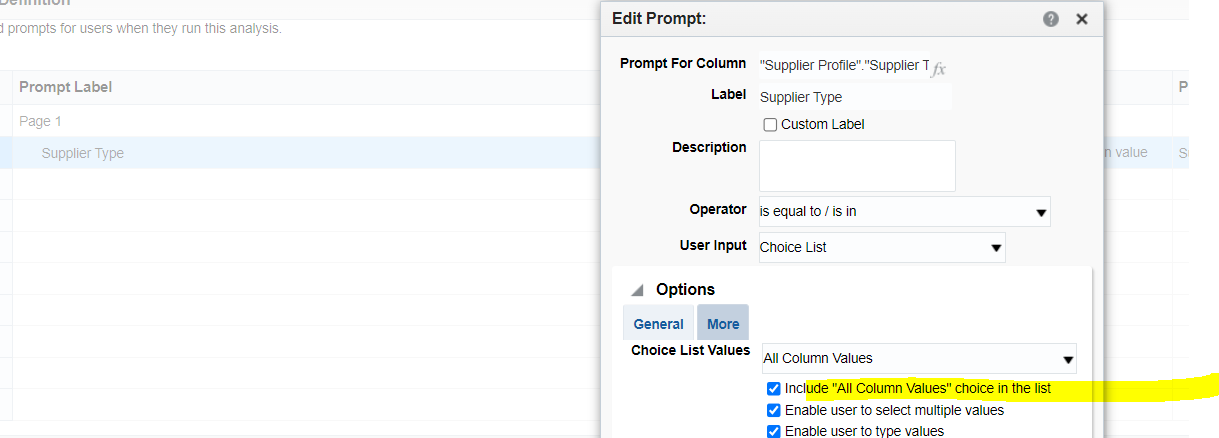
3 Remove category from a prompt in your chart. Replace it with a column prompt in your analysis or as a prompt on your dashboard. When you build the prompt select option "Include All Column Values". The user will issue a new query to fetch only the selected category or all category each time apply this prompt.
Thank you @Nathan CCC
We have built an OTBI report intended for Line Managers to view their subordinates’ emergency contact details. The report uses the Workforce Management - Person Real Time subject area. When a Line Manager runs the report, the emergency contact fields (e.g. EC Phone Type, EC Phone Number, EC Email Type and EC Email Address)…
Hi All, Good Day. We have created one custom OTBI report and it has "Business Unit" as of one of the parameter. The related list of values is showing all the business units and we want to restrict it to the user who has the related Business Unit data access set access. Please let us know how to achieve this in OTBI report.
I have a Leave Details Report with the condition below to restrict the report based on the logged-in user's AOR. However, the report is not returning any data for any legislation, when users run it under the 'About Me' context.
Our Requisition OTBI analysis is having many values Requisition Number Requisition Title Requisition Status Hiring Manager Full Name Recruiter Full Name am able to see values for all. When am passing Prompt(Hiring Manager Full Name or Recruiter Full Name) am not able to see the data. Am sure we have values/data for passed…