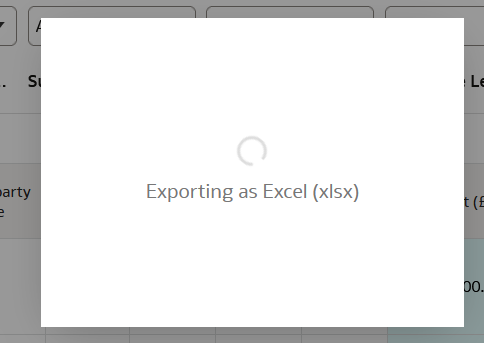
While running DV workbook I am unable to export the output in excel format. It only shows exporting as excel and the process keeps on running for more the an hour although the data volume is very less and I get output in CSV instantly .
@Anand Singh Hi Anand,
Thank you for asking your question in the Oracle Analytics Community. This question requires additional customer specific context and detailed analysis. Please open a Service Request through My Oracle Support so we can better assist you.
@Anand Singh - Please let us know if the behavior is seen for a specific visualization or workbook. Also confirm if you are using OAC or OAS.
Sumanth V -Oracle I am getting this issue in some workbooks and in few workbook i was able to get the export in excel. I am using OAC.
Hi @Anand Singh,
The Formatted Excel format does have a 25k limit. So, in your Workbook, make sure you are returning all rows. Scroll down to the last record and check how many records have returned.
Regards,
John
Hi @Anand Singh
We have an KM note for the same also documentation for limit on downloads -
FAW:FDI:FDIP Export To Excel Is Exporting Only 25000 Rows For Visualizations (Doc ID 3027775.1)
Arjun
Thanks @JohnW-Oracle and @Mallikarjuna Kuppauru-Oracle , for the reply but in our case even a single row in DV workbook is not getting exported in excel , csv still works .
Explore how to build agents using code in AI Data Platform. We'll create an agent that examines and analyzes the contents of a Github repository and reports its findings. The session demonstrates how to use different developer tools to create agents including the AIDP extension for VS Code and Codex. Using these tools we…
What is wrong with this code
Am I missing something or is there no way to search through previous posts to make sure I don't duplicate a question? All I see on the filter options are tags or status… a general search for a word or phrase would be helpful.
We were under the impression that when exporting a visualization in DV to CSV format hidden columns would be include from the grammar panel. This is not happening. See below for a screenshot showing 3 hidden columns that do not appear when exporting the pivot table to CSV. This seems to have worked a month or so back but…
Migrated RPD from obiee12c to OAS 2024. post migration when we try to access dashboards on OAS we are getting below error: State: HY000. Code: 10058. [NQODBC] [SQL_STATE: HY000] [nQSError: 10058] A general error has occurred. (HY000) State: HY000. Code: 43275. [nQSError: 43275] Message returned from OBIS…
There is no option for legend title in many visualization types.