Categories
- All Categories
- Oracle Analytics and AI Learning Hub
- 34 Oracle Analytics and AI Sharing Center
- 22 Oracle Analytics and AI Lounge
- 276 Oracle Analytics and AI News
- 47 Oracle Analytics and AI Videos
- 16.1K Oracle Analytics and AI Forums
- 6.3K Oracle Analytics and AI Idea Labs
- Oracle Analytics and AI User Groups
- 99 Oracle Analytics and AI Trainings
- 16 Oracle Analytics and AI Challenge
- Find Partners
- For Partners
How to have Action Link on Totals but not on detail rows
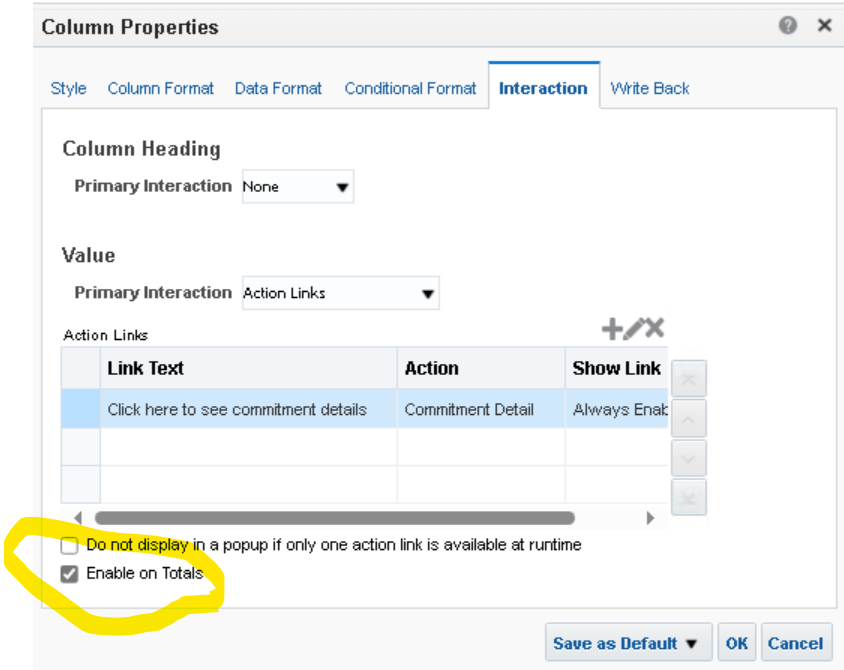
So I have an OTBI Analysis which has navigation link on certain columns using the standard interactivability functionality on the column properties. I have enabled these action links at Total Level, but need to remove the functionality at row (non-total) level.
I tried conditional display with things like fieldAlwaysPresentAtDetailLevel Is Null, but this caused ALL of the action links to be disabled.
Is there any way to do this in Fusion Financials' OTBI?And no, setting report heading does not work for my requirement, as the IsPrompted links do not pass via the heading interaction.i.e. In the screenshot below, I want the equivalent of 'Conditionally Enabled' - where the condition is that the line in question is the total in the report, not the lines that make up that total.And in the screenshot below only want the link to appear on the lines that are total - which I have bracketed, not the lines that are being totalled - which I have a X through; -

Answers
-
Hello @Robert of STAU,
I understand you are asking a question regarding Interactivity and Action Links.
What you are requesting or expecting is not possible within the current design of the application, If it is a critical functionality, i would recommend that you log an Idea in Idea Labs so our Product Management can review the same and if feasible implement it in one of the upcoming releases.
Idea Labs can be found Here : https://cloudcustomerconnect.oracle.com/pages/home
Before creating an Idea, it is recommended to go through the Guidelines : https://cloudcustomerconnect.oracle.com/pages/35fcc3b659After logging in to the customer connect portal, please click on Idea menu and select the appropriate product.
On the following page you should be able to see a button "Submit Your Idea" please use that to request an Enhancement.If my response has answered your question or assisted you with your concern, please click "yes" below to accept the answer or comment with any additional queries. You can also read the Cloud Customer Connect Guidelines for Accepted Answer
Regards,
Gaurav
0