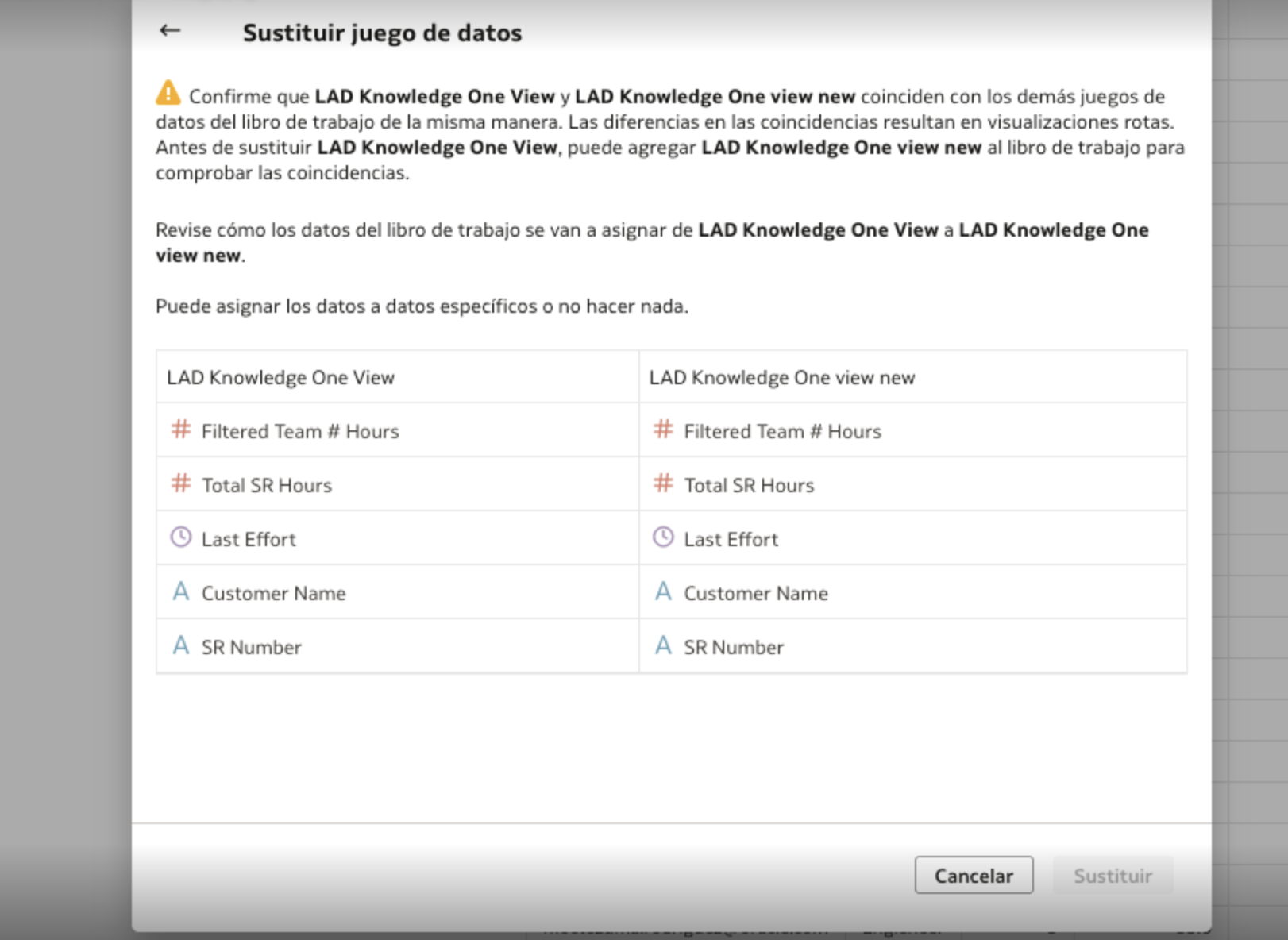
hi team! excuse me I want to replace a dataset, but when I try to continue the button is disabled, and I can't continue, Someone knows how to solve this? Thanks in advance!
Hi @User_IYO6P,
Welcome to the Oracle Analytics Community!
Can you please check the following Oracle Note and follow the steps mentioned in the note?
https://support.oracle.com/knowledge/Oracle%20Cloud/3014135_1.html
Hope this help.
Thank you!
Hi, as per @Bhaskar Konar link, you have a few options:
1. Identify the blending joins in the dataset that are causing the "Replace" button to be grayed out. These blending joins may be creating conflicts within the dataset to replace. Once the replacement is completed, you can re-add the blending joins if necessary.
2. Identify Data Type Mismatches: Review the column mappings between the datasets to identify any differences in data types. This could include variations in formats such as text, numerical values, dates, etc. Ensure that the data types for corresponding columns in the datasets are consistent.
Thank you so much!
Does Oracle Analytics Server 2026 include AI features such as a built-in chatbot or AI Assistant? If not, are there any plans or indications that these AI capabilities will be introduced in a future OAS release?
Here is my calculation CAST(COUNT(SAAR_ID) AS VARCHAR(50)) || ' SAARs pending as of: ' || CAST(CURRENT_TIMESTAMP(5) AS VARCHAR(50))
In OAC when I am creating a dataset, How can I pass a Filter from the "Dashboard filters to the SQL? I attached a image like it was don in BIP Publisher
How can you put a total number of records in your oracle OAC table footer
we have two seperate environments in air gap… 1- oas 2024 2- oas 2026 developers in both env, required extensions like push button, racing bar, guage…. where to download.