@GabriellePrichard-Oracle
This is related to my community post.
How to get unique rows from Dataflow out — Oracle Analytics
Use case:
I am joining multiple datasets which are having good number of rows and columns with different conditions and data processing.
Once all steps are done, I need only few columns which I select using "Select Columns" as Dataflow output with unique rows. But unfortunately, now it is generating many duplicate columns after my data transformation steps. I clearly know the logic behind it. But I need unique output. There should be some command or option to remove duplicate columns.
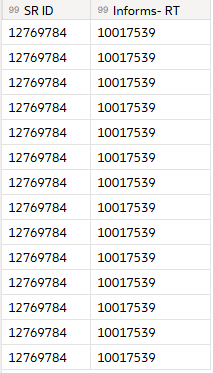
For example, I have processed with multiple datasets with 50 columns. Later I selected 2 columns only. currently when I select columns, the output is as below image. I expect, output is single row after selecting the column. Due to this my datasets rows increasing to 10-20 times which causing performance issue.