Hi Folks, I wonder ifany of you OCI gurus have found a solution to my issue.
When I try to connect my BI publisher Delivery to Object storage using the documentation and recommendations for policies I still can't see compartments or buckets
Doc: https://docs.oracle.com/en/cloud/paas/analytics-cloud/acabi/add-object-storage.html
I get the below
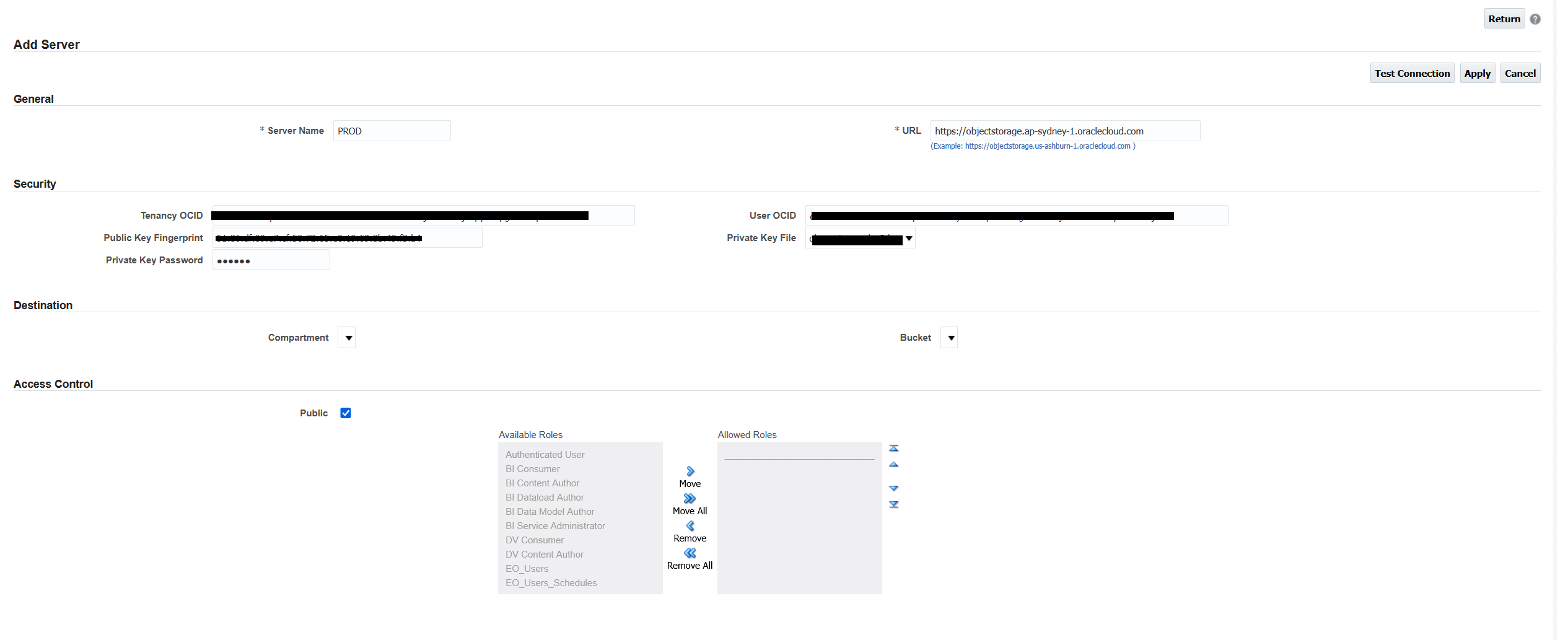
I tried the suggested
Allow group 'OracleIdentityCloudService'/'DEV3_OACS_Admins' to inspect compartments in tenancy
Allow group 'OracleIdentityCloudService'/'DEV3_OACS_Admins' to read objectstorage-namespaces in tenancy
Allow group 'OracleIdentityCloudService'/'DEV3_OACS_Admins' to manage object-family in compartment 'comp-dev3' where any {request.operation='ListBuckets',request.operation='ListObjects',request.operation='PutObject',request.operation='GetObject',request.operation='CreateMultipartUpload',request.operation='UploadPart',request.operation='CommitMultipartUpload',request.operation='AbortMultipartUpload',request.operation='ListMultipartUploads',request.operation='ListMultipartUploadParts',request.operation='HeadObject',request.operation='DeleteObject'}
I even tried opening further
Allow group 'OracleIdentityCloudService'/'DEV3_OACS_Admins' to manage buckets in tenancy
Allow group 'OracleIdentityCloudService'/'DEV3_OACS_Admins' to manage objects in tenancy
Allow group 'OracleIdentityCloudService'/'DEV3_OACS_Admins' to read objectstorage-namespaces in tenancy
Allow group 'OracleIdentityCloudService'/'DEV3_OACS_Admins' to inspect compartments in tenancy
Allow group 'OracleIdentityCloudService'/'DEV3_OACS_Admins' to inspect buckets in tenancy
Allow group 'OracleIdentityCloudService'/'DEV3_OACS_Admins' to read buckets in tenancy
Allow group 'OracleIdentityCloudService'/'DEV3_OACS_Admins' to manage objects in tenancy
Allow group 'OracleIdentityCloudService'/'DEV3_OACS_Admins' to manage all-resources in tenancy
Allow group 'OracleIdentityCloudService'/'DEV3_OACS_Admins' to MANAGE OBJECT-FAMILY in tenancy
However still no joy unless I make the user a member of the OCI Administrators group (which is not best practice or meets least privilege policies)
Please share your thoughts as an SR has not helped resolve this, but highlighted its an issue in Fusion too.