I am building an analysis in the Recruiting – Recruiting Real Time subject area to report on Candidate Interactions. Interactions can be recorded in 2 different places: in the candidate profile (the data is located in "Candidate – Interactions" folder) and in the job application (the data is located in "Job Application – Interaction Note" folder).
When I include both sources as separate columns in one analysis, it creates duplicate rows, so I need both types of interactions combined into a single column.
I attempted to use a UNION through Set Operations (https://docs.oracle.com/en/cloud/saas/otbi/otbi-user/advanced-techniques-combine-columns-display-data-differently.html). In the first analysis (the primary one), I included "Text" column from "Candidate – Interactions" folder:

For the second set, I added the exact same columns as in the main analysis. The only difference is that the "Text" column was pulled from the "Job Application – Interaction Note" folder. I applied SUBSTRING("Candidate - Interaction"."Text" FROM 1 FOR 4000) formula to both Text columns to clear format:

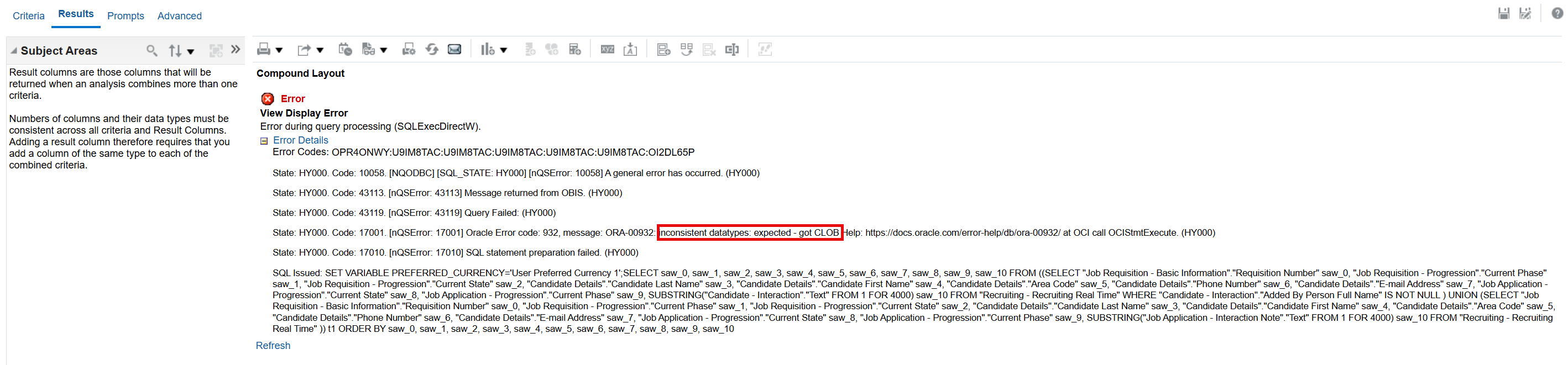
However, when I navigate to the Results tab, the analysis returns the following error: "inconsistent datatypes: expected - got CLOB"
I couldn't find any video tutorials on how to use the Union function, so I am not even sure I am using it correctly. How can I merge the data from "Candidate – Interactions Text" column and "Job Application – Interaction Note Text" column into one?



