Oracle Transactional Business Intelligence Forum

Welcome to the Oracle Analytics Community: Please complete your User Profile and upload your Profile Picture

How to make a copy of an analysis under an analysis - Recruit to Hire Dashboard

Accepted answer
23
Views
2
Comments

Hi,

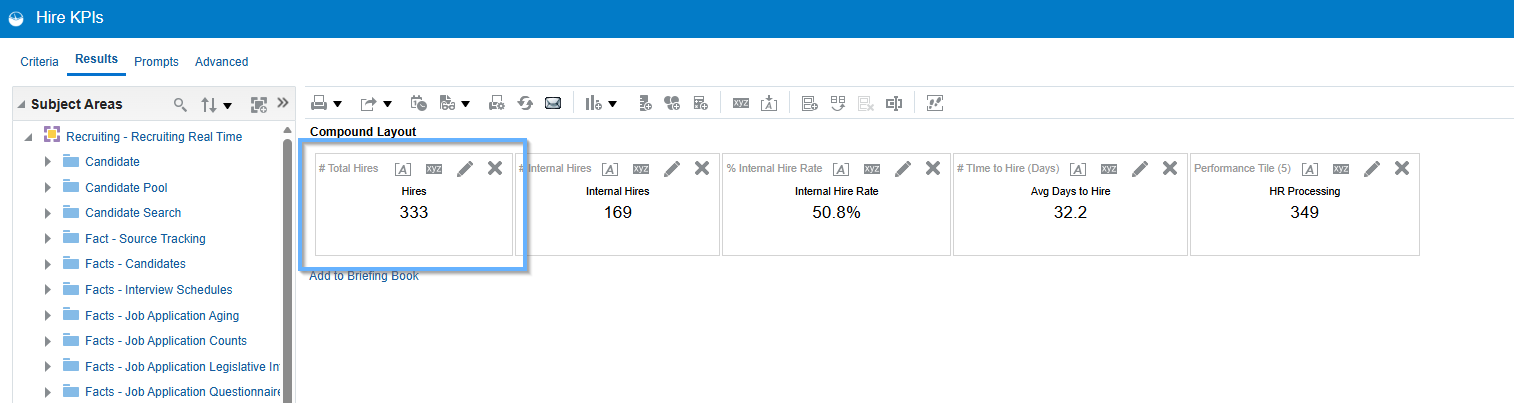
Recruit to hire snapshot.png

The Recruit to Hire Dashboard is a seeded resource in the Oracle release, so users can’t modify it directly unless they create a copy. We were able to copy most of the analyses, but there is one called “Hire KPIs” that drill down into five additional analyses.

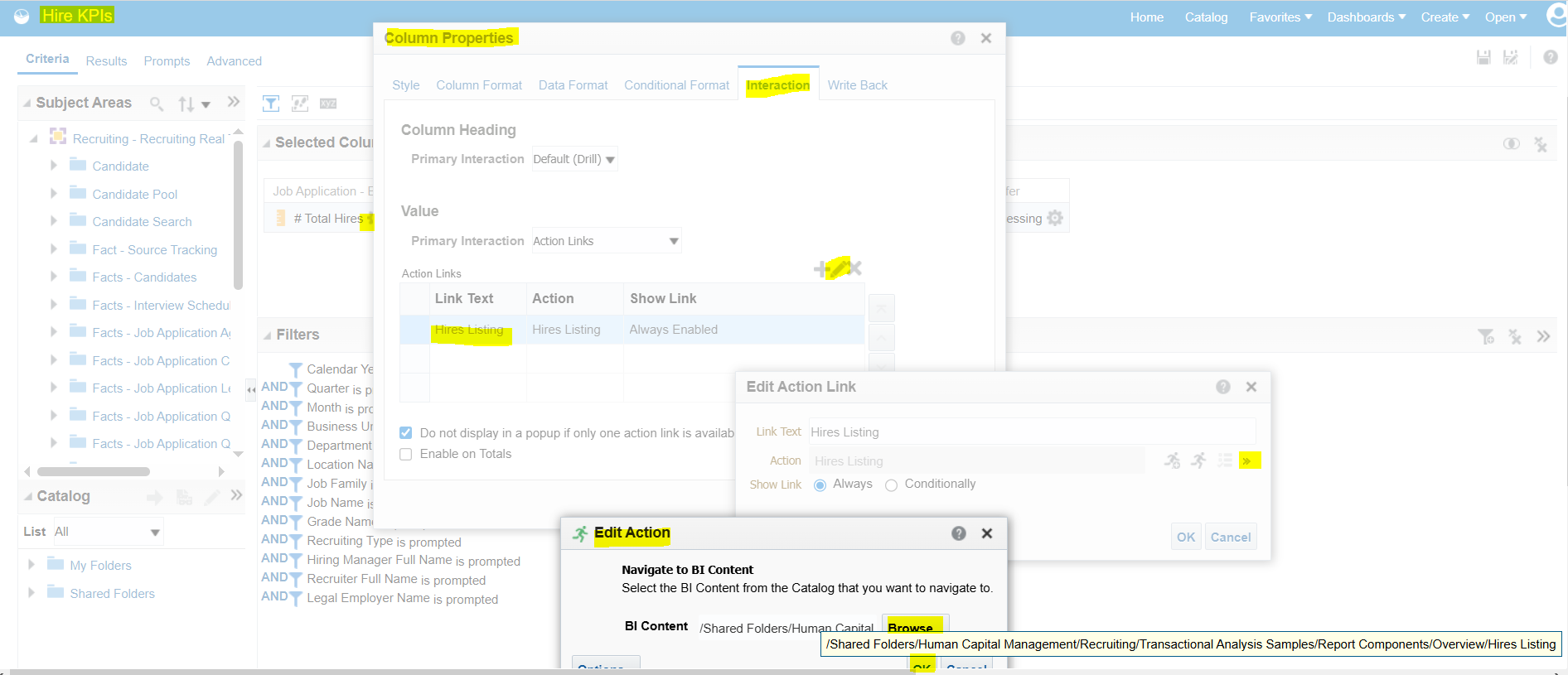
We haven’t been able to figure out how to copy those underlying analyses or update the filters so the dashboard reflects the correct numbers.

The dashboard(analysis) path is: /shared/Human Capital Management/_portal/Recruit to Hire Dashboard/Hires

Best Answer

Answers

  • Bhaskar Konar
    Bhaskar Konar Rank 9 - Analytics & AI Expert

    HI @Hazel Fan,

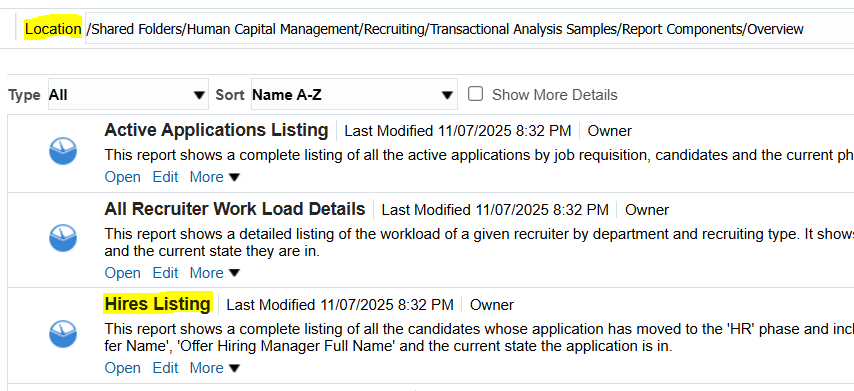
    You have to go the location where the report is saved in OOTB and you have to copy that in the custom location.

    For example you can get 'Hire Listing' in the following location. Once you copy this OOTB component into your custom folder then you have to remap your custom KPI component and map back to the custom folder which I described in the above post.

    It's bit time consuming activity.

    image.png

    Hope this help.

    Thank you.