Description
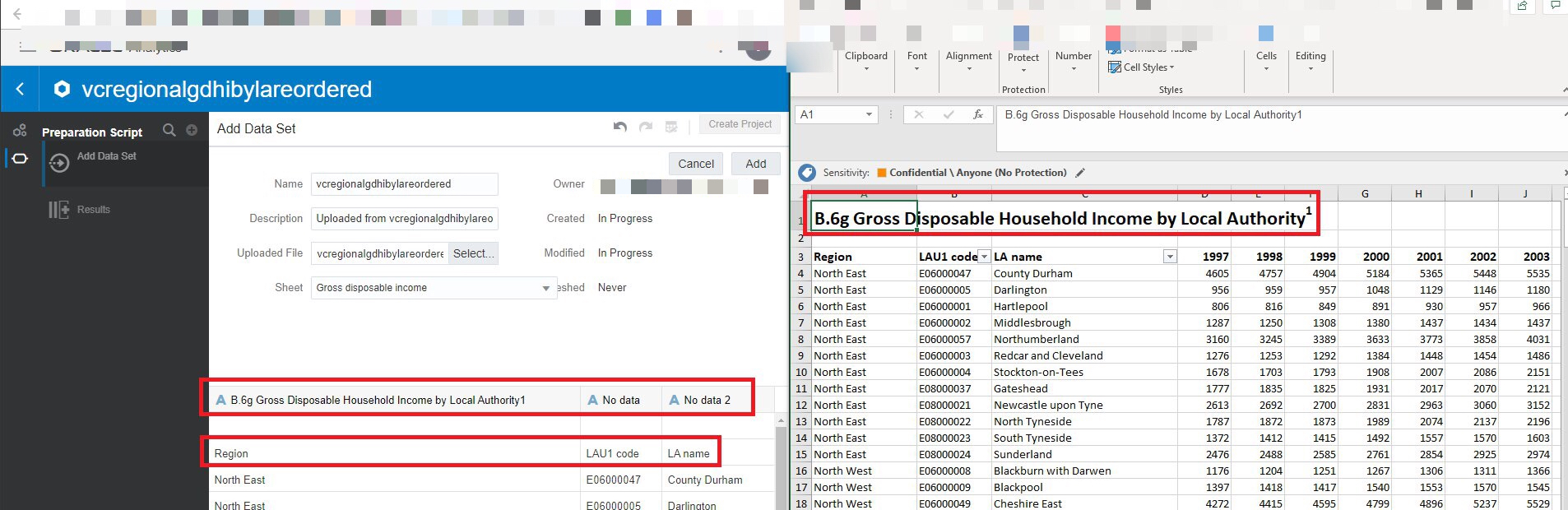
When importing an Excel dataset into OAC’s Data Visualisation, there is no option to select the row to use for column headers. The 1st row is used by default and there is no option to override that.
Use Case and Business Need
The only option available currently is to alter the Excel worksheets and to place the row with column headers in the 1st row. This is quite cumbersome and most tools that import from Excel do provide this option to allow the row with column headers to be selected.
More details
See above.
Original Idea Number: 1773eebe4a