Summary:
Does anyone know if it is possible to enable Audit and Monitoring AKA Usage Tracking for Published Reporting in Oracle Analytics Cloud.
In OBIEE you needed to run RCU for separate schema to write to...what about OAC?
Thanks
Wayne
Thank you, I know BIP reports are not stored in the Out of the Box Usage Tracking for DV and Analytics.
In the On-Prem world there is separate tables within the backend system for BIP that are created via RCU.
Then in OBIEE & OAS you can enable Monitor and Audit (A.K.A. Usage Tracking).
I am looking for how this can be done in OAC
Hi Wayne,
In OAC only classic and DV queries are stored in usage tracking. BIP usage tracking is not stored in the Usage tracking tables.
Regards,
Siddharth Dang
Perhaps, this is what you are looking for?
https://docs.oracle.com/en/cloud/paas/analytics-cloud/acabi/top-faqs-configure-and-manage-publisher.html"=
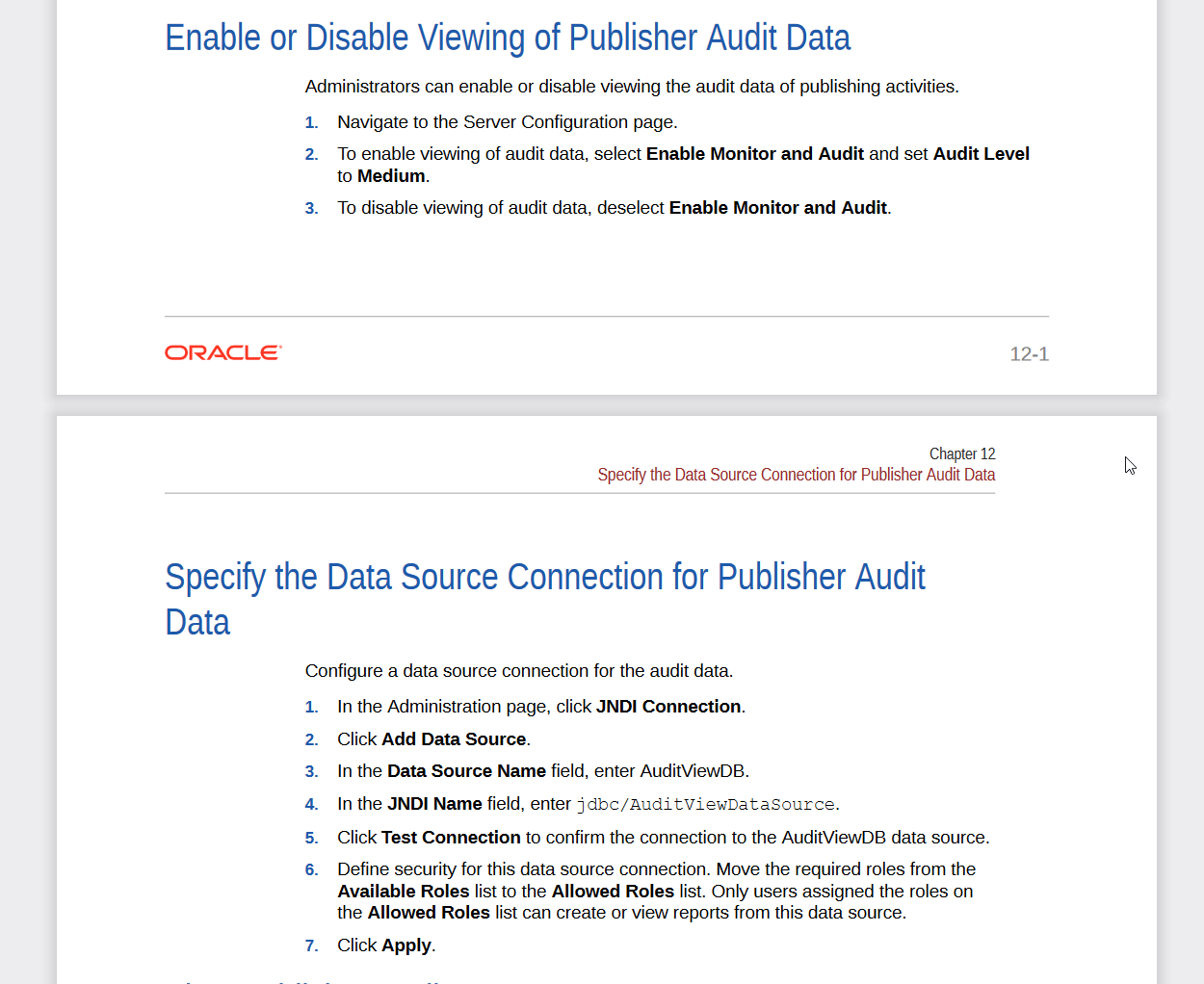
How can I enable the viewing of audit data in Publisher?
Use the Enable Monitor and Audit property in the Publisher Server Configuration page to enable or disable viewing of the audit data of Publisher catalog objects.
I am assuming the tables are there if it is documented, but I have not tested it myself.
See if it works, if not, then you may need an SR for doc bug or other steps/guidance.
@SteveF-Oracle that link was very helpful.
If I had read the docks closer i would have found this
Configuring Oracle Analytics Cloud
E81766-47
January 2022
Though there is an error in the JDBC URL in the documentation
When i look at an older copy of the docs
E81766-46
November 2021
This is the correct JDCB URL
Now to figure out what is wrong with the sample reports as i am not getting anything back once auditing is enabled. I see some data in the BIPUBLISHER_V within the datamodels
If you confirmed that it is working, I can ask the User Assistance team to update the guide.
In Point number 4, JNDI name should be jdbc/AuditViewDataSource.
We will get document updated.
Thanks,
Sandeep S. Chauhan
Description: Join the OCI Enterprise AI Product Management team for a deep dive into the latest product roadmap updates and upcoming innovations. During this webinar, we’ll cover key roadmap highlights, showcase product demos, and share insights into what’s ahead for OCI Enterprise AI. The session will conclude with a live…
Hello Team, While building a Pivot Table view for my report, 2 out of the 4 metric columns contain completely null values. I'm looking for a way to automatically exclude or hide metric columns whenever they are entirely null or zero. Could you please advise on how to achieve this? Thanks.
Hi! I am looking for audit logging for Analytics objects, such as users creating, modifying, or deleting datasets, dataflows, schedules, etc. The traditional Presentation Services component provides such logging in domains/oas/servers/obips1/logs/auditjson.log, which contains audit information for catalog objects,…
I'm trying to index a Local Subject Area so I can use it in my AI Agent, however, I keep receiving the generic error below. Request status(500) : error = {"prefix":"DSS","code":50000,"message":"There was an unexpected error while processing this request. Please try again."}
it is observed that in OAC while using case statements the output is not expected.For example if we have a case statment like case when table1.column1=table2.column1 then 'yes' else 'No' end as Attribute1 Now if i use this attribute with a fact-amount column attribute 1|| Amount on a report then we dont get the aggregation…