Categories
- All Categories
- Oracle Analytics and AI Learning Hub
- 43 Oracle Analytics and AI Sharing Center
- 19 Oracle Analytics and AI Lounge
- 281 Oracle Analytics and AI News
- 57 Oracle Analytics and AI Videos
- 16.2K Oracle Analytics and AI Forums
- 6.4K Oracle Analytics and AI Labs
- Oracle Analytics and AI User Groups
- 106 Oracle Analytics and AI Trainings
- 20 Oracle Analytics and AI Challenge
- Find Partners
- For Partners
Configuring filter sessions between visuals
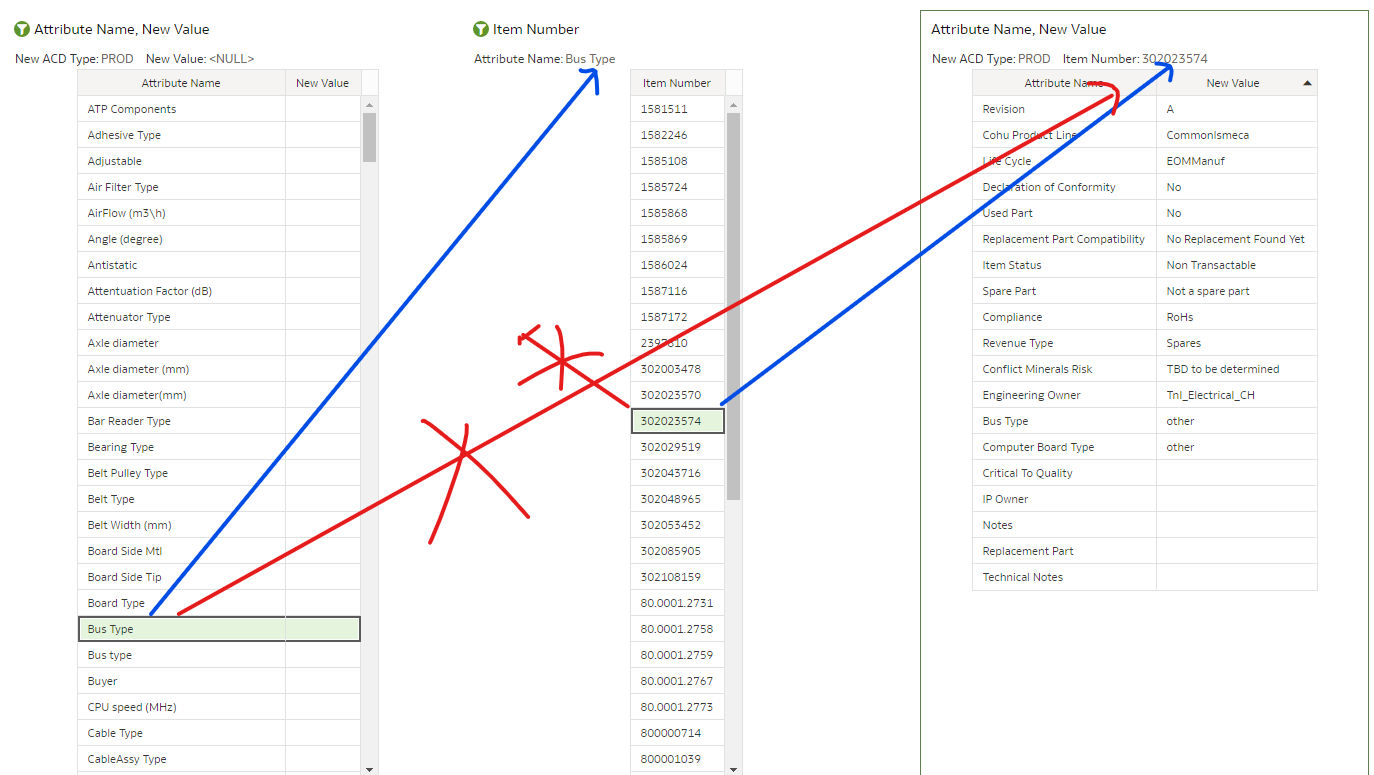
Every time I filter visuals based on another visual all visuals are filtered, and also all columns from the "filter" visual are applied, this makes quick checks difficult. I propose the following.
- Define columns which are used in a filter, and only use these columns
- Define visuals to which filters are applied
The benefit for this feature is, that it becomes easy to highlight records to which a set of attributes applies and detect relations to other attributes. This helps to detect data discrepancies in large volumes of data. Here in particular 1.6 million items with >400 different attributes, which need to follow certain dependencies, which need to be analyzed by case.
Comments
-
Have you considered data actions for this scenario?
0 -
Hi Bret,
this seems to work. There is one drawback, though. I do not have all canvases on one screen.
So I need to switch between them instead of having everything on one canvas.
Nonetheless, thanks for the hint. I seem to have done somethign wrong in the past, when I didn't get this working.
One observation: If I select all entries (in my example 232) from one canvas and apply the data action, then the action does not work, e.g. the values are not added to the filter in target canvas.
Another question I have in this context is, what I should do when I have more than 500 items I want to connect in a data action.
Franz
0

