Categories
- All Categories
- Oracle Analytics and AI Learning Hub
- 53 Oracle Analytics and AI Sharing Center
- 25 Oracle Analytics and AI Lounge
- 306 Oracle Analytics and AI News
- 57 Oracle Analytics and AI Videos
- 16.4K Oracle Analytics and AI Forums
- 6.6K Oracle Analytics and AI Labs
- Oracle Analytics and AI User Groups
- 118 Oracle Analytics and AI Trainings
- 22 Oracle Analytics and AI Challenge
- Find Partners
- For Partners
Decimal comma/period

Can I replace the decimal comma with a decimal period so that I get the correct values when exporting to a csv file?
I want the data in excel, but my version does not support export to excel.
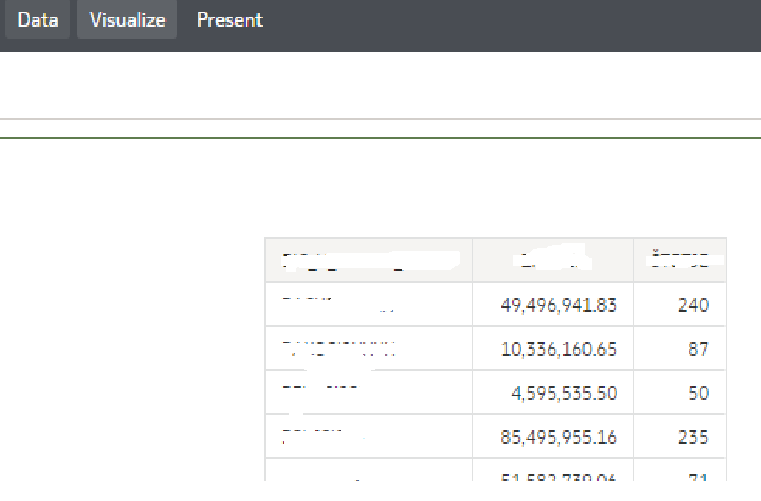
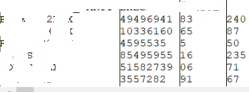
On the visualization (first picture), it looks like the decimal separator is a period, but when I export, the decimal separator is a comma, which corrupts my data(second picture) (all values are calculated to two decimal places).
Answers
-
@User_VMJII - Could you please confirm whether you are using Oracle Analytics Cloud (OAC) or Oracle Analytics Server (OAS) for the current issue? If you are using OAS, kindly include the version details to help us better assist you.
Thank you.
0 -
I am using OAS:
 0
0 -
This should be based on your browser locale.
Test the solution documented here;
How To Set The Locale To Spanish (Mexico) vs Spanish (Spain) In DV (Doc ID 2968100.1)0 -
In the criteria tab of your analysis:
- Click the fact column and select "Column Properties"
- Click on "Data Format"
- Check "Override Default Data Format" box
- Specify decimal places and 1000s separator
- If you want this format to be applied to all the ocurrences of this fact column (and assuming you have the privileges) you can save this format as system-wide default by clicking "Save as default
0 -
@RichardChan thanks for the reply. Did you mean here?
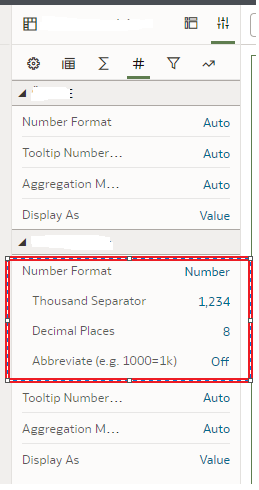
Because I can't find the section to follow your instructions.
0


