Hi,
I have a report that's embedded with link in a dashboard. I wanted to use dashboard prompt for the parameters. How can I hide the parameters from the data model without deleting it from the query?
Regards,
Ivony
Hi @Ivony Ann Paula Salango,
Can you please try the following with your BI Publisher Report?
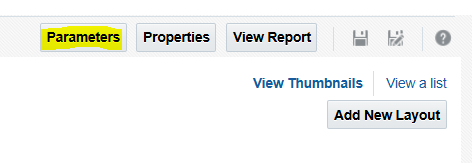
Step 1: Navigate to BI Publisher Catalog Step 2: Edit the Report Step 3: Hide Parameters
In the next window, you have the option to show or hide the parameters as shown.
Once you have made the changes click on OK and Save the report.
Hope this help.
Cheers,
Quick question: Have you able to hide the parameters from data model using above steps?
Thank You!
Hi @Bhaskar Konar , yes, thanks a lot!
Glad to hear that.
Can you please accept the answer that helped you to resolve the issue? It'll be helpful for fellow community members in future.
Thank you very much @Ivony Ann Paula Salango!
Sure! :)
Explore how to build agents using code in AI Data Platform. We'll create an agent that examines and analyzes the contents of a Github repository and reports its findings. The session demonstrates how to use different developer tools to create agents including the AIDP extension for VS Code and Codex. Using these tools we…
Our Requisition OTBI analysis is having many values Requisition Number Requisition Title Requisition Status Hiring Manager Full Name Recruiter Full Name am able to see values for all. When am passing Prompt(Hiring Manager Full Name or Recruiter Full Name) am not able to see the data. Am sure we have values/data for passed…
Hi Experts, We are using Oracle BI Publisher Email Bursting to distribute reports via email. Currently, one of our bursting outputs generates a report of approximately 20 MB, and we are trying to understand whether there are any size limitations that could impact email delivery. Scenario: Report Delivery Method: Email…
Team, We have a requirement to select below PVOs HcmTopModelAnalyticsGlobalAM.ProfileAM_ProfileItemPVO HcmTopModelAnalyticsGlobalAM.ProfileAM_ProfilePVO HcmTopModelAnalyticsGlobalAM.ProfileAM_ContentItemPVO HcmTopModelAnalyticsGlobalAM.ProfileAM_ContentTypePVO Do we have any documentation around these?
We have a requirement of enabling OTBI report in Purchase Requisition Redwood page similar to classic UI.How can that be done?