Hello,
I have a concern with my Activity report, the 'Activity Description' column keeps widening every time we use the 'Activity Type' prompt.
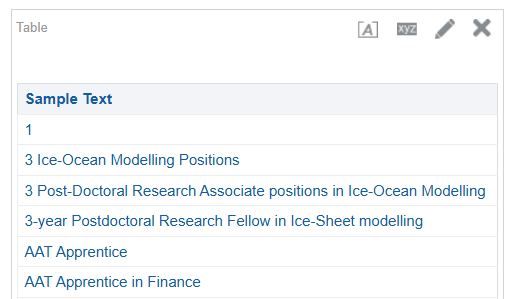
Original View/Width
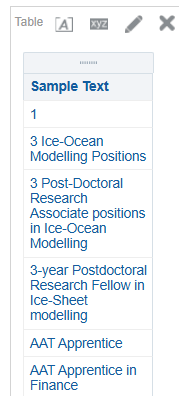
After applying prompt
Hi @Ivony Ann Paula Salango,
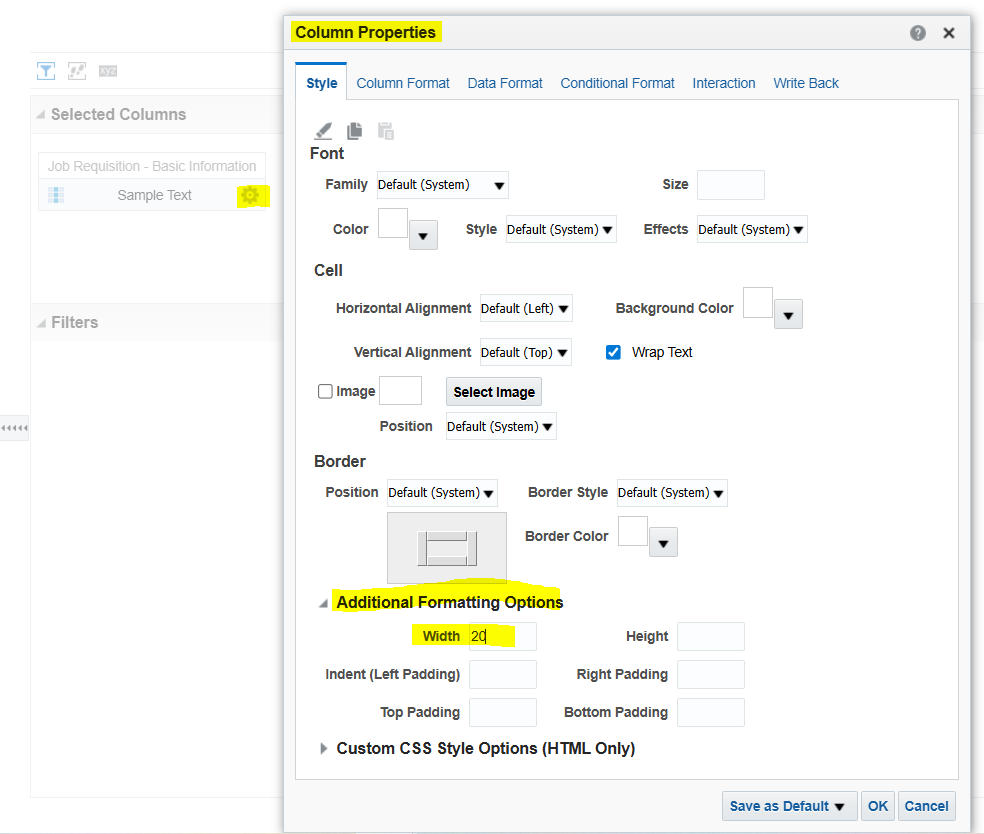
Have you tried setting up the width of the column under 'Additional Formatting Options' under 'Column Properties'? Here's a screenshot.
It is working for me:
Before setting up the width:
Hope this help.
Thank you.
Hi @Bhaskar Konar , thanks for the suggestion, yes, I've tried it. The thing is, when I am already using the dashboard and added some prompts, when the results are shown, the activity description is expanding.
I can't find the reason why is it expanding after adding the prompt.
Thanks for the details.
I would recommend you to go one step at a time to see if it is working or is it not working when you are adding other reports etc. Sometimes the results comes from cache and makes it difficult to see the changes.
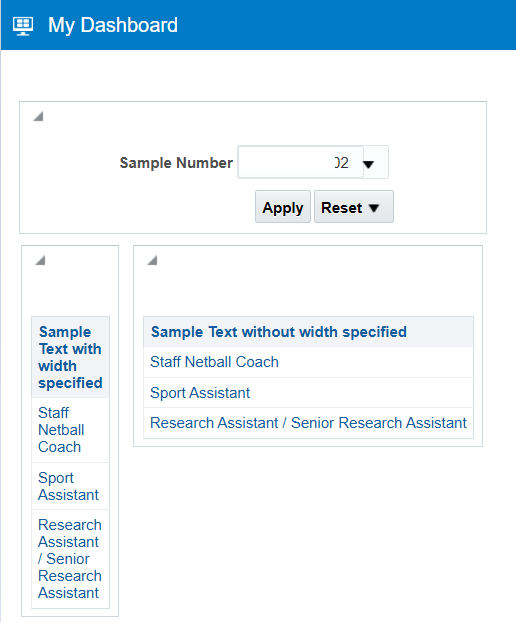
I tried the solution with prompt and dashboard and it is working for me. Please find below.
Explore how to build agents using code in AI Data Platform. We'll create an agent that examines and analyzes the contents of a Github repository and reports its findings. The session demonstrates how to use different developer tools to create agents including the AIDP extension for VS Code and Codex. Using these tools we…
Our Requisition OTBI analysis is having many values Requisition Number Requisition Title Requisition Status Hiring Manager Full Name Recruiter Full Name am able to see values for all. When am passing Prompt(Hiring Manager Full Name or Recruiter Full Name) am not able to see the data. Am sure we have values/data for passed…
Hi Experts, We are using Oracle BI Publisher Email Bursting to distribute reports via email. Currently, one of our bursting outputs generates a report of approximately 20 MB, and we are trying to understand whether there are any size limitations that could impact email delivery. Scenario: Report Delivery Method: Email…
Team, We have a requirement to select below PVOs HcmTopModelAnalyticsGlobalAM.ProfileAM_ProfileItemPVO HcmTopModelAnalyticsGlobalAM.ProfileAM_ProfilePVO HcmTopModelAnalyticsGlobalAM.ProfileAM_ContentItemPVO HcmTopModelAnalyticsGlobalAM.ProfileAM_ContentTypePVO Do we have any documentation around these?
We have a requirement of enabling OTBI report in Purchase Requisition Redwood page similar to classic UI.How can that be done?