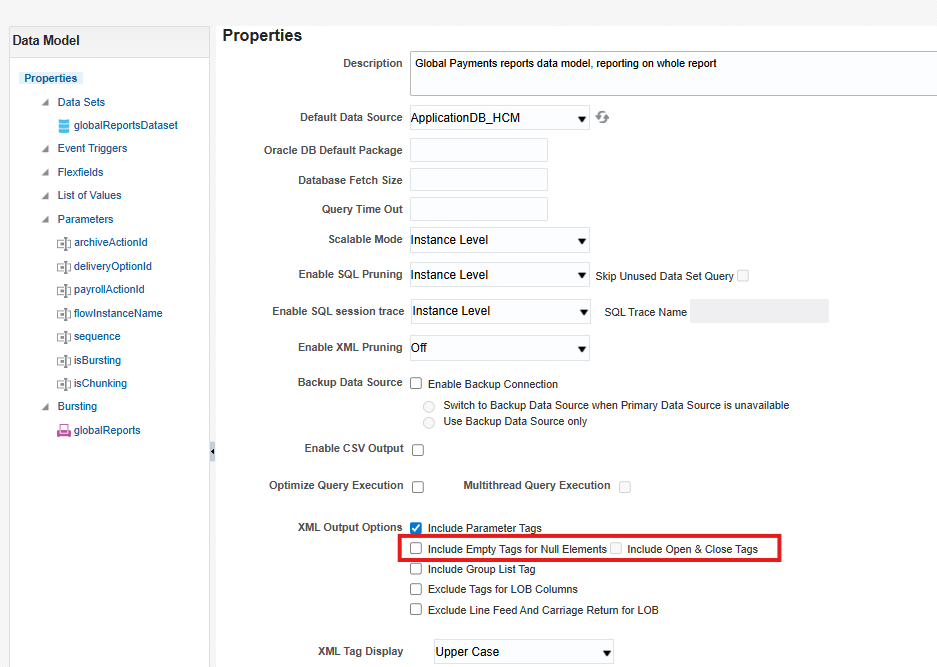
I have tried unchecking , still generating these characters in the front for each row.
Hello Ramani, Is the snippet you shared from the XML file or the output file when scheduling the report? Thank you Hassan
Output file
Welcome to Oracle Analytics Community.
Can you share a screen shot from output to show how it looks? Normally this will be a template issue rather than a DM issue. Please check your template once.
Thanks.
Hi Mandeep,
Agreed, it's just template. It was working fine before and I just made one small change and upload again. I have removed few elseif's. that's the only change I did.
If TermDate IS NOT NULL and Asg_Action <> ‘GLB_TRANSFER’
Then
If Termination_Reason = 'ADMIN' Then 'ADM'
Else If Termination_Reason = 'ATTENDANCE' Then 'ATT'
Else If Termination_Reason = 'FAILED_DRUGS' Then 'FDT'
Else If Termination_Reason = 'LAYOFF' Then 'LAY'
Else If Termination_Reason = 'MISCONDUCT' Then 'CON'
Else If Termination_Reason = 'UNSATIS_PERF' Then 'UNS'
end if
Try the below:
Suppress Blank Lines with <?if:condition?>...<?end if?> Use inline formatting like:
<?if:FIELD!=''?><?FIELD?><?end if?>
Check the below:
Setting Report Processing and Output Document Properties
Hi Ryaz,
Thank you for the suggestion, the template has lot of if statements, when I applied to the one I made changes it didn't work. I have done modification to the original one again very carefully and it worked this time in development and crossing fingers it will work in Production.
Thanks for the update. So, possibly the issue was due to incorrect update of the template.
If my response has answered your question or assisted you with your concern, please click"yes" below to accept the answer or comment with any additional queries. You can also read the Cloud Customer Connect Guidelines for https://community.oracle.com/customerconnect/kb/articles/1-accepted-answer
Where AI meets business outcomes Oracle AI World brings the Oracle community together to explore how AI and other technology innovations are driving real business outcomes across industries. Discover what’s new through: Mainstage keynotes to hear the latest directly from Oracle leadership Product demonstrations Customer…
Our Requisition OTBI analysis is having many values Requisition Number Requisition Title Requisition Status Hiring Manager Full Name Recruiter Full Name am able to see values for all. When am passing Prompt(Hiring Manager Full Name or Recruiter Full Name) am not able to see the data. Am sure we have values/data for passed…
Hi Experts, We are using Oracle BI Publisher Email Bursting to distribute reports via email. Currently, one of our bursting outputs generates a report of approximately 20 MB, and we are trying to understand whether there are any size limitations that could impact email delivery. Scenario: Report Delivery Method: Email…
Team, We have a requirement to select below PVOs HcmTopModelAnalyticsGlobalAM.ProfileAM_ProfileItemPVO HcmTopModelAnalyticsGlobalAM.ProfileAM_ProfilePVO HcmTopModelAnalyticsGlobalAM.ProfileAM_ContentItemPVO HcmTopModelAnalyticsGlobalAM.ProfileAM_ContentTypePVO Do we have any documentation around these?
We have a requirement of enabling OTBI report in Purchase Requisition Redwood page similar to classic UI.How can that be done?