Categories
- All Categories
- Oracle Analytics and AI Learning Hub
- 44 Oracle Analytics and AI Sharing Center
- 20 Oracle Analytics and AI Lounge
- 278 Oracle Analytics and AI News
- 56 Oracle Analytics and AI Videos
- 16.2K Oracle Analytics and AI Forums
- 6.4K Oracle Analytics and AI Labs
- Oracle Analytics and AI User Groups
- 103 Oracle Analytics and AI Trainings
- 20 Oracle Analytics and AI Challenge
- Find Partners
- For Partners
How can I get classic parameter values to pass through? Edit parameter mapping greyed out?
I'm working on an analysis in OAC Classic and trying to set up a drill through that passes values. I am able to successfully set up the action link, but I am unable to pass values through to make sure that the analysis drills to the specific row I'm trying to drill to.
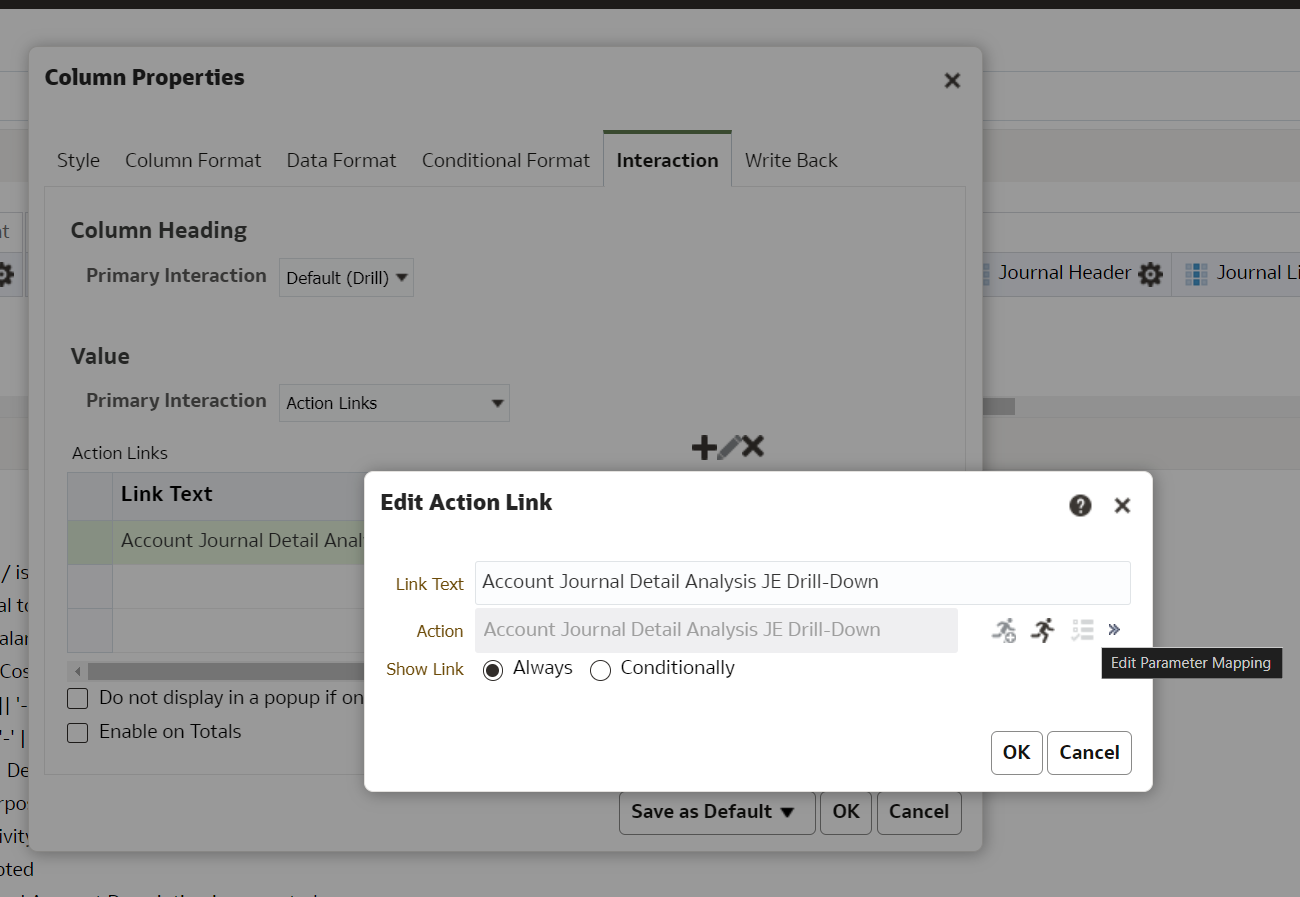
See here when I try to click the parameter mapping button on the interaction tab of the column properties its greyed out. I've followed all the steps and made sure the target analysis has a prompt for the values I'm trying to pass through as well as the same column that I'm trying to drill through on. I've also attempted to do the action link through a dashboard but ran into the same issue of the edit parameter mapping being greyed out again. Any ideas on how I can get parameters to pass through in my classic analysis drill through?
Answers
-
Hi Experts, we are facing the same both in OACS stand alone and FDI. Can anyone please help with response?
0 -
Without having details of the Action definition its hard to respond. @Ramprapanna Bhattacharya-Oracle please create a new post for your issue and provide necessary screenshots of the action definition and the issue seen.
0


