We’ve used page breaks in BIP reports and are looking for a similar feature in OTBI. Could you please guide us on how to achieve this?
Thanks, Sathyaseelan C
Hello,
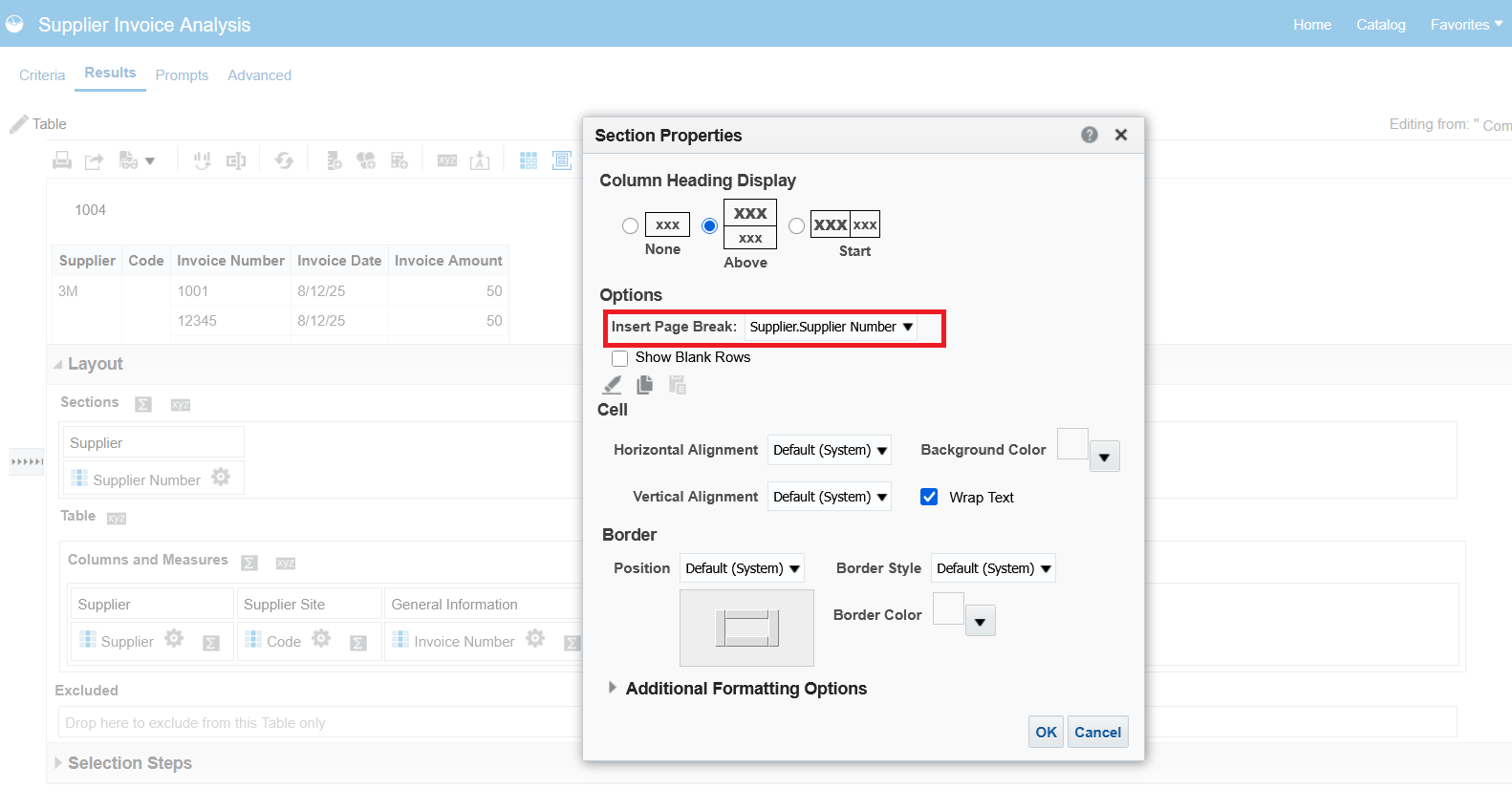
Creating a Page Break in the Layout Section Properties:
Thanks, Sankar Balu
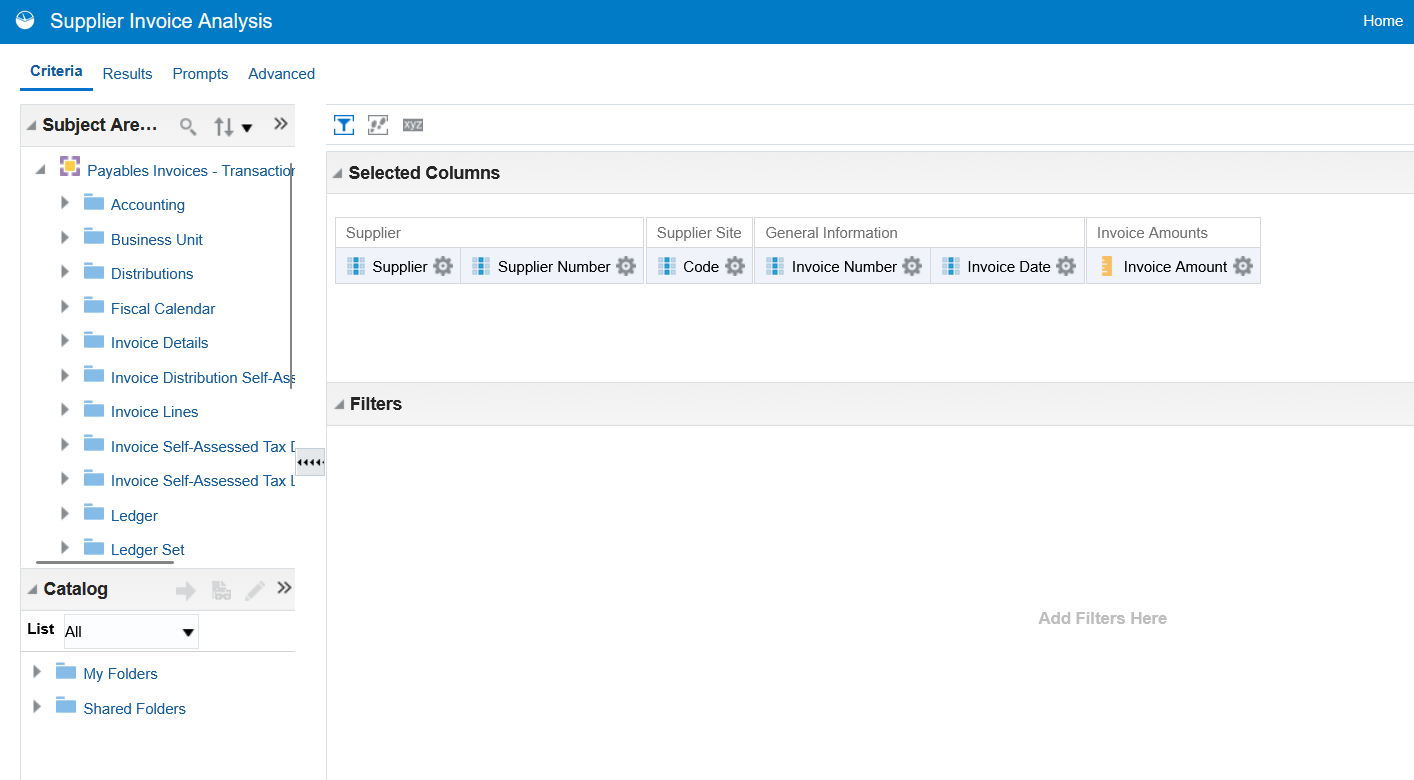
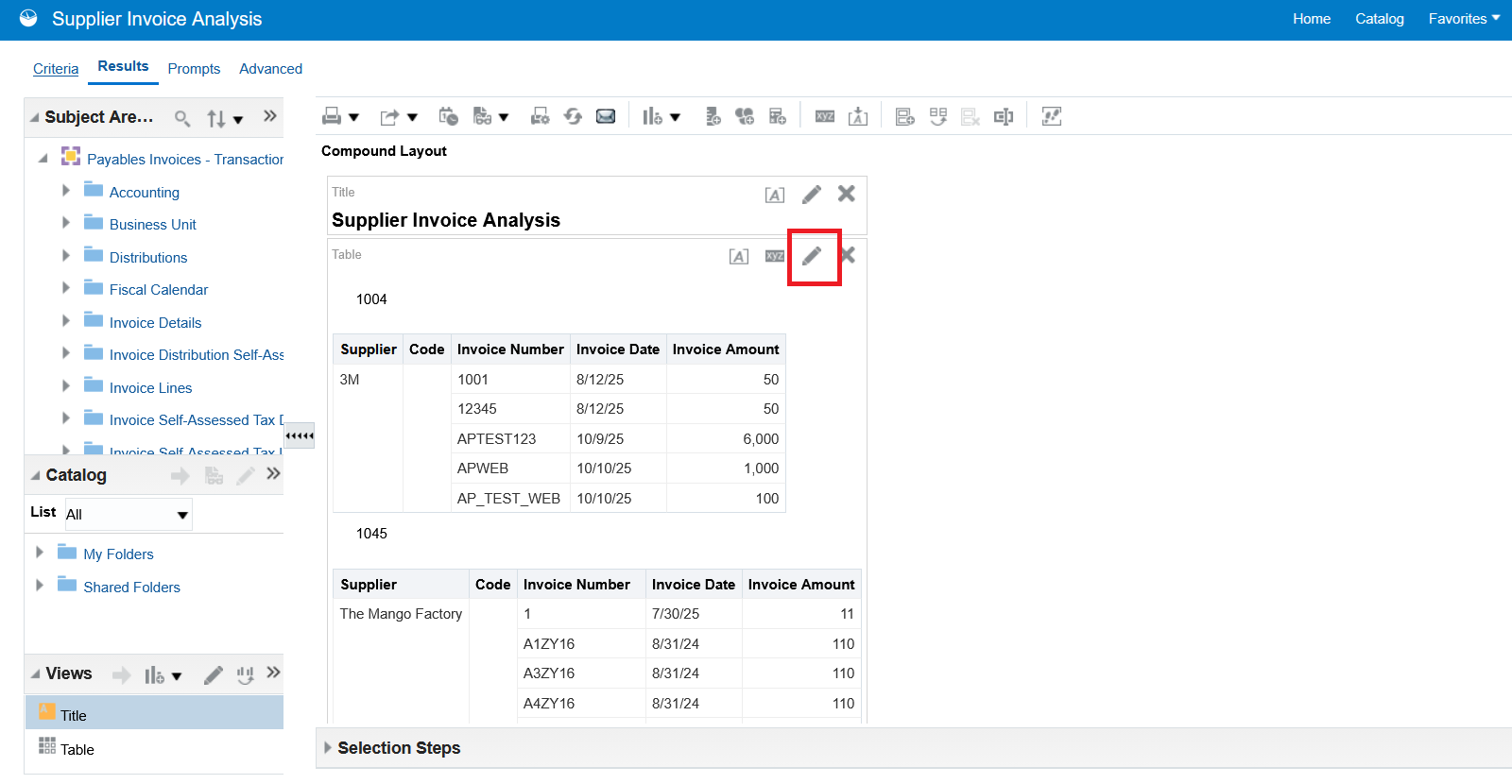
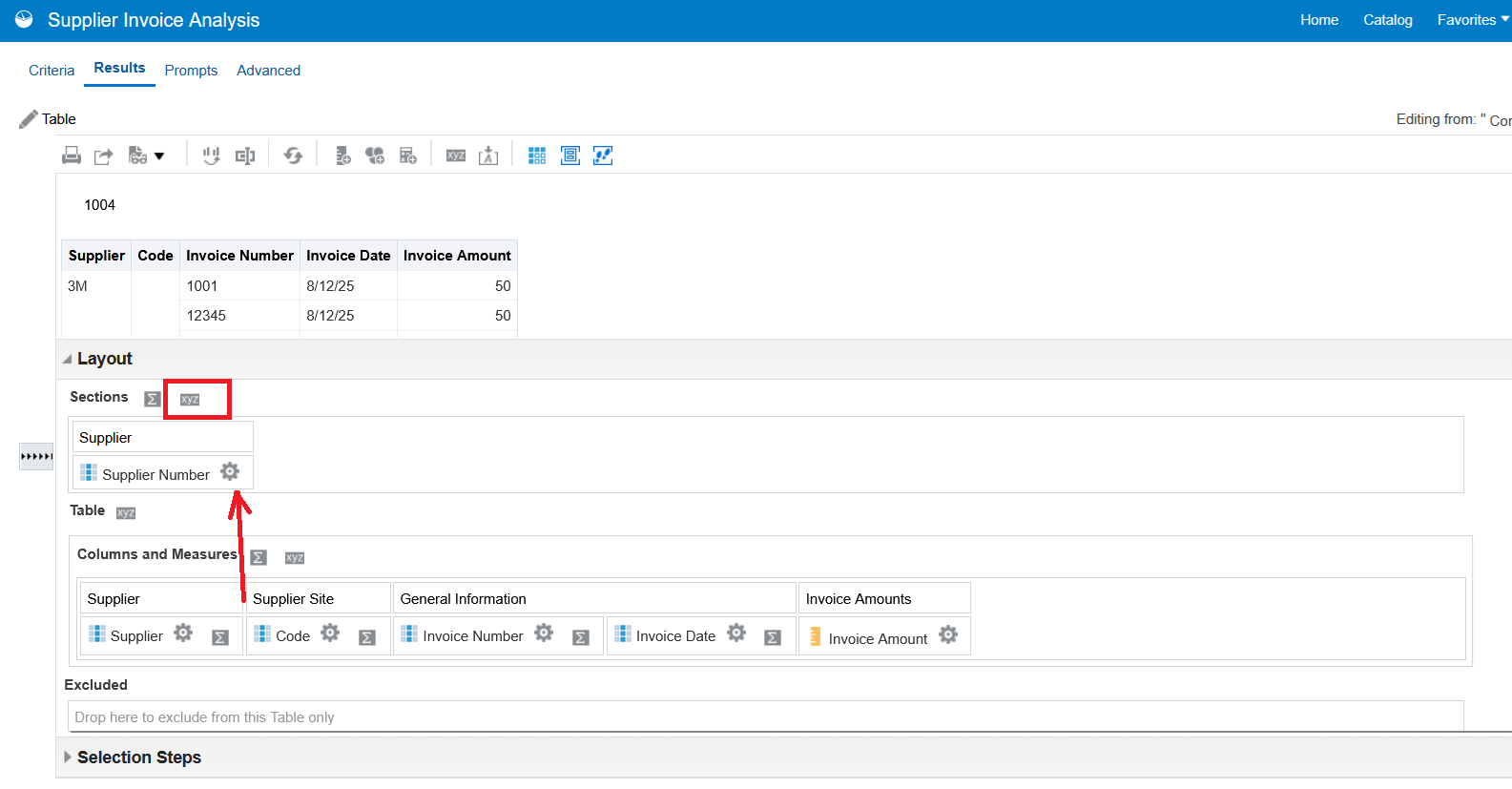
Check the below example for Step By Step Guide: Example - Supplier Invoice Analysis (Page Break By Supplier)
Add or select the column you want to use as a page break in the Sections area.
Validate the Report Output in 'Printable PDF' Thanks, Sankar Balu
Thank you very much for the detailed steps and screenshots.
Very helpful.
Thank you very much for sharing @SankarBalu!
You're Welcome @Bhaskar Konar !!!
Where AI meets business outcomes Oracle AI World brings the Oracle community together to explore how AI and other technology innovations are driving real business outcomes across industries. Discover what’s new through: Mainstage keynotes to hear the latest directly from Oracle leadership Product demonstrations Customer…
Our Requisition OTBI analysis is having many values Requisition Number Requisition Title Requisition Status Hiring Manager Full Name Recruiter Full Name am able to see values for all. When am passing Prompt(Hiring Manager Full Name or Recruiter Full Name) am not able to see the data. Am sure we have values/data for passed…
Hi Experts, We are using Oracle BI Publisher Email Bursting to distribute reports via email. Currently, one of our bursting outputs generates a report of approximately 20 MB, and we are trying to understand whether there are any size limitations that could impact email delivery. Scenario: Report Delivery Method: Email…
Team, We have a requirement to select below PVOs HcmTopModelAnalyticsGlobalAM.ProfileAM_ProfileItemPVO HcmTopModelAnalyticsGlobalAM.ProfileAM_ProfilePVO HcmTopModelAnalyticsGlobalAM.ProfileAM_ContentItemPVO HcmTopModelAnalyticsGlobalAM.ProfileAM_ContentTypePVO Do we have any documentation around these?
We have a requirement of enabling OTBI report in Purchase Requisition Redwood page similar to classic UI.How can that be done?